Summary
What is v0 and its role in modern development
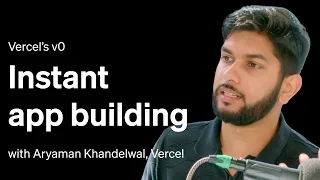
v0 by Vercel represents a paradigm shift in how developers approach UI component creation. This official tutorial from Vercel demonstrates the complete workflow for leveraging v0's AI-powered capabilities to move from a simple text prompt directly to production-ready code. The platform integrates Claude's language understanding with Vercel's infrastructure to generate high-quality React components that developers can immediately deploy, dramatically reducing the time between concept and execution.
Understanding the prompt-to-production philosophy
The core philosophy behind v0 emphasizes speed and accessibility. Rather than spending hours designing interfaces or writing boilerplate component code, developers can describe their desired UI in natural language and receive working components in seconds. This approach democratizes component creation, allowing developers of all skill levels to build professional interfaces. The workflow acknowledges that iteration and refinement are part of the process, so v0 enables rapid prototyping and modification based on feedback or changing requirements.
Setting up your first v0 project
Getting started with v0 involves understanding the basic project structure and how to initialize a new component workspace. Developers connect their Vercel account, authenticate with the necessary permissions, and gain access to the v0 interface. The setup process is straightforward, designed to minimize friction between deciding to use v0 and actually creating components. Once authenticated, users can immediately begin describing components using natural language prompts, leveraging Claude's ability to understand nuanced design requests and specifications.
Writing effective prompts for component generation
The quality of generated components directly depends on prompt clarity and specificity. Effective prompts describe the component's purpose, layout requirements, interactive behaviors, and visual style preferences. Developers learn to balance detail with conciseness, providing enough context for Claude to generate appropriate solutions without over-specifying implementation details. Examples include prompts for form layouts, card components, navigation systems, and dashboard elements. The best prompts often include information about the component's use case, target users, and any specific design patterns or libraries that should influence the output.
Refining and iterating on generated components
After v0 generates an initial component, the workflow emphasizes iteration and refinement. Developers can request modifications, ask for alternative implementations, or provide feedback that shapes subsequent generations. This iterative approach mirrors real-world development, where requirements clarify through discussion and testing. The interface supports natural language feedback, allowing developers to say things like "make the spacing wider" or "use a different color scheme" without writing code directly. This human-in-the-loop process ensures that final components align with project needs and design systems.
Integrating components into your codebase
Once a component meets requirements, exporting and integrating it into existing projects becomes seamless. v0 generates standard React code that developers can copy into their repositories, customize further if needed, or deploy directly to Vercel. The generated code follows modern React patterns and best practices, making it production-ready without extensive refactoring. Developers maintain full control over the code after generation, allowing for custom modifications, performance optimizations, or integration with proprietary libraries and design tokens.
Best practices for production deployment
Moving v0-generated components to production involves standard development practices alongside v0-specific considerations. Developers should review generated code for accessibility compliance, performance optimization, and alignment with project standards. Testing components across different screen sizes and browsers ensures reliable user experiences. Leveraging Vercel's deployment infrastructure allows developers to push updated components live instantly. Version control integration means teams can track changes to components, maintain consistency across projects, and collaborate effectively on component evolution over time.
Extending v0 for complex projects
While v0 excels at generating individual components, production applications often require multiple interconnected components working together. The workflow supports building entire page layouts by composing v0-generated components, combining prompts for different sections, and integrating them into unified interfaces. Complex projects may involve data binding, state management, and API integration—areas where developers apply their own expertise to transform v0 outputs into complete, functional applications. Understanding how to architect projects around v0's strengths while managing its limitations enables developers to maximize productivity gains.
What you will learn
- Understand how to write effective prompts for v0 component generation
- Navigate the v0 interface and initialize projects with Vercel authentication
- Iterate and refine AI-generated components to match project requirements
- Export production-ready React code from v0 and integrate into existing codebases
- Deploy v0-generated components to production using Vercel infrastructure
Concepts covered
Technologies used
Chapters 6 markers
Next suggested video

Reviews
No reviews yet. Be the first to rate this lesson.