-
01
 Lesson 1 – Claude Code 101
2min
Lesson 1 – Claude Code 101
2min
-
02
Lesson 2 – Claude Code 101
3min
-
03
Lesson 3 – Claude Code 101
2min
-
04
Lesson 4 – Claude Code 101
2min
-
05
Lesson 5 – Claude Code 101
Current lesson
-
06
Lesson 6 – Claude Code 101
3min
-
07
Lesson 7 – Claude Code 101
3min
-
08
Lesson 8 – Claude Code 101
3min
-
09
Lesson 9 – Claude Code 101
3min
Summary
Setting Up Project Memory for an AI Coding Agent
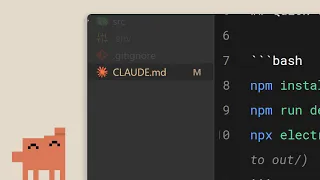
Giving an AI coding assistant persistent context is one of the quickest ways to move from a generic chat experience to a truly productive pair-programming workflow. Without memory, every session with an AI agent starts from scratch, which forces you to re‑explain the project structure, naming conventions, and technical preferences before you can ask for anything useful. The CLAUDE.md file solves this problem by acting as a lightweight onboarding document that Claude Code reads at the beginning of a session and whenever it is invoked in a project directory. This small investment in documentation pays off immediately because the model can ground its answers in the specific reality of your repository instead of guessing based on common patterns.
The approach is deliberately simple: a single Markdown file that lives at the root of a project or, optionally, deeper in the folder tree. Markdown was chosen because it is already the lingua franca of developer documentation, so the file fits naturally alongside READMEs and CONTRIBUTING guides that many teams already maintain. The magic is not in the format itself but in how Claude Code uses the content to condition its behavior. When the tool encounters a CLAUDE.md, it injects the text into the system prompt before processing any user request. That means the instructions you write become part of the model’s working memory for the entire session, and they are automatically refreshed every time you come back to the project the next day.
Understanding the Hierarchy of Instruction Files
The CLAUDE.md system supports a folder‑aware hierarchy that gives you fine‑grained control over which instructions are active in different parts of a monorepo or multi‑module project. Crucially, multiple CLAUDE.md files can coexist in the same repository and they are merged according to a proximity rule designed to mirror how developers think about scoping context. When Claude Code is invoked, it starts by reading the top‑level CLAUDE.md at the repository root. Then, if the user’s working directory is a subfolder that also contains a CLAUDE.md, that second file is appended to the context. This stacking behavior means you can define global rules once—such as which package manager to use, how to format commit messages, or the preferred testing framework—and then add increasingly specific guidance as you go deeper into the codebase.
This design elegantly solves a common tension in documentation: the need for global consistency versus local flexibility. A root CLAUDE.md might instruct the model to always use TypeScript strict mode and to prefer functional components in a React project. In a subfolder that contains a legacy admin panel written with class components, a sibling CLAUDE.md can tell the model to ignore the functional‑component rule for files in that directory. Because the merge logic simply concatenates the files, the user can control the precedence of instructions by placing the more specific rules in the deeper file where they naturally override the broader guidance. The concept is easy to onboard and scales from a single‑developer side project to a large team with dozens of internal packages.
What Should Go Inside a CLAUDE.md
Many developers freeze when opening a blank CLAUDE.md because they are not sure what an AI model actually finds useful. The core principle is to include the information that you would share with a senior contractor starting on your project on their first day. Obvious candidates are the programming language version, the build system, and the primary command for running tests. Beyond that, you should capture the handful of conventions that are easy for a human to forget but easy for an AI to follow once they are written down. Examples include how to structure imports, whether to use default or named exports, the style of variable naming, and the preferred library for a specific task when there are multiple reasonable choices.
The video makes a point of recommending brevity precisely because long documents dilute attention. A CLAUDE.md that reads like a novel is almost as bad as no CLAUDE.md at all because the model’s context window is finite and every token you spend on verbose explanations reduces the space available for the actual code you want to generate. Effective files rarely exceed a few dozen lines and they favor bullet lists over paragraphs. A good litmus test is to re‑read your CLAUDE.md after a week away from the project. If the bullet points instantly remind you of the key constraints, it is probably the right length and density. If you find yourself skimming or skipping sections, it is time to trim.
Practical Tips for Keeping the File Effective Over Time
One friction point with any kind of documentation is that it tends to rot as the codebase evolves, yet stale instructions are arguably worse for an AI than no instructions because they actively steer the model in the wrong direction. The solution proposed in the course is to treat CLAUDE.md as a living artifact that is updated whenever a team member changes a convention. That might sound like overhead, but the fact that the file is used in every Claude Code session creates a natural incentive to keep it accurate. When the AI starts generating code that violates a new team agreement, the first place to look is whether the CLAUDE.md still describes the old standard.
Another practical tip is to resist the temptation to duplicate information that already exists elsewhere in the project. If your repository has an `.editorconfig`, an `.eslintrc`, and a `pyproject.toml`, Claude Code can already read many of those configuration files directly. The CLAUDE.md should supply the contextual glue that those tools cannot express—the why behind the choices rather than the settings themselves. For instance, telling the model “we avoid third‑party formatters for this library because the maintainers prefer minimal dependencies” is far more valuable than restating a lint rule that the AI can already parse from the ESLint config. The combination of automatic tooling awareness plus human‑curated context makes the AI behave much more like a thoughtful colleague.
Integrating the Practice into a Development Workflow
Adopting CLAUDE.md requires very little ceremony, which is precisely why teams quickly see the return on investment. Creating the file before any coding begins is ideal because the very act of writing it forces the developer to articulate the assumptions that might otherwise remain unspoken. For existing projects, a fifteen‑minute exercise of listing out the conventions that trip up newcomers usually produces an excellent first version. The file can then be checked into version control right alongside the rest of the source code, which means every branch and pull request automatically carries the current instructions. This traceability is particularly valuable when reviewing AI‑generated code because you can verify whether the model had access to the correct version of the rules at the time the code was proposed.
Expanding the Concept Across a Portfolio
Once a developer feels the productivity boost of having a per‑project memory for Claude Code, the natural next step is to think about the pattern at a larger scale. Teams often find it useful to maintain a template CLAUDE.md in a shared repository that new projects can copy and customize. Some developers even experiment with a personal CLAUDE.md in their home directory, which Claude Code can pick up as a global fallback for preferences that apply across every project. This layered architecture lets individuals carry forward their own tool‑chain preferences while still respecting the team‑level rules defined in each repository. The underlying idea, reminiscent of cascading configuration systems like ESLint’s shareable configs, gives an AI agent just the right blend of personalized assistance and team‑wide consistency without requiring a complex setup process.
Why This Matters for the Future of AI‑Assisted Development
The conversation around AI coding tools often focuses on raw model capability, but the CLAUDE.md pattern highlights how much of the real‑world experience is determined by the interface between the developer and the model. The most powerful model in the world will still produce frustrating output if it does not know which testing framework is being used or whether the team prefers server components over client components. By establishing a lightweight protocol for persistent, file‑based memory, developers move from delegating isolated tasks to delegating whole projects over multiple sessions. The technique is so simple that it risks being underestimated, yet the compounding effect of never having to re‑teach the model about the project significantly shifts the trade‑off curve in favor of adopting AI assistance for more ambitious work.
What you will learn
- Create a CLAUDE.md file to give Claude Code persistent project memory
- Understand how the file hierarchy merges rules from root to subfolders
- Decide what conventions to include for maximum AI effectiveness
- Apply practical tips to keep the file concise and up-to-date
- Integrate the practice into a team development workflow
Concepts covered
Technologies used
Chapters 5 markers
Next suggested video


Reviews
No reviews yet. Be the first to rate this lesson.