Ads
Free course

Free Claude Code 101 Course: Agentic Coding

Learn to use Claude Code as an autonomous coding agent running directly in your terminal. This course covers the agentic loop, context management, persistent memory with CLAUDE.md, MCP server integration for tools like GitHub...

9 lessons 27min total Free
\n

Course overview

\n\n\n\n

This course introduces Claude Code, an agentic coding tool that operates directly in your terminal to read, edit, and execute code. You will progress from installation and your first prompt to understanding the core agentic loop that powers its decisions. The lessons cover configuring persistent project memory using CLAUDE.md files and managing the context window to prevent performance degradation. You will also learn to connect Claude Code to external services via the Model Context Protocol and implement lifecycle hooks to automatically enforce formatting and security policies with tools like Prettier and Black.

\n\n\n\n

Who this course is for

\n\n\n\n

This course is designed for software developers who are comfortable working in the terminal and want to integrate an AI agent directly into their coding workflow. It is ideal for those looking to move beyond simple code generation in chat interfaces toward autonomous editing and project-aware assistance. Whether you use VS Code, JetBrains IDEs, or a minimal terminal setup, you will learn to configure the tool to match your environment. The content suits both solo developers seeking an AI pair programmer and team members interested in standardizing automated code review and formatting processes.

\n\n\n\n

How to study the sequence

\n\n\n\n

Follow the lessons in sequence, as each one builds on the core concepts introduced previously. Start by installing the tool and experimenting with basic prompts to understand the approval mode before moving to more autonomous workflows. When learning about the agentic loop in Lesson 3, observe how the tool reasons through your tasks. Keep your own project open to immediately apply the CLAUDE.md configuration and MCP server integrations shown in Lessons 5 and 8. Practice managing the context window deliberately between complex multi-file tasks to maintain assistant accuracy.

\n\n\n\n

What you should be able to do

\n\n\n\n

By completing this course, you will be able to integrate Claude Code as a productive agent inside your development environment. You will know how to structure prompts for reliable code modifications, configure persistent project context, and manage the tool's working memory for large codebases. You will also gain the ability to connect Claude Code to task trackers and repositories via MCP and to enforce automated formatting and safety checks using lifecycle hooks, leading to a more consistent and efficient coding workflow.

\n\n\n
~/about-course

What you learn in this Claude Code course

This course organizes 9 Claude Code lessons in a practical order, starting with the base and moving toward examples you can repeat in your own projects.

The main practice points are Define the agentic coding paradigm and how it differs from conversational AI assistants, Distinguish between Claude Code's terminal-based agent interface and Claude.ai's browser-based chat, Understand how Claude Code reads codebases, edits files, and executes commands autonomously and Recognize the core capabilities of Claude Code for real-world development scenarios. Use this page to review the course proposal, check the key topics, and open the lessons in the recommended order.

What you will practice

  • Define the agentic coding paradigm and how it differs from conversational AI assistants
  • Distinguish between Claude Code's terminal-based agent interface and Claude.ai's browser-based chat
  • Understand how Claude Code reads codebases, edits files, and executes commands autonomously
  • Recognize the core capabilities of Claude Code for real-world development scenarios
  • Identify the developer's evolving role from implementer to reviewer-architect when working with AI agents
  • Identify the optimal Claude Code installation environment for a given use case

Concepts covered

Agentic Coding AI Agents Terminal-Based Development Codebase Understanding Autonomous Editing Command Execution Developer-Agent Collaboration Context Awareness

Course lessons

9 tutoriais organizados em sequência.

~/course-summary

Course summary

This Claude Code course brings together 9 lessons in a guided sequence. It starts with "Lesson 1 – Claude Code 101" and moves step by step, so each lesson supports the next one and helps turn the topic into practice.

During the course, the practical focus is on Define the agentic coding paradigm and how it differs from conversational AI assistants, Distinguish between Claude Code's terminal-based agent interface and Claude.ai's browser-based chat, Understand how Claude Code reads codebases, edits files, and executes commands autonomously and Recognize the core capabilities of Claude Code for real-world development scenarios. These points help you watch with a goal instead of treating the lesson as a loose introduction.

The course also introduces important ideas such as Agentic Coding, AI Agents, Terminal-Based Development, Codebase Understanding and Autonomous Editing, which makes it easier to understand later tutorials and decide when each resource is useful.

~/study-plan

How to get more from this course

Who this Claude Code course is for

This course is useful for anyone who wants a direct introduction to Claude Code before moving into longer studies. It works especially well when you want to understand the subject through organized lessons instead of scattered searches.

What you can do after finishing

By the end, you should be able to review the main idea of the course and practice Define the agentic coding paradigm and how it differs from conversational AI assistants, Distinguish between Claude Code's terminal-based agent interface and Claude.ai's browser-based chat, Understand how Claude Code reads codebases, edits files, and executes commands autonomously and Recognize the core capabilities of Claude Code for real-world development scenarios with more confidence.

Recommended study order

Watch the 9 lessons in the order shown on this page. Pause after each lesson to repeat the examples and only move on when the previous step makes sense.

What to study next

After finishing the course, explore the Claude Code topic to find related tutorials and keep studying with more context.

~/course-faq

Course questions

Is this Claude Code course for beginners?

Yes. The course is presented as an entry point for Claude Code and can be used before moving into more advanced tutorials.

How many lessons are in this course?

This course currently has 9 lessons and about 27min in total.

What should I do after finishing the course?

The best next step is to explore the Claude Code topic and choose a related tutorial that matches what you want to practice.

Is this course free?

Yes. This is a free course organized by CursoB so you can study Claude Code in a structured sequence.

Do I need previous experience to follow the course?

You do not need advanced experience. The course starts from the main ideas of Claude Code and moves through the lessons step by step.

Should I watch the lessons in order?

Yes. The recommended path is to watch the 9 lessons in the order shown, because each lesson helps prepare the next one.

Can I use this course for practical projects?

Yes. Use the course as a practical reference to train Define the agentic coding paradigm and how it differs from conversational AI assistants, Distinguish between Claude Code's terminal-based agent interface and Claude.ai's browser-based chat, Understand how Claude Code reads codebases, edits files, and executes commands autonomously and Recognize the core capabilities of Claude Code for real-world development scenarios and adapt the examples to your own projects.

Does this course include a certificate?

CursoB stopped issuing certificates for its own courses in May 2026. CursoB no longer offers completion certificates. Courses and tutorials remain free to study. If content is hosted on another platform, any certificate depends exclusively on the original author or platform rules.

Are the lessons updated?

CursoB periodically reviews the Claude Code catalog and may add, remove, or reorder lessons when better content is found.

Where can I find more content on this subject?

Explore the Claude Code topic to find related tutorials and complementary courses.

~/lesson-notes

What each course lesson covers

Use these notes to understand the sequence before opening each lesson.

  1. 01 Lesson 1 – Claude Code 101 In this lesson, you practice Define the agentic coding paradigm and how it differs from conversational AI assistants, Distinguish between Claude Code's terminal-based agent interface and Claude.ai's browser-based chat and Understand how Claude Code reads codebases, edits files, and executes commands autonomously.
  2. 02 Lesson 2 – Claude Code 101 In this lesson, you practice Identify the optimal Claude Code installation environment for a given use case, Install Claude Code in the terminal using package managers and Add Claude Code as an extension in VS Code.
  3. 03 Lesson 3 – Claude Code 101 In this lesson, you practice Understand the agentic loop of context, action, and verification, Grasp how the context window functions as the tool's working memory and Identify the core built-in tools and how they interact with the environment.
  4. 04 Lesson 4 – Claude Code 101 In this lesson, you practice Write a first natural language prompt to implement a feature like dark mode, Observe how Claude Code reads and maps a project's file structure and Review proposed code changes using the approval mode diff interface.
  5. 05 Lesson 5 – Claude Code 101 In this lesson, you practice Create a CLAUDE.md file to give Claude Code persistent project memory, Understand how the file hierarchy merges rules from root to subfolders and Decide what conventions to include for maximum AI effectiveness.
  6. 06 Lesson 6 – Claude Code 101 In this lesson, you practice Implement the four-phase workflow for generating reliable code with AI, Set up sub-agents to perform unbiased code reviews before pushing changes and Define strict success criteria to reduce ambiguity in AI coding tasks.
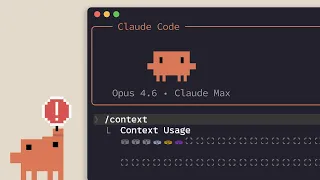
  7. 07 Lesson 7 – Claude Code 101 In this lesson, you practice Understand the concept of context window and its impact on Claude Code performance, Differentiate between the /compact and /clear commands and their use cases and Identify early signs that your context window needs compacting.
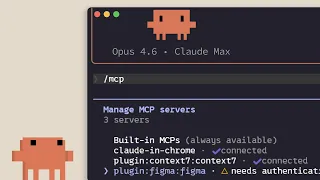
  8. 08 Lesson 8 – Claude Code 101 In this lesson, you practice Understand the Model Context Protocol and how it connects Claude Code to external services, Connect MCP servers like Linear and GitHub directly from the command line and Configure project-level MCP settings with .mcp.json for team workflows.
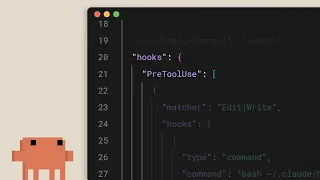
  9. 09 Lesson 9 – Claude Code 101 In this lesson, you practice Configure lifecycle hooks for file modification and tool use events, Implement automatic code formatting with Post-FileModify hooks and Build security gates that block dangerous operations before execution.