Ads
Free course

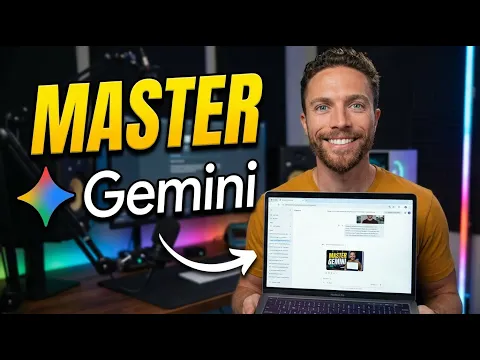
Google Gemini Mastery: Full Feature Walkthrough 2026

Master Google Gemini’s full 2026 ecosystem in this 35-minute walkthrough. Learn to configure Custom Instructions, use Deep Research, Canvas, image and video generation, and automate workflows with Connected Apps and Gems for tangible productivity...

1 lesson 34min total Free

Course overview

This course demystifies the entire Google Gemini interface, moving beyond basic prompts to cover its most powerful features. You will systematically explore model selection, Personal Intelligence configuration, and advanced tools such as Canvas for collaborative drafting and Deep Research for automated analysis. The curriculum focuses on multimodal capabilities, teaching you to generate and edit images and video directly within the platform. By examining the integration of Connected Apps, you will learn how to schedule automated actions and build specialized AI agents named Gems, establishing a solid technical foundation without hype or filler.

Who this course is for

This walkthrough is designed for users who have tried basic AI chatbots but want to unlock Gemini’s full technical capabilities. It serves content creators needing multimodal generation, knowledge workers aiming to automate research and drafting, and power users interested in building AI agents. Whether you are a freelancer streamlining administrative tasks or a student looking to create study guides with Notebook LM, this content provides the systematic configuration knowledge required to move from casual experimentation to deliberate, efficient use of a top-tier large language model ecosystem.

How to study this sequence

Watch the 35-minute lesson in sequence without skipping the interface configuration segments, as early settings dictate tool performance throughout. Pause after each major module, specifically Custom Instructions, Deep Research, and Gems, to replicate the actions in your own Gemini account with real-world data. Focus on the transition from text-based prompting to multimodal editing before exploring automation features. Finally, apply the workflow automation lesson by integrating a frequently used app to schedule a recurring task, transforming the theoretical walkthrough into a functional productivity asset.

What you should be able to do

By the end of this session, you will navigate the Gemini interface with precision rather than guesswork. You will be able to configure tailored response rules, generate and refine images and video, and delegate complex multi-step research to Deep Research. The main practical result is the ability to design and deploy a custom Gem that connects to your apps and automates a specific personal or professional workflow, shifting your relationship with the tool from reactive querying to proactive task management.
~/about-course

What you learn in this Google Gemini course

The main lesson in this course is "How To Master Google Gemini in 2026 (Free Course)". It introduces Google Gemini in a direct way, with enough context for you to understand the subject and decide what to practice next.

The main practice points are Understand Gemini's complete feature set and pricing tiers, Configure Custom Instructions and Personal Intelligence for tailored responses, Utilize advanced tools like Deep Research, Canvas, and Study Guides effectively and Generate and edit images and videos within Gemini's interface. Use this page to review the course proposal, check the key topics, and open the lessons in the recommended order.

What you will practice

  • Understand Gemini's complete feature set and pricing tiers
  • Configure Custom Instructions and Personal Intelligence for tailored responses
  • Utilize advanced tools like Deep Research, Canvas, and Study Guides effectively
  • Generate and edit images and videos within Gemini's interface
  • Create and deploy Gems for automated, specialized AI workflows
  • Integrate connected apps and schedule automated actions

Concepts covered

Large Language Models (LLMs) Custom Instructions and Prompt Engineering Multimodal AI (text, image, video) Generative AI for content creation Workflow automation Connected Apps integration AI agents and Gems

Course lessons

1 tutorial organizado em sequência.

~/course-summary

Course summary

This Google Gemini course works as a focused entry point. The main lesson, "How To Master Google Gemini in 2026 (Free Course)", keeps the explanation in one complete path so you can follow the instructor and leave with a first practical direction.

During the course, the practical focus is on Understand Gemini's complete feature set and pricing tiers, Configure Custom Instructions and Personal Intelligence for tailored responses, Utilize advanced tools like Deep Research, Canvas, and Study Guides effectively and Generate and edit images and videos within Gemini's interface. These points help you watch with a goal instead of treating the lesson as a loose introduction.

The course also introduces important ideas such as Large Language Models (LLMs), Custom Instructions and Prompt Engineering, Multimodal AI (text, image, video), Generative AI for content creation and Workflow automation, which makes it easier to understand later tutorials and decide when each resource is useful.

~/study-plan

How to get more from this course

Who this Google Gemini course is for

This course is useful for anyone who wants a direct introduction to Google Gemini before moving into longer studies. It works especially well when you want to understand the subject through organized lessons instead of scattered searches.

What you can do after finishing

By the end, you should be able to review the main idea of the course and practice Understand Gemini's complete feature set and pricing tiers, Configure Custom Instructions and Personal Intelligence for tailored responses, Utilize advanced tools like Deep Research, Canvas, and Study Guides effectively and Generate and edit images and videos within Gemini's interface with more confidence.

Recommended study order

Watch the lesson once for context, then return to the parts that show practical steps. A second pass usually helps turn the explanation into something you can repeat.

What to study next

After finishing the course, explore the Google Gemini topic to find related tutorials and keep studying with more context.

~/course-faq

Course questions

Is this Google Gemini course for beginners?

Yes. The course is presented as an entry point for Google Gemini and can be used before moving into more advanced tutorials.

How many lessons are in this course?

This course currently has 1 lesson and about 34min in total.

What should I do after finishing the course?

The best next step is to explore the Google Gemini topic and choose a related tutorial that matches what you want to practice.

Is this course free?

Yes. This is a free course organized by CursoB so you can study Google Gemini in a structured sequence.

Do I need previous experience to follow the course?

You do not need advanced experience. The course starts from the main ideas of Google Gemini and moves through the lessons step by step.

Should I watch the lessons in order?

Yes. Start with the full lesson, then return to the practical parts when you want to repeat the process.

Can I use this course for practical projects?

Yes. Use the course as a practical reference to train Understand Gemini's complete feature set and pricing tiers, Configure Custom Instructions and Personal Intelligence for tailored responses, Utilize advanced tools like Deep Research, Canvas, and Study Guides effectively and Generate and edit images and videos within Gemini's interface and adapt the examples to your own projects.

Does this course include a certificate?

CursoB stopped issuing certificates for its own courses in May 2026. CursoB no longer offers completion certificates. Courses and tutorials remain free to study. If content is hosted on another platform, any certificate depends exclusively on the original author or platform rules.

Are the lessons updated?

CursoB periodically reviews the Google Gemini catalog and may add, remove, or reorder lessons when better content is found.

Where can I find more content on this subject?

Explore the Google Gemini topic to find related tutorials and complementary courses.