Learn Cursor in English through practical AI coding tutorials, beginner walkthroughs, agent workflows and real examples for shipping software faster.
Master Cursor: From Setup to AI Agents
Learn how Cursor transforms your coding workflow with AI-assisted code generation, intelligent completion, and autonomous agents. Progress from foundational editor setup through advanced prompt engineering and multi-step agent orchestration for production-ready development.
Videos ordered by learning progression: beginner tutorials build editor fundamentals and AI coding concepts, intermediate sessions cover token management and refactoring automation, advanced content explores agent workflows and team collaboration patterns for scaling AI-assisted development.
 27min
EN
27min
ENCursor 2.0 – Full Tutorial for Beginners
 2h 34min
EN
2h 34min
ENCursor 2.0 Tutorial for Beginners (Full Course)
 27min
EN
27min
ENCursor AI Tutorial for Beginners
 29min
EN
29min
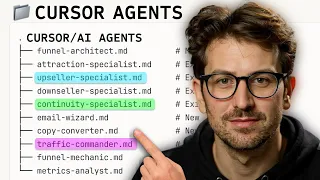
ENCursor AI Agents Work Like 10 Developers (Cursor VP Live Demo)
 19min
EN
19min
ENCursor 2.0 in 20 minutes
Frequently asked questions about Cursor
How should I start learning Cursor?
Start with the beginner-friendly tutorials, then follow the path in order. This topic favors practical videos that help you build, configure, or publish something real.
Are these videos current?
The selected tutorials were checked against a 2025/2026 freshness window whenever possible, plus embed availability and social proof.
Does this topic include a free course?
This batch publishes a focused topic and a guided path. A separate course is only created when there is a cohesive course-style playlist or long class worth promoting as a course.
Are the tutorials in English?
Yes. This English topic uses English-language videos and marks both the publication and the videos with the English language taxonomy.
Can beginners use this topic?
Yes. The path starts with beginner-friendly material and then adds intermediate videos when the workflow needs more context.
Why are some videos official and others from creators?
Official videos are useful for product context, while independent tutorials often show practical workflows, mistakes and real project decisions.
How does Cursob choose the video order?
The order starts with setup or overview material, then moves toward hands-on practice, longer classes and more specific workflows.
Should I watch every video?
Use the full path if you are new to the tool. If you already know the basics, jump to the videos that match your current project.
Do I need a paid account for Cursor?
Some tools may require an account or paid plan for specific features. The topic focuses on learning workflows, not guaranteeing free access to every feature.
How often should this topic be refreshed?
Digital tools change quickly, so the topic should be reviewed when major product updates, pricing changes or new official workflows appear.
How to study Cursor with context
This initial text is replaced by a specific section generated through the Anthropic/Claude API from the tutorials published in this topic.
Curated learning flow
The selection favors hands-on tutorials, official guidance where useful, and practical workflows over news, speculation, or generic reviews.
Perguntas frequentes sobre Cursor
How does Cursor's context-aware code generation differ from traditional autocomplete in VS Code?
Cursor uses Claude API and advanced language models to understand your entire codebase context, not just the current line. It analyzes function signatures, imports, and project structure to generate multi-line code that matches your coding style and architecture. Traditional autocomplete relies on pattern matching from your file alone, making Cursor capable of generating complete features rather than fragments.
What is Agent Mode in Cursor and how does it handle multi-step development tasks?
Agent Mode enables Cursor to autonomously decompose complex features into steps, implement solutions across multiple files, run tests, and iterate without manual intervention. Rather than requiring individual prompts for each change, agents orchestrate entire workflows. The VP demo showed agents handling architectural decisions and refactoring work equivalent to multiple developers, making it ideal for large-scale feature implementation.
How do token limits and API costs impact Cursor usage in production workflows?
Cursor integrates with Claude API, which operates on token-based pricing. Long coding sessions, large codebases, and frequent multi-file generation consume tokens faster. The Cursor 2.0 tutorial emphasizes token management strategies: structuring prompts efficiently, using context windows strategically, and batching related tasks. Understanding token usage helps optimize costs without sacrificing the editor's AI capabilities for ongoing development.
Can Cursor handle debugging and error fixing as effectively as code generation?
Yes. Cursor combines chat-based debugging with context-aware analysis to understand error chains across your codebase. Rather than generic error messages, the AI traces variable states, imports, and runtime conditions. Tutorials demonstrate using natural language to describe symptoms, then leveraging Cursor's debugging automation to identify root causes and suggest fixes that integrate with your existing code structure and patterns.
How does Cursor integrate with Git and version control for team collaboration?
Cursor includes Git integration and version control awareness, allowing agents to track changes, understand repository history, and generate commits that align with existing patterns. For team projects, developers can structure codebases so agents respect established conventions. The editor prevents conflicts by maintaining context about other developers' changes, making it suitable for collaborative environments beyond solo workflows.
What prompt engineering techniques maximize code generation quality in Cursor?
Effective prompts in Cursor combine natural language specifications with technical context. Tutorials emphasize describing requirements in business terms, including example inputs and outputs, specifying edge cases, and referencing existing code patterns. Rather than vague requests like 'make this faster,' precise prompts referencing specific functions and expected behavior generate production-ready code. Advanced techniques involve structuring prompts to topic agents through architectural decisions.
How do you structure a codebase for optimal performance with Cursor agents?
Agents perform better in well-organized repositories with clear separation of concerns, documented APIs, and consistent naming conventions. Large monolithic files slow agent comprehension, while modular components enable faster analysis. Including inline comments explaining architectural patterns helps agents understand your design philosophy. The Volo Builds tutorials stress that agent performance directly correlates with codebase structure and documentation quality.
Can Cursor handle language-specific development across Python, JavaScript, and TypeScript equally?
Cursor supports JavaScript, TypeScript, Python, and other languages through Language Server Protocol integration and Claude API. However, Claude's training data and the editor's language-specific tooling vary. JavaScript and TypeScript have more extensive ecosystem coverage, while Python benefits from strong general-purpose language understanding. Project requirements and your team's language expertise should topic feature implementation priorities across different languages.
What are the practical limitations when using Cursor for existing large enterprise codebases?
Large legacy codebases present challenges: agents struggle with unclear architectural patterns, outdated conventions, and missing documentation. Token limits restrict how much context Cursor can analyze simultaneously, requiring developers to topic agents through modular sections. Additionally, complex business logic without inline comments confuses the AI. Success with enterprise adoption requires incremental application on specific modules first, establishing patterns the agent can replicate consistently.
How does Cursor's refactoring capability accelerate architectural improvements compared to manual refactoring?
Cursor can refactor across multiple files simultaneously, understanding dependencies and ensuring consistency. Rather than manually updating function signatures everywhere they're called, agents handle cascading changes automatically. The editor preserves functionality while improving structure, with built-in verification through testing automation. This transforms weeks of manual refactoring into hours, making architectural improvements feasible within sprint cycles rather than as separate technical debt projects.
Mastering Cursor: From AI Code Completion to Autonomous Development Agents
Cursor represents a fundamental shift in development tooling, moving beyond traditional code editors toward AI-native environments where language models actively participate in problem-solving. The platform combines intelligent code completion, context-aware generation, and autonomous agents into a unified workflow. Understanding how to leverage these capabilities transforms how developers approach feature implementation, debugging, refactoring, and team collaboration.
The Architecture of Context-Aware Code Generation
Cursor's core strength lies in its ability to analyze your entire codebase context rather than working in isolation. Unlike traditional autocomplete that matches patterns from the current file, Cursor integrates Claude API to understand your project's architecture, coding conventions, imported libraries, and function signatures. When you request code generation, the editor provides the AI with relevant context from your repository, enabling it to generate code that fits seamlessly into your existing implementation. This context-awareness extends to understanding your project's design patterns, error handling approaches, and even naming conventions. For example, if your codebase uses specific prefixes for state variables or follows particular testing patterns, Cursor learns and replicates these patterns in generated code.
The practical impact of context-aware generation becomes obvious in multi-file refactoring scenarios. Rather than generating code fragments that require manual integration, Cursor understands how changes cascade through your codebase. When you ask the editor to modify a function signature, it automatically updates all call sites, imports, and tests that depend on that function. This capability eliminates entire categories of manual work that traditional developers must handle. The Cursor 2.0 tutorials emphasize that this context-awareness requires well-organized codebases with clear module boundaries, as agents analyze larger portions of code to understand dependencies and architectural constraints.
AI Agents as Development Team Multipliers
Cursor's agent mode represents a departure from incremental code completion toward autonomous task execution. Rather than prompting the editor for each code change, agents decompose complex features into planning, implementation, testing, and iteration phases without manual intervention. The VP demo from Cursor showcased agents handling responsibilities typically assigned to multiple developers: architectural planning, cross-file implementation, automated testing, debugging, and optimization. An agent can accept a feature specification in natural language, design the solution architecture, implement code across multiple modules, write tests, identify issues, and iterate on improvements. This multiplier effect means a single developer can delegate entire feature implementations to agents, freeing time for architectural decisions and product thinking.
Implementing agents effectively requires precise prompt engineering and well-structured codebases. Vague feature specifications like 'add user authentication' produce mediocre results, while detailed specifications including architecture diagrams, security requirements, and integration points topic agents toward production-ready code. Agents also benefit from clear error messages and failing tests, which help them understand what went wrong and iterate toward solutions. The key difference from manual development is that agents work at the scope of entire features rather than individual functions, and they continue iterating automatically until tests pass and objectives are met. This approach works best for greenfield development or well-defined features in established codebases.
Natural Language Prompting and Prompt Engineering for Code Quality
Prompt engineering for code generation differs fundamentally from conversational AI prompting. Effective code prompts combine natural language specifications with technical precision. Rather than describing what you want in business terms alone, include implementation details: should this function return a promise or use callbacks? What error states should it handle? What performance characteristics matter? The Cursor tutorials stress that including example inputs and outputs dramatically improves code quality, as the AI learns your expected behavior patterns. Advanced prompting techniques reference existing code patterns in your project, essentially teaching the agent your codebase's idioms. For instance, instructing Cursor to generate TypeScript following your project's interface patterns ensures type safety and consistency without manual refactoring.
Token management becomes critical in prompt engineering, especially when working with large codebases. Cursor includes context windows that limit how much code it can analyze simultaneously. Strategic prompting breaks large tasks into smaller, focused requests that fit within token limits while maintaining enough context for quality code generation. Developers working with Riley Brown's comprehensive course learn to structure prompts that maximize the AI's understanding while minimizing token consumption. This involves being selective about which file excerpts to include, using clear delineation between requirements and context, and leveraging Cursor's ability to remember context from previous messages in the same session. Mastering this skill directly translates to faster development and lower API costs.
Refactoring and Architectural Improvements at Scale
Traditional refactoring represents a major time investment in development cycles, often deferred because manual work is tedious and error-prone. Cursor transforms refactoring from a time-intensive project into a manageable task. The editor can refactor across entire codebases simultaneously, updating function signatures, changing architectural patterns, and ensuring consistency across dozens of files. For example, migrating from callback-based to promise-based APIs, or refactoring object structures, becomes a multi-file operation the agent handles automatically. The refactoring automation verification system runs tests continuously, ensuring changes maintain functionality while improving structure. This enables developers to prioritize architectural improvements previously considered too expensive to implement within sprint cycles.
Effective refactoring with Cursor requires clear specifications and well-established test coverage. Agents can verify their changes work correctly through automated testing, but this verification only catches runtime errors, not logical inconsistencies. Developers must specify refactoring goals precisely: are we extracting interfaces, consolidating similar functions, or flattening hierarchies? The tutorials demonstrate that providing agents with existing tests alongside refactoring requests accelerates the process, as the agent understands success criteria through test expectations. Additionally, breaking large refactoring projects into logical phases produces better results than attempting massive multi-file rewrites in single operations. This staged approach, emphasized in both beginner and advanced tutorials, reduces token consumption and produces cleaner architectural transitions.
Debugging and Error Resolution with AI Assistance
Cursor's debugging automation transforms troubleshooting from a manual investigation process into collaborative problem-solving. Rather than stepping through a debugger line by line, you describe the symptom in natural language. Chat-based debugging in Cursor analyzes your code, error messages, stack traces, and runtime behavior to identify root causes. The AI traces variable states across function calls, understands asynchronous execution flows, and identifies timing-related bugs that traditional debuggers struggle to pinpoint. For example, when debugging race conditions in asynchronous code, Cursor can analyze promise chains and state mutations across your codebase to understand when values become inconsistent. This capability extends to identifying subtle issues like off-by-one errors in loops, type mismatches, and logic errors buried in conditional statements.
Effective debugging with Cursor involves providing comprehensive context about the error. Simply pasting an error message produces generic suggestions; describing what you expected to happen, what actually happened, and relevant code excerpts enables the agent to synthesize a targeted diagnosis. The Volo Builds tutorials emphasize that debugging automation works best with clear test cases that reproduce the issue, as these give agents definitive success criteria for validating fixes. Additionally, Cursor's debugging capability improves dramatically when your codebase includes types and inline comments explaining non-obvious logic. Developers experienced with the platform leverage agents for debugging investigation while reserving final fix validation for manual testing of edge cases and integration scenarios.
Integration with Development Workflows and Version Control
Cursor integrates seamlessly with Git and terminal operations, making it a complete development environment rather than just a code editor. The editor understands your repository history, recognizes established patterns in commit messages and code organization, and generates changes aligned with your team's conventions. Git integration enables agents to propose commits with meaningful messages, making code review processes more efficient. Terminal integration allows agents to run build commands, execute tests, and validate changes without context switching. This holistic integration means agents can understand whether their generated code actually compiles and passes tests within the editor itself, enabling rapid iteration cycles. The Cursor 2.0 tutorials highlight that Language Server Protocol integration provides language-specific understanding for Python, JavaScript, TypeScript, and other major languages, enabling intelligent refactoring and debugging across polyglot projects.
For team collaboration, Cursor's understanding of version control prevents conflicts and maintains awareness of other developers' changes. Teams implementing Cursor across projects should establish conventions for codebase organization and documentation, as agents perform better with clear structural patterns. The editor's integration with existing development tooling means minimal disruption to established workflows. Developers continue using their preferred version control systems, deployment tools, and testing frameworks while gaining AI assistance within their existing environment. This compatibility makes Cursor adoption gradual and low-risk: teams can assign agents to specific modules or features first, validate the quality of generated code, and expand usage as confidence grows.
Strategic Implementation: From Greenfield Projects to Enterprise Codebases
Implementing Cursor effectively requires different strategies depending on your project's maturity. Greenfield projects benefit immediately from agents handling initial implementation, scaffolding, and feature development. The tutorials show that early-stage projects move faster when developers delegate entire features to agents while focusing on architectural decisions and product direction. In established codebases, Cursor excels at addressing technical debt through refactoring, improving test coverage, and implementing new features in well-defined modules. Large enterprise codebases present challenges: legacy code without documentation, unclear architectural patterns, and token limits restricting how much context agents can analyze. Successful adoption in enterprise environments requires incremental application, starting with specific modules or feature areas where codebases are well-organized and tests are comprehensive.
The path from learning Cursor to productive usage involves understanding your specific development context. Tech With Tim's 27-minute introduction provides foundations, while Riley Brown's comprehensive 154-minute course covers advanced techniques for complex scenarios. Developers should begin with simple features or refactoring tasks, validate the quality of generated code against their standards, and gradually expand agent responsibilities. Token costs deserve consideration: large-scale agent usage generates API expenses that must be factored into development budgeting. Understanding these costs alongside productivity gains enables informed decisions about where agents add value versus where manual implementation remains efficient. The most successful implementations treat Cursor as a force multiplier that amplifies developer capability rather than a replacement for human expertise, architectural thinking, and code review.