Learn Envato Elements in English with tutorials for finding assets, using templates, improving video production and combining creative resources with editing tools.
Master Envato Elements for Professional Creative Workflows
Learn how to leverage Envato Elements for unlimited access to premium templates, stock footage, and creative assets. These tutorials cover platform navigation, Adobe Creative Suite integration, DaVinci Resolve workflows, and AI-powered content generation to accelerate your design and video production projects.
Tutorials selected to build proficiency across Envato Elements core features, from account setup and asset discovery to advanced customization in Premiere Pro, After Effects, and DaVinci Resolve, with emphasis on streamlining production timelines for professional creators.
 6min
EN
6min
ENBeginner’s Guide To Envato Elements
 9min
EN
9min
ENHow to Use Envato Elements for Beginners (Complete Guide)
 6min
EN
6min
ENEnvato Elements Video Template Tutorial
 8min
EN
8min
ENHow To Use Envato Elements In DaVinci Resolve (Full Guide)
 8min
EN
8min
ENThe AI Tools Every Creator Needs + Exact Prompts I Use (Complete Envato AI Tutorial)
Frequently asked questions about Envato Elements
How should I start learning Envato Elements?
Start with the beginner-friendly tutorials, then follow the path in order. This topic favors practical videos that help you build, configure, or publish something real.
Are these videos current?
The selected tutorials were checked against a 2025/2026 freshness window whenever possible, plus embed availability and social proof.
Does this topic include a free course?
This batch publishes a focused topic and a guided path. A separate course is only created when there is a cohesive course-style playlist or long class worth promoting as a course.
Are the tutorials in English?
Yes. This English topic uses English-language videos and marks both the publication and the videos with the English language taxonomy.
Can beginners use this topic?
Yes. The path starts with beginner-friendly material and then adds intermediate videos when the workflow needs more context.
Why are some videos official and others from creators?
Official videos are useful for product context, while independent tutorials often show practical workflows, mistakes and real project decisions.
How does Cursob choose the video order?
The order starts with setup or overview material, then moves toward hands-on practice, longer classes and more specific workflows.
Should I watch every video?
Use the full path if you are new to the tool. If you already know the basics, jump to the videos that match your current project.
Do I need a paid account for Envato Elements?
Some tools may require an account or paid plan for specific features. The topic focuses on learning workflows, not guaranteeing free access to every feature.
How often should this topic be refreshed?
Digital tools change quickly, so the topic should be reviewed when major product updates, pricing changes or new official workflows appear.
How to study Envato Elements with context
This initial text is replaced by a specific section generated through the Anthropic/Claude API from the tutorials published in this topic.
Curated learning flow
The selection favors hands-on tutorials, official guidance where useful, and practical workflows over news, speculation, or generic reviews.
Perguntas frequentes sobre Envato Elements
How does the Envato Elements subscription model differ from paying per asset on traditional marketplaces?
Envato Elements operates on an all-you-can-download subscription basis, meaning you pay a flat monthly or annual fee for unlimited access to millions of assets. Traditional marketplaces require individual purchases per item, making Envato Elements more economical for creators who regularly use multiple resources across different categories.
What file formats do Envato Elements templates support when importing into Adobe Creative Suite applications?
Envato Elements templates are compatible with major Adobe Creative Suite applications including Photoshop, Illustrator, Premiere Pro, and After Effects. Templates maintain their native file formats and layer structures, allowing seamless customization. Specific format compatibility depends on the template category and intended design software.
How can I organize and filter assets within Envato Elements to match specific project requirements?
Envato Elements provides advanced filtering tools that let you narrow assets by category, style, color, duration, and technical specifications. You can search by project type such as social media graphics or video templates, and the platform's Media Pool integration in DaVinci Resolve helps organize downloaded assets within your editing timeline.
What workflow advantages does importing Envato Elements stock footage directly into DaVinci Resolve provide?
Importing Envato Elements assets directly into DaVinci Resolve eliminates external file management steps and streamlines your production timeline. The Media Pool organizes footage efficiently, and DaVinci Resolve's color grading tools ensure consistent visual treatment across stock and original footage, reducing post-production time significantly.
How do layer organization and animation presets in Envato video templates accelerate editing workflows?
Video templates come with pre-organized layers and built-in animation presets that function as modular components. This structure allows you to customize colors, text, and timing without rebuilding animations from scratch. Templates work across Premiere Pro, After Effects, Final Cut Pro, and DaVinci Resolve, making asset reuse across projects faster.
What customization possibilities exist when using Envato Elements templates in Adobe After Effects?
After Effects allows advanced customization through keyframe animation and effects adjustments. You can modify template animations, apply additional effects, adjust timing, and create unique variations while maintaining the template's professional foundation. This enables creators to produce custom content variations at scale without starting designs from zero.
How can AI prompt engineering techniques enhance content generation when using Envato Elements workflows?
AI text generation and image synthesis tools can automate asset metadata creation, generate variations of template-based designs, and batch process customizations. By using precise prompts aligned with your project specifications, you can create multiple content derivatives quickly while maintaining brand consistency and reducing manual design iteration.
What royalty-free licensing protections does Envato Elements provide for commercial and creative projects?
Envato Elements assets include comprehensive royalty-free content licensing, meaning you can use downloaded templates, stock footage, music, and graphics in commercial projects without paying additional licensing fees or worrying about content restrictions. This licensing covers most standard commercial applications across multiple mediums.
How does cloud storage compatibility impact accessing and managing Envato Elements downloads across different devices?
Envato Elements downloads integrate seamlessly with cloud storage services, allowing you to access assets across desktop, tablet, and mobile devices. This compatibility enables flexible workflow management where you can organize project files, download assets from any location, and maintain synchronized libraries without manual file transfers.
What media management workflow best practices apply when combining Envato Elements stock assets with original footage in DaVinci Resolve?
Organize stock and original footage in separate bins within Media Pool for quick identification. Use consistent color grading and effects treatments across both asset types. Label proxy media properly and maintain master file integrity. This approach ensures professional color consistency, faster editing turnaround, and archival quality for future revisions.
Mastering Envato Elements: From Asset Discovery to Professional Production Workflows
Envato Elements represents a fundamental shift in how creators access premium creative resources. Rather than purchasing individual assets or navigating fragmented marketplaces, the platform consolidates millions of royalty-free templates, stock footage, music, graphics, and design materials into a single subscription service. Understanding how to leverage Envato Elements effectively transforms production workflows, reduces costs for resource-heavy projects, and enables creators to focus on customization and creative direction rather than asset sourcing.
Understanding the Envato Elements Subscription Architecture
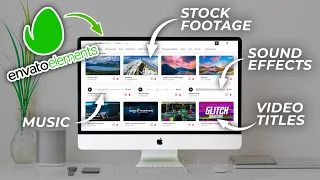
The subscription model at Envato Elements operates on unlimited downloads rather than per-item transactions. This economic structure fundamentally changes project budgeting and asset selection strategies for creators. Instead of rationing purchases or worrying about licensing costs accumulating across multiple resources, subscribers download freely from the entire library. The subscription includes video templates, stock footage, music, sound effects, graphics, photographs, and design templates across countless categories. This all-you-can-download model makes the platform particularly valuable for content creators managing multiple projects simultaneously or experimenting with different visual directions without financial penalties.
Subscription plans typically offer flexible renewal options, allowing creators to pause or resume access based on production cycles. The platform integrates with Adobe Creative Suite, making asset management seamless for designers already working within Photoshop, Illustrator, and video editing software. Cloud storage compatibility extends access across devices, enabling remote collaboration and flexible work arrangements. Understanding these foundational elements ensures creators maximize their subscription investment by recognizing the economic advantages and technical integration possibilities available within the Envato Elements ecosystem.
Navigating Asset Discovery and Template Customization
Envato Elements provides advanced filtering and search capabilities designed for efficient asset discovery. When searching for specific resources, creators can filter by asset type, style, color palette, video duration, and technical specifications. This granular approach prevents scrolling through irrelevant results and accelerates the process of finding templates matching exact project requirements. For social media content, filtering by platform dimensions and animation style narrows options rapidly. Video template discovery benefits from duration filters, allowing editors to find materials matching their timeline length and editing pace requirements. Mastering these search strategies transforms Envato Elements from a vast library into a precision tool aligned with specific creative needs.
Template customization within Adobe Creative Suite applications preserves the professional foundation while enabling personalization. When opening a Photoshop template, designers maintain organized layer structures that facilitate color changes, text replacements, and graphic modifications without affecting underlying design principles. Video templates in Premiere Pro and After Effects include animation presets and layer hierarchies allowing timeline adjustments and effect modifications. The key to efficient customization lies in understanding template structure before modifying content. Examining layer organization, identifying locked elements, and recognizing animation keyframes prevents destructive editing and ensures templates remain flexible for multiple project iterations. This systematic approach transforms templates from static files into adaptable starting points.
Integrating Stock Assets into DaVinci Resolve Production Workflows
DaVinci Resolve presents a professional environment for integrating Envato Elements stock footage and motion templates directly into editing timelines. The platform's Media Pool organizes downloaded assets efficiently, allowing editors to categorize footage, create dynamic link references, and maintain master file integrity throughout production. When importing Envato stock footage into DaVinci Resolve, maintain consistent file naming conventions and folder hierarchies that mirror project structure. This organizational discipline prevents confusion when managing multiple asset types and ensures efficient recall during editing revisions. The Media Pool's search and filtering capabilities further accelerate asset selection during assembly phases, reducing time spent navigating file systems and enhancing focus on creative decision-making.
Color grading consistency becomes paramount when combining Envato stock footage with original material in DaVinci Resolve. Stock footage arrives with specific color characteristics, exposure levels, and contrast properties that may diverge from original production. Using DaVinci Resolve's color grading nodes and adjustment clips, editors establish unified color treatments across all footage sources. The Fusion page allows advanced customization of motion graphics and creates visual effects that complement stock assets while maintaining professional standards. This integrated approach ensures professional output that appears as cohesive material rather than obviously combining stock and original elements. Proper media management and color workflow discipline transform DaVinci Resolve into a platform where Envato Elements assets enhance rather than disrupt production quality.
Video Template Workflows Across Premiere Pro, After Effects, and Final Cut Pro
Video templates from Envato Elements function as modular design systems offering significant time savings across multiple editing platforms. In Adobe Premiere Pro, templates provide editable graphics, text fields, and animation sequences that integrate directly into timelines. The platform's dynamic link capabilities create live connections between Premiere Pro projects and After Effects compositions, allowing real-time updates when templates receive modifications. Editors adjust timing, customize colors, and replace media while preserving animation structures. In After Effects, templates unlock additional customization through keyframe animation, effects chains, and expression modifications. These advanced capabilities enable creators to produce sophisticated variations without rebuilding animations from foundations. Final Cut Pro users access templates through import procedures that maintain XML compatibility and preserve motion graphics functionality across editing environments.
Animation presets embedded in Envato video templates accelerate common production tasks like motion graphics reveals, text effects, and transition sequences. Rather than manually creating keyframe animations for standard effects, editors apply presets matching their creative vision and adjust parameters to project specifications. This workflow is particularly valuable for creators producing content at scale, such as social media content series or long-form educational videos requiring consistent visual language. Templates offer baseline animation frameworks that creators customize for project-specific timing and aesthetic preferences. Understanding how template structures support animation customization ensures efficient production while maintaining flexibility for creative iteration. The modular approach transforms templates from fixed assets into production foundations supporting both rapid output and refined creative direction.
Leveraging AI Tools and Prompt Engineering Within Creative Workflows
Artificial intelligence tools increasingly integrate with Envato Elements workflows, automating metadata generation, creating asset variations, and enabling batch processing at scale. AI text generation platforms produce customized template content, social media copy, and video descriptions automatically when provided with precise prompts and project specifications. Image synthesis tools create visual variations of template designs, enabling creators to experiment with different aesthetic directions without manual redesign. These AI integrations reduce repetitive tasks, allowing creators to focus on strategic decisions and creative direction rather than execution minutiae. Understanding which AI tools integrate effectively with existing Envato Elements workflows prevents distraction from emerging platforms and focuses effort on genuine productivity gains.
Prompt engineering becomes a critical skill when leveraging AI for content generation and customization. Precise prompts aligned with project requirements, brand guidelines, and creative specifications produce higher-quality AI-generated outputs than vague instructions. Creators benefit from developing prompt templates matching common project types, establishing consistency across AI-generated assets and template variations. Testing different prompt structures identifies approaches generating outputs requiring minimal refinement, streamlining the AI integration process. When combined with Envato Elements templates, AI-assisted workflows enable rapid content production while maintaining professional standards and creative control. This hybrid approach transforms AI from a novelty tool into an operational necessity for content creators managing demanding production schedules.
File Format Compatibility and Cross-Platform Asset Management
Envato Elements templates maintain compatibility across platforms through standardized file formats and design principles. Adobe Creative Suite applications share native file formats, ensuring seamless template exchange between Photoshop, Illustrator, Premiere Pro, and After Effects without conversion loss. Templates delivered as PSD, AI, or PRPROJ files preserve layer structures, text editability, and animation sequences. When working across platforms, understanding format compatibility prevents workflow interruptions and maintains design fidelity. Video templates offered in formats compatible with Final Cut Pro and DaVinci Resolve extend flexibility for editors preferring alternative editing environments. Checking format specifications before downloading templates ensures compatibility with intended editing software and prevents time-consuming file conversions.
Organizing downloaded assets across projects requires systematic approaches preventing file duplication and maintaining version control. Creating project-specific folders within cloud storage services like Adobe Creative Cloud or standard cloud providers enables seamless synchronization across devices. Implementing consistent naming conventions, metadata tagging, and folder hierarchies transforms large asset collections into accessible libraries. Within DaVinci Resolve and editing software, using bins and project organization tools mirrors external folder structures, creating parallel management systems. This dual approach ensures assets remain discoverable months after initial download and facilitates efficient retrieval during project revivals or expanded productions. Proper file management discipline prevents the common scenario where creators download duplicate assets or lose track of resource locations, ultimately improving production efficiency and reducing frustration.
Royalty-Free Licensing and Commercial Project Implementation
Envato Elements licensing provides comprehensive protection for commercial and creative projects. Downloaded templates, stock footage, music, sound effects, and graphics include royalty-free licenses covering most standard commercial applications including broadcast, streaming, corporate projects, and client work. This licensing eliminates persistent concerns about copyright infringement or unexpected licensing fees when projects receive wider distribution than initially anticipated. Understanding license scope prevents misuse and ensures legal compliance across diverse project types. Most Envato Elements licenses prohibit selling the assets themselves or using them as primary products, but permit integration into larger creative works distributed commercially. Reviewing specific license terms before using assets in unusual circumstances ensures compliance and prevents legal complications.
The royalty-free licensing model fundamentally changes project economics for creators managing multiple clients or producing content at scale. Rather than negotiating individual licensing agreements or tracking multiple music, footage, and graphics sources with different licensing terms, Envato Elements provides unified licensing through the subscription. This simplification enables faster project delivery and reduces administrative overhead associated with license tracking and compliance verification. For agencies and studios managing multiple concurrent projects, the unlimited download model accommodates workflow demands without budget increases based on asset quantities. This economic advantage becomes increasingly significant as production volume increases, making Envato Elements particularly valuable for professional creators managing high-output content demands.