Learn Runway in English with tutorials that cover beginner AI video generation, cinematic workflows, Gen-3 and Gen-4 examples, product videos and creative AI editing.
Create Cinematic Videos with Runway's Generative AI Models
Master Runway Gen-3, Gen-4, and Gen-4.5 for professional video production. Learn text-to-video synthesis, motion control, physics simulation, and complete cinematic workflows. Progress from beginner fundamentals through advanced techniques for brand videos, visual effects, and filmmaker-grade content creation.
Tutorials are sequenced from beginner foundations to advanced cinematic control, emphasizing hands-on workflows with current Runway generations. Selection prioritizes practical project execution, prompt engineering mastery, physics accuracy, and integration with professional editing software for production-ready results.
 15min
EN
15min
ENCreate Cinematic Ai Videos with Runway Gen-4 (FULL COURSE)
 53min
EN
53min
ENRunway AI Cinematic Video Generation FULL GUIDE | Beginner to Advanced Course
 13min
EN
13min
ENRunway AI – Tutorial for Beginners in 13 MINUTES ! [ FULL GUIDE ]
 35min
EN
35min
ENHow to Create an AI Cinematic Brand Video: Full Workflow | Runway Gen-3 | Midjourney | Adobe
 6min
EN
6min
ENHow to Use Runway Gen 3 – Best Text to Video AI
 1h 05min
EN
1h 05min
ENRUNWAY AI Tutorial for Beginners – Learn AI Video Generation
 20min
EN
20min
ENRunway Gen 3 AI Filmmaking Course (Your Ultimate Guide to Cinematic Masterpieces)
 30min
EN
30min
ENRunway Gen 4.5 Review & Tutorial: Realistic AI Video Physics (Full Demo)
 8min
EN
8min
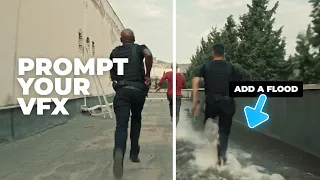
EN💥 I Used Runway’s New AI to Make These Crazy VFX (No After Effects) #aivideo @RunwayML
Frequently asked questions about Runway
What are the key differences between Runway Gen-3, Gen-4, and Gen-4.5 models?
Gen-3 introduced enhanced physics simulation and cinematic principles with improved motion consistency. Gen-4 added more realistic physics with constraint-based dynamics and better camera control. Gen-4.5 further refined physics simulation with rigid body and soft body deformation, collision detection, and temporal consistency for unprecedented physical accuracy in AI-generated footage.
How does prompt engineering impact the quality of text-to-video generation in Runway?
Effective prompt engineering directly influences video output quality by specifying camera movements, lighting conditions, motion dynamics, and narrative elements. Detailed prompts that describe cinematography intent, visual style, and temporal flow produce more coherent and cinematic results compared to vague descriptions, making precision in language critical for professional video generation.
Can Runway generate videos directly from still images using image-to-video synthesis?
Yes, Runway offers image-to-video capabilities that generate motion sequences from static photographs and artwork. This feature allows creators to extend still assets into video footage with controlled motion, making it valuable for product showcases, visual asset expansion, and converting design mockups into animated content without separate filming.
What post-production software integrates best with Runway-generated videos?
Professional editing suites like Adobe Premiere Pro, DaVinci Resolve, and Final Cut Pro integrate seamlessly with Runway workflows. Adobe After Effects and Photoshop handle advanced color grading and motion graphics compositing. These tools enable creators to refine AI-generated footage, synchronize audio, apply color correction, and composite multiple AI elements into polished final products.
How does motion brushing in Runway help control object movement in generated videos?
Motion brushing allows creators to draw directional paths on the canvas that topic how objects move within the generated video. This feature provides precise control over motion trajectories without requiring keyframe animation, enabling realistic object interactions and directional flow that aligns with the creator's cinematic vision.
What workflow combines Runway video generation with Midjourney and Adobe tools for brand videos?
The complete workflow uses Midjourney to generate initial visual assets and design elements, Runway Gen-3 for text-to-video generation and image-to-video synthesis, and Adobe Premiere Pro or After Effects for color grading, audio synchronization, and final compositing. This integration creates high-quality cinematic brand content without traditional filming equipment.
How does temporal consistency improve across Runway generations for multi-shot sequences?
Newer Runway generations employ enhanced neural networks and motion synthesis algorithms that maintain visual coherence across frames. This advancement enables creators to generate longer sequences with consistent lighting, character behavior, and environmental stability, reducing artifacts and enabling professional-grade multi-shot storytelling without manual frame correction.
What are the constraints when using Runway AI for product video generation?
While Runway excels at cinematic footage, product videos benefit most from controlled prompts specifying product positioning, lighting angles, and rotation patterns. Limitations include difficulty maintaining precise product specifications across long sequences and challenges with fine detail reproduction, requiring complementary live-action footage or 3D product renders for maximum product accuracy.
How does GPU acceleration affect rendering speed and quality in Runway video generation?
GPU acceleration significantly reduces processing time for video generation and enables higher resolution outputs with more complex physics simulations. Faster rendering allows iterative experimentation with different prompts and parameters, while hardware capabilities influence the maximum video length and quality settings available during generation.
Can Runway generate videos without traditional VFX software like After Effects?
Yes, Runway's AI video generation and video-to-video transformation tools automate VFX workflows that traditionally required After Effects expertise. Features like motion graphics automation and real-time rendering enable creators to produce visual effects directly within Runway, though professional color grading and final compositing still benefit from dedicated editing software integration.
Advanced Runway AI Workflows for Cinematic Video Production
Runway AI has fundamentally transformed video creation by combining multiple generative models into a unified platform for professional content production. Understanding how to leverage text-to-video generation, image-to-video synthesis, physics simulation, and motion control enables creators to produce cinematic footage that rivals traditional filmmaking without expensive equipment or extensive production experience.
Text-to-Video Generation and Prompt Engineering Fundamentals
Text-to-video generation in Runway converts written descriptions into visual content through sophisticated neural networks trained on cinematic patterns. The process begins with prompt engineering, where creators craft detailed natural language descriptions that specify camera movements, lighting conditions, character behavior, and environmental details. Effective prompts balance specificity with flexibility, describing cinematic intent like tracking shots, depth of field effects, and color temperature rather than attempting to control individual pixels. The latest Runway generations interpret prompts with improved understanding of filmmaking principles, translating abstract directorial concepts into precise visual execution.
Prompt engineering success requires thinking cinematographically rather than literally. Instead of requesting a person walking, specify a person walking through morning sunlight with shallow depth of field and warm color grading. Runway interprets this complete sensory context to generate footage aligned with professional cinematography standards. Different Runway generations handle prompts distinctly, with Gen-4 and Gen-4.5 demonstrating superior comprehension of complex spatial relationships, physics interactions, and temporal narrative flow. Creators should test prompt variations across models to discover optimal phrasing for their specific creative goals.
Image-to-Video Synthesis and Visual Asset Extension
Image-to-video synthesis represents a complementary generation pathway where static photographs, artwork, or design mockups become source material for video generation. Runway analyzes the visual content, composition, and style of the input image, then generates motion that flows naturally from that aesthetic foundation. This capability proves invaluable for product demonstrations where still product renders need animated presentation, for converting concept art into moving sequences, and for extending design assets across multiple shots without reshooting. The technology maintains visual consistency with the original image while introducing cinematically appropriate motion.
The workflow integrates seamlessly with tools like Midjourney for creating initial visual assets. A creator generates a product visualization through Midjourney, imports it into Runway as image-to-video source material, then generates motion sequences showing the product from multiple angles or in environmental context. This hybrid approach eliminates the need for 3D modeling expertise or product photography while maintaining professional visual quality. Advanced creators layer multiple image-to-video generations to build complex multi-shot sequences with consistent visual language.
Physics Simulation and Realistic Motion Dynamics
Runway Gen-4.5 introduced revolutionary physics simulation capabilities with constraint-based dynamics, rigid body and soft body deformation, and collision detection. This advancement enables realistic object interactions that previously required manual animation or expensive VFX work. When generating a scene with falling objects, liquid interactions, or deformable materials, the physics engine calculates realistic behavior across frames, maintaining physical plausibility throughout the entire video. Soft body simulation handles fabric, flesh, and deformable surfaces with appropriate weight and inertia, while rigid body systems manage solid object collisions and momentum transfer.
These physics capabilities particularly impact product videos, architectural visualization, and motion graphics where accurate physics builds credibility and visual sophistication. A designer can generate footage of fabric draping naturally across furniture, liquid pouring into containers with appropriate splash dynamics, or mechanical assemblies moving with realistic constraints. The temporal consistency improvements in newer generations ensure that physics remains coherent across long sequences without the jumping artifacts that plagued earlier models. For commercial applications, this represents a significant advancement in eliminating the uncanny valley effect that characterized early AI video generation.
Motion Control Through Brushing and Keyframe Animation
Motion brushing provides granular control over object movement trajectories within generated videos. Creators draw directional paths on the canvas, and Runway interprets these strokes as topics for how elements should move through the frame. This approach bridges the gap between full automation and manual animation, enabling precise directional control without requiring keyframe expertise. The feature works particularly well for directing camera movement, guiding character paths through scenes, and controlling how objects traverse the frame space. Multiple motion brushes can layer simultaneously, creating complex multi-element choreography within a single generation.
Keyframe animation in Runway enables creators to specify object positions, camera angles, and element properties at specific temporal points, with the AI interpolating realistic motion between those keyframes. This workflow proves essential for longer-form content where multiple shots need to align with narrative beats or product features need sequential emphasis. The combination of motion brushing for intuitive directional control and keyframe animation for precise temporal alignment creates a flexible motion control system that accommodates both spontaneous creative exploration and planned production schedules.
Integrating Runway into Post-Production Workflows with Professional Editing Software
Runway-generated footage exports in standard video formats optimized for compatibility with Adobe Premiere Pro, DaVinci Resolve, and Final Cut Pro. The complete post-production pipeline begins with exporting Runway sequences at the highest available resolution and quality settings, then importing these raw AI-generated assets into professional editing software. Adobe Premiere Pro excels at sequence assembly and basic color correction, while DaVinci Resolve provides advanced color grading with professional-grade tools. Final Cut Pro offers optimized performance for long-form content and integrates smoothly with Apple ecosystem tools.
Advanced post-production elevates Runway output from solid AI-generated content to cinema-grade final product. Color grading in DaVinci Resolve applies consistent visual language across multiple AI-generated shots, correcting any tonal variations and establishing mood through professional color science. Adobe After Effects handles motion graphics compositing, enabling creators to layer Runway-generated footage with text, graphics, and additional effects. Audio synchronization across these platforms ensures that dialogue, music, and sound design align perfectly with visual content. This layered approach treats Runway as a sophisticated asset generation tool within a comprehensive professional production pipeline.
Building Cinematic Brand Videos Through Multi-Tool Workflows
The complete cinematic brand video workflow orchestrates multiple specialized tools into a unified production pipeline. The process begins with Midjourney, generating visual assets including product renderings, environmental contexts, and design elements that establish the brand aesthetic. These static assets feed into Runway as image-to-video sources, generating motion sequences that maintain visual consistency while introducing cinematic movement. Runway's text-to-video capabilities create transition sequences, environmental shots, and narrative elements that complement the product-focused video-to-video transformations. The entire collection of generated footage then consolidates into Adobe Premiere Pro for sequence assembly, timing, and rough editing.
Final refinement occurs in specialized software matching project requirements. Adobe After Effects handles motion graphics, title sequences, and visual effects compositing. DaVinci Resolve applies professional color grading, ensuring visual cohesion across all AI-generated elements and establishing the final aesthetic signature. Audio work in dedicated DAWs or within the editing suite synchronizes music, voiceover, and sound design to the visual cut. This multi-tool approach transforms generative AI from a standalone novelty into an essential component of professional production, where Runway handles content generation at unprecedented speed while traditional tools manage refinement and finalization.
Advanced Prompt Engineering for Complex Multi-Scene Narratives
Creating complex multi-scene narratives requires prompt engineering strategies that maintain character consistency, environmental continuity, and narrative coherence across multiple generations. Advanced creators develop detailed character descriptions, environmental specifications, and shot lists that function as prompts for sequential Runway generations. Each prompt builds on previous outputs, either by explicitly referencing the same character and setting or by generating complementary shots designed to assemble into cohesive sequences. Camera language becomes critical, with specific shot types matching narrative intent: establishing shots for environmental context, tracking shots for movement, and coverage shots for detail emphasis.
Temporal consistency across multi-shot sequences demands attention to lighting conditions, color temperature, and environmental details that should remain stable. Successful advanced prompts specify these constants explicitly, ensuring that AI generation maintains visual continuity even when generating new shots independently. Creators document working prompts that generate consistent results with specific Runway models, building a personal library of tested approaches. The iterative nature of this process, trying variations and refining based on output, transforms prompt engineering from mechanical text input into a sophisticated creative discipline comparable to traditional screenplay and shot-list development.