Summary
What Adobe Firefly Video Generation Offers
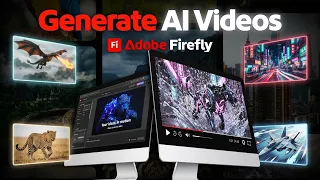
Adobe Firefly represents a significant leap in AI-powered creative tools, particularly for content creators focused on short-form viral content. The video generation capabilities within Firefly enable creators to transform simple hook concepts into visually compelling video sequences without requiring extensive video editing skills or expensive production resources. This democratization of video creation aligns perfectly with the current demand for engaging short-form content across platforms like TikTok, Instagram Reels, and YouTube Shorts, where the first few seconds determine whether an audience will continue watching.
The Viral Hook Framework
Understanding what makes a hook viral is crucial before leveraging Firefly's generation tools. A viral hook typically captures attention within the first second through visual intrigue, unexpected movement, or compelling narrative setup. The tutorial emphasizes how Firefly's AI capabilities can accelerate the production of multiple hook variations, allowing creators to test different approaches and identify which resonates most with their target audience. By generating various interpretations of the same core idea, creators can conduct rapid A/B testing without the time investment traditionally required for manual video production.
Setting Up Your Firefly Project
The practical workflow begins with conceptualizing your hook idea in simple terms. Rather than requiring storyboards or detailed scripts, Firefly accepts descriptive prompts that guide the AI video generation process. The tutorial walks through the initial setup, including how to access Firefly's video generation features, define your visual style preferences, and configure basic parameters that influence the final output. This streamlined approach significantly reduces the barrier to entry for creators without technical video production backgrounds.
Crafting Effective Prompts for Video Generation
Prompt engineering plays a central role in generating high-quality hook videos through Firefly. The tutorial demonstrates how to write descriptive prompts that communicate visual intent, pacing, and emotional tone to the AI. Specificity matters: rather than vague requests like "make a video about coffee," effective prompts include details about the visual style, movement patterns, lighting conditions, and the specific moment of intrigue. Understanding how to iterate on prompts and refine them based on output quality becomes a core skill for maximizing Firefly's potential in hook creation.
Generating and Previewing Multiple Variations
One of Firefly's standout features is the ability to rapidly generate multiple video variations from a single prompt. This capability transforms the creative process from linear production to exploratory experimentation. The tutorial shows how to generate multiple takes of the same hook concept, each with slightly different visual interpretations or pacing. Creators can then review these variations in real-time, identifying which version best matches their vision or performs strongest in testing scenarios. This iterative approach significantly reduces the time between creative ideation and execution.
Customizing and Editing Generated Content
While Firefly generates the core video content, the tutorial covers how to further customize and edit these generated clips within the Adobe ecosystem. This includes adjusting colors, modifying timing, adding text overlays, or combining multiple generated segments into a cohesive hook sequence. Integration with Adobe's other creative tools ensures seamless workflows for creators already invested in the Adobe Creative Cloud ecosystem. The editing stage allows fine-tuning of AI-generated content to match brand aesthetics or specific platform requirements.
Optimizing for Platform-Specific Requirements
Different social platforms have distinct technical and stylistic requirements for short-form content. The tutorial addresses how to optimize Firefly-generated hooks for various platforms, including aspect ratios, duration constraints, and platform-specific best practices. Understanding these requirements before generation can streamline the entire workflow, ensuring that content is ready for immediate publishing without extensive reformatting. The tutorial provides guidance on platform-specific considerations that maximize engagement and reach.
Practical Application and Performance Testing
The final component focuses on deploying generated hooks and measuring their effectiveness. By rapidly producing multiple hook variations through Firefly, creators can test different approaches with real audiences and gather performance data. This data-driven approach to hook creation removes guesswork from content strategy, allowing creators to double down on what works while quickly pivoting away from underperforming approaches. The ability to generate, test, and iterate at this speed represents a fundamental shift in how viral content strategies can be developed and optimized.
What you will learn
- Generate engaging video hooks using Adobe Firefly's AI video creation engine
- Craft effective prompts that guide AI toward specific visual styles and pacing
- Produce multiple hook variations rapidly for A/B testing and optimization
- Integrate AI-generated content into your existing Adobe Creative Cloud workflow
- Optimize video hooks for platform-specific requirements and technical constraints
Concepts covered
Technologies used
Chapters 7 markers
Next suggested video

Reviews
No reviews yet. Be the first to rate this lesson.