Summary
What makes this tutorial stand out
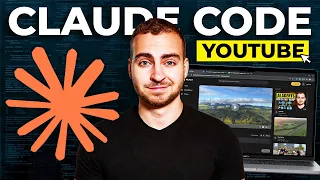
The field of AI-assisted development moves quickly, but few tools have generated as much practical excitement as Claude Code, Anthropic's terminal-based coding agent. Unlike graphical code editors that bolt on AI features, Claude Code was designed from the start around the idea of a conversational engineering partner. This tutorial by Zinho Automates offers a deliberately structured journey from first launch to advanced orchestration. The twenty-minute runtime is dense with actionable demonstrations, making it suitable for both newcomers who have never opened a terminal-based AI tool and experienced developers curious about whether Claude Code deserves a place in their daily workflow.
The format itself reflects the maturity of the AI coding ecosystem. Rather than presenting isolated tricks, the tutorial treats Claude Code as a complete system with its own mental model, operational quirks, and best practices. The chapter list reveals a progression that mirrors how developers actually adopt such tools: initial setup, prompting, iteration, then increasingly sophisticated techniques for delegation, review, and automation. This structure is valuable because it frames Claude Code not merely as a faster autocomplete engine but as a collaborator that requires management.
Interface and first-run configuration
The opening chapters focus on environment setup and the basic interface. Viewers learn how to launch Claude Code from a terminal, authenticate with their Anthropic account, and navigate the command-line environment. This section is critical because terminal-based tools intimidate developers accustomed to GUI-only workflows. The tutorial demonstrates the core interaction loop: typing natural language instructions, receiving code suggestions, and approving or rejecting changes. Configuration topics include selection of the underlying Claude model, context window management, and working directory setup.
A dedicated segment on the voice interface introduces Speech-to-Text input, letting users dictate prompts rather than type them. While seemingly a convenience, voice input changes the pace of interaction and can be particularly helpful for describing complex intent or exploring ideas aloud. The tutorial pairs this with planning commands that ask Claude Code to outline a solution before writing code, a practice that reduces wasted generation cycles and establishes a review culture from the start.
Building, previewing, and iterating
Once the setup is complete, the tutorial moves to a practical build demonstration. Viewers watch as Claude Code generates a functional application from a high-level specification, with the instructor emphasizing the importance of clear specifications and incremental progress. Preview commands show how to inspect output quickly, and iteration becomes the central theme: each cycle of review, feedback, and refinement tightens the result. One of the more useful insights is to review Claude Code's output as a manager would review an employee's work, checking for correctness, security issues, and alignment with the original goal.
This section is essential for developers who have used other AI coding assistants and felt frustrated by their tendency to generate plausible-looking but subtly wrong code. The tutorial's emphasis on treating Claude Code as a junior engineer, whose work needs verification, establishes a sustainable mental model. The brevity of this section, compared to some other tutorials, suggests the author assumes viewers already understand basic coding practices and wants to move quickly to Claude Code-specific features.
The /init command and project context
The introduction of the /init command marks a turning point in the tutorial's approach to project management. This command generates a CLAUDE.md file containing project-specific instructions, conventions, and context that Claude Code reads on every session startup. The tutorial demonstrates how to use /init to capture build commands, testing preferences, and architectural constraints, effectively giving Claude Code persistent memory across sessions. This is a significant quality-of-life improvement over general-purpose chatbots that start each conversation with no context.
Properly configured CLAUDE.md files become the foundation for repeatable, reliable agent behavior, and the tutorial shows how to refine them as the project evolves. This section gives practical guidance on what belongs in the file versus what should remain in individual prompts, helping viewers avoid the common mistake of overloading context with irrelevant details.
Skills, MCP, and external tools
For users who need Claude Code to interact with external systems, the tutorial introduces Skills and MCP (Model Context Protocol) connectors. Skills encapsulate reusable workflows, while MCP connectors extend Claude Code's capabilities to third-party services such as databases, browsers, and project management tools. The demonstration shows how to configure connectors, troubleshoot connection issues, and combine them with natural language instructions to automate multi-step tasks that would otherwise require custom scripts.
The chapter on parallel execution and "walking away" addresses a common question about AI agents: can they be trusted to work unattended? The tutorial demonstrates Claude Code's parallel agent functionality, which spawns multiple sub-agents to handle independent tasks concurrently. Viewers learn how to structure prompts for parallelism, monitor agent progress, and set checkpoints to catch errors before they compound. The "walking away" concept is treated realistically, with emphasis on safety checks and periodic validation.
Maintenance and optimization commands
Claude Code includes several operational commands that keep sessions healthy, and the tutorial dedicates a focused segment to /compact, /clear, and /doctor. The /compact command summarizes long conversation histories to free up context window space, while /clear resets the session entirely, and /doctor diagnoses configuration problems. These maintenance tools are essential for users who work on extended projects, where context bloat degrades performance and increases token costs.
The Gauntlet loop, introduced in the later chapters, is perhaps the most advanced concept covered. It describes a systematic approach to iteratively refining code by repeatedly presenting multiple candidate solutions to Claude Code, selecting the best, and using that as the foundation for the next round. This technique approaches genetic-algorithm-style optimization for code quality and is suited to developers working on performance-sensitive or objectively evaluable problems such as algorithmic puzzles, data processing tasks, and automated test suites.
Rules, shipping, and looking forward
The final chapters address production readiness and governance. Rules supplement project context by encoding constraints that Claude Code should always respect, such as security policies, style guides, or deployment restrictions. The tutorial demonstrates how to define rules that prevent common mistakes and ensure consistency across sessions. The "Ship it" segment walks through the final steps of a real project deployment, showing how Claude Code can assist with version control operations, build processes, and release checklists.
The outro frames Claude Code within the broader AI tool landscape and points viewers toward further learning resources, including the instructor's community for sharing prompts and tips. The tutorial ends with a suggestion to explore deeper automation scenarios, such as CI/CD integration, custom MCP server development, and multi-repository workflows. For viewers who complete this tutorial, the next logical step is to apply Claude Code to a real production codebase and begin encoding project-specific rules.
What you will learn
- Set up Claude Code from a terminal and configure the working environment
- Use voice input and planning commands to structure development sessions
- Apply the /init command to create persistent project context with CLAUDE.md
- Configure Skills and MCP connectors for external tool integrations
- Run parallel agents and implement the Gauntlet loop for code refinement
- Maintain sessions with /compact, /clear, and /doctor
Concepts covered
Technologies used
Chapters 16 markers
- Introduction and tutorial overview
- Interface and initial setup
- Prompting strategies
- Voice input and planning commands
- Building and previewing your project
- Iterating on generated code
- Reviewing output like a manager
- Using the /init command
- Skills for reusable workflows
- MCP and external connectors
- Parallel agents and walking away
- Maintenance with /compact, /clear, and /doctor
- The Gauntlet loop technique
- Shipping your project
- Setting project rules
- Outro and next steps
Next suggested video

Reviews
No reviews yet. Be the first to rate this lesson.