-
09
 Lesson 9 – n8n and AI Agents Automation Course
4min
Lesson 9 – n8n and AI Agents Automation Course
4min
-
10
Lesson 10 – n8n and AI Agents Automation Course
6min
-
11
Lesson 11 – n8n and AI Agents Automation Course
9min
-
12
Lesson 12 – n8n and AI Agents Automation Course
7min
-
13
Lesson 13 – n8n and AI Agents Automation Course
Current lesson
-
14
Lesson 14 – n8n and AI Agents Automation Course
9min
-
15
Lesson 15 – n8n and AI Agents Automation Course
15min
-
16
Lesson 16 – n8n and AI Agents Automation Course
9min
-
17
Lesson 17 – n8n and AI Agents Automation Course
15min
-
18
Lesson 18 – n8n and AI Agents Automation Course
7min
-
19
Lesson 19 – n8n and AI Agents Automation Course
15min
-
20
Lesson 20 – n8n and AI Agents Automation Course
13min
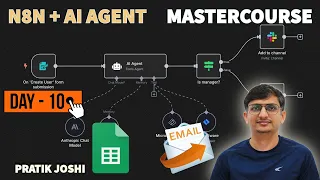
Summary
Automating personalization with a practical foundation
Personalized communication is no longer a luxury in the digital landscape but a fundamental expectation. Generic mass emails are failing to capture attention, leading marketers and developers to seek robust, low-code automation solutions that can deliver tailored messages at scale. This practical lesson from Pratik Joshi's masterclass addresses that exact challenge by demonstrating how to bridge the gap between a simple Google Sheet database and a custom email campaign using n8n. The core concept revolves around treating a spreadsheet not just as a static data repository, but as a dynamic trigger for personalized marketing actions. By the end of this session, the viewer will understand how to dismantle the manual, error-prone process of copying user data into an email platform and replace it with a seamless, automated pipeline that reads, processes, and communicates individually.
The architecture of a data-driven email agent
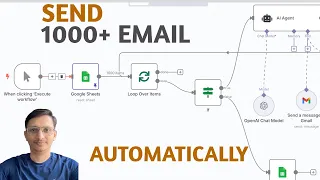
At the heart of the lesson lies a specific workflow architecture that connects three critical nodes within the n8n environment. The system begins with a Google Sheets node configured to fetch specific rows or a range of user details, acting as the central source of truth for customer information. This node is responsible for parsing structured data fields such as names, email addresses, and potentially other personalized attributes. The workflow logic then moves to an iterator or item lists processor, which is crucial for breaking down batch data into individual chunks; this step ensures that the subsequent email node does not receive a bulk message but rather a single record. Finally, the email node, typically leveraging SMTP or a dedicated service like Gmail, injects the extracted fields directly into the subject line and body, transforming a static template into a dynamic, one-to-one conversation.
Transforming spreadsheet data into dynamic actions
The technical heart of the automation lies in the data extraction and mapping process. This video meticulously covers the transition from raw tabular data to liquid transformation. Viewers are guided through the n8n expression editor, where they learn to reference specific columns using syntax like `{{$node["Google Sheets"].json["Name"]}}`. The lesson emphasizes the importance of data hygiene, suggesting that a well-structured sheet header is the blueprint for a successful automation. It goes beyond simple field mapping to explore conditional logic; users learn to avoid sending emails with missing data by implementing filter nodes or conditional checks before the email node fires. This safeguards the campaign’s professionalism by ensuring that placeholder text like "Dear undefined" never reaches a recipient.
Enhancing deliverability and engagement techniques
Beyond the basic send logic, the session imparts critical tips for crafting effective automated emails that maximize open and click-through rates. It stresses that automation should not feel robotic. The instructor demonstrates how to structure the email node to include dynamic subject lines that feel responsive to the unique user context, a tactic proven to boost engagement. Practical advice is offered on configuring SMTP settings to avoid spam filters, including proper authentication and rate limiting. The workflow teaches how to handle errors gracefully, setting the email node to retry on failure or logging errors to a separate sheet for auditing, thus transforming the automation from a fragile script into a resilient marketing tool.
Building efficiency beyond the initial workflow
A significant portion of the tutorial is dedicated to the philosophy of efficiency. Pratik Joshi carefully lays out the pitfalls of over-engineering a simple notification system and the dangers of under-estimating resource consumption. The video covers best practices for naming nodes, organizing the canvas, and using sub-workflows or notes to document the process. Listeners gain insight into how this specific email automation serves as a template for virtually any customer-facing notification system. Whether it is sending invoices, onboarding sequences, or password resets, the structural logic of "get data -> personalize -> send" remains constant, making the skill highly transferable and immediately applicable in commercial environments.
Troubleshooting common integration challenges
Automation is rarely perfect on the first run, and this lesson does not shy away from the messy reality of debugging integrations. It walks through the most common friction points encountered when bridging Google Sheets and email providers. This includes resolving OAuth consent screen verification scopes for Google, handling API rate limits that pause workflows, and correcting date formatting discrepancies that arise from different locale settings. The instructor builds a culture of ‘testing in production’ by guiding through the manual execution of nodes one by one. This granular inspection method ensures that the user’s virtual agent is transparent and debuggable, demystifying the black-box nature of AI-powered agents and reinforcing a solid engineering mindset.
From single task to scalable agent mindset
The culmination of the training is a shift in perspective from building a single tool to designing an agentic helper. The video recontextualizes the simple email workflow as a building block for larger autonomous systems. An intelligent AI agent does not just send emails; it decides when to send them based on triggers, updates the source sheet to reflect the last contact date, and starts branching logic based on whether the email was opened. The final takeaway is that mastery of such tightly integrated, data-aware modules is the prerequisite to constructing complex AI agents that can navigate ambiguities and perform multifaceted business tasks with minimal human oversight.
What you will learn
- Connect n8n to a Google Sheet to extract user details
- Extract individual user data for personalized messaging
- Configure and test an email node for custom content
- Build reliable and engaging email automation workflows
- Troubleshoot common OAuth and API rate limit issues
Concepts covered
Technologies used
Chapters 7 markers
- Introduction to n8n and the personalized email goal
- Setting up Google Sheets as the user data source
- Extracting and parsing individual user records
- Configuring the Gmail or SMTP node for sending
- Mapping dynamic fields for personalization
- Testing and debugging the full workflow
- Tips for avoiding spam and improving deliverability
Next suggested video


Reviews
No reviews yet. Be the first to rate this lesson.