-
25
 Lesson 25 – n8n and AI Agents Automation Course
10min
Lesson 25 – n8n and AI Agents Automation Course
10min
-
26
Lesson 26 – n8n and AI Agents Automation Course
20min
-
27
Lesson 27 – n8n and AI Agents Automation Course
23min
-
28
Lesson 28 – n8n and AI Agents Automation Course
20min
-
29
Lesson 29 – n8n and AI Agents Automation Course
Current lesson
-
30
Lesson 30 – n8n and AI Agents Automation Course
22min
-
31
Lesson 31 – n8n and AI Agents Automation Course
22min
-
32
Lesson 32 – n8n and AI Agents Automation Course
18min
-
33
Lesson 33 – n8n and AI Agents Automation Course
10min
-
34
Lesson 34 – n8n and AI Agents Automation Course
17min
-
35
Lesson 35 – n8n and AI Agents Automation Course
13min
-
36
Lesson 36 – n8n and AI Agents Automation Course
10min






Summary
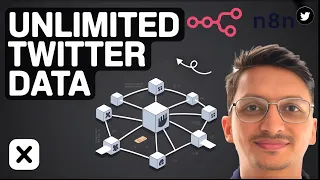
### Overview This lesson provides a comprehensive guide to automating unlimited data extraction from Twitter (now X) using the no-code platform n8n. It focuses on building a workflow that scrapes tweets, manages API pagination to gather large datasets, and stores the information for advanced analytics. The content is designed for data analysts, marketers, and researchers who want to transform social media data into actionable insights without writing complex code. By the end of the lesson, you will understand how to set up n8n nodes, configure authentication with the Twitter API, handle rate limits through intelligent pagination, and export data to various destinations. The workflow enables continuous data collection, which is crucial for identifying market trends, understanding customer sentiment, and gaining a competitive edge in data-driven fields. The emphasis remains on practical automation, making powerful data science accessible to everyone.
### Core Workflow Architecture The backbone of the automation relies on n8n's visual workflow designer. The instructor demonstrates how to connect a HTTP Request node to the Twitter API v2 endpoints. This node is configured with appropriate headers, including the bearer token for authorization. The workflow begins with a manual trigger or a scheduled cron job, allowing users to run the extraction on demand or at regular intervals. A key challenge addressed is API pagination; Twitter returns data in pages with a next_token. The workflow incorporates a loop mechanism, typically using the Split In Batches node or a custom JavaScript function, to recursively request subsequent pages until all data is collected. Error handling is also built in to manage rate limits like HTTP 429 codes, using wait conditions or retry strategies. This architecture ensures a robust, scalable scraper that respects API constraints while maximizing data throughput.
### Handling API Pagination and Rate Limits Effective data extraction hinges on mastering Twitter's pagination and rate limit policies. The lesson details how the API provides a next_token in the response metadata for navigating through tweet sets. Within n8n, the instructor shows how to extract this token and feed it back into the next HTTP Request, creating a seamless loop. For rate limits, the workflow monitors response headers such as x-rate-limit-remaining and x-rate-limit-reset. When limits are approaching or exhausted, the workflow pauses using a Wait node for the specified reset time before resuming. This prevents temporary blocks and ensures uninterrupted data collection. The approach is fully automated, eliminating manual monitoring. By implementing these patterns, you can scrape tens of thousands of tweets reliably, making it ideal for historical analysis or real-time monitoring projects where data volume is paramount.
### Data Extraction and Transformation Once the raw JSON data from Twitter is ingested, the lesson covers transforming it into structured, analyzable formats. Using n8n's Function or Item Lists nodes, key fields are parsed from the includes and data objects. Relevant information includes tweet text, author ID, creation timestamp, like count, retweet count, and possibly referenced tweets for thread analysis. The instructor emphasizes cleaning text by removing URLs and special characters to prepare it for sentiment analysis. Additionally, user profile data can be joined to tweets for richer context. The extraction phase may also filter tweets based on keywords, hashtags, or date ranges using the API query parameters. This step bridges the gap between raw API output and a clean dataset ready for storage or machine learning models, demonstrating how no-code tools can perform complex data manipulation tasks.
### Storage and Export Options After data extraction and transformation, the lesson explores destination options within n8n. Common integrations include Google Sheets for simple tabular data, Airtable for relational databases, or SQL databases like PostgreSQL for high-volume storage. The workflow demonstrates appending new records to these systems while avoiding duplicates, often by checking unique tweet IDs. For more advanced analytics, the instructor may show how to forward the data to AI services via the HTTP Request node, such as OpenAI for sentiment analysis or classification. Alternatively, data can be exported as CSV or JSON files for use in external tools. The flexibility means you can build a complete pipeline from collection to dashboard, centralizing Twitter data into your existing analytics infrastructure without manual effort.
### Practical Applications and Insights The extracted Twitter data unlocks numerous business intelligence applications. The lesson highlights use cases like tracking brand mentions to gauge public perception, monitoring competitor activity, and identifying emerging market trends through keyword frequency shifts. For researchers, such automation enables large-scale sentiment analysis to study public opinion on social issues or product launches. The real-time capability allows for instant alerts when specific topics trend, supporting agile decision-making. By leveraging n8n's AI agent integrations, further automation can enrich data by classifying tweet intents or summarizing long threads. This lesson ultimately connects the technical automation steps to strategic outcomes, showing how reliable data pipelines democratize data science and amplify analytical capacities for organizations of any size.
What you will learn
- Setting up n8n authentication and HTTP requests for the Twitter API
- Building a recursive loop to handle API pagination with next_token
- Configuring robust error handling and rate limit management
- Transforming raw tweet JSON into structured, analysis-ready data
- Exporting scraped tweets to storage solutions like Google Sheets or databases
Concepts covered
Technologies used
Chapters 6 markers
- Introduction to unlimited Twitter scraping with n8n
- Authenticating with the Twitter API and setting HTTP Request nodes
- Building the pagination loop to fetch all tweet pages
- Managing rate limits with wait conditions and error handling
- Transforming and cleaning tweet data for analytics
- Exporting data to Google Sheets and enabling sentiment analysis workflows
Next suggested video

Reviews
No reviews yet. Be the first to rate this lesson.