-
26
 Lesson 26 – n8n and AI Agents Automation Course
20min
Lesson 26 – n8n and AI Agents Automation Course
20min
-
27
Lesson 27 – n8n and AI Agents Automation Course
23min
-
28
Lesson 28 – n8n and AI Agents Automation Course
20min
-
29
Lesson 29 – n8n and AI Agents Automation Course
14min
-
30
Lesson 30 – n8n and AI Agents Automation Course
22min
-
31
Lesson 31 – n8n and AI Agents Automation Course
22min
-
32
Lesson 32 – n8n and AI Agents Automation Course
18min
-
33
Lesson 33 – n8n and AI Agents Automation Course
Current lesson
-
34
Lesson 34 – n8n and AI Agents Automation Course
17min
-
35
Lesson 35 – n8n and AI Agents Automation Course
13min
-
36
Lesson 36 – n8n and AI Agents Automation Course
10min
-
37
Lesson 37 – n8n and AI Agents Automation Course
9min




Summary
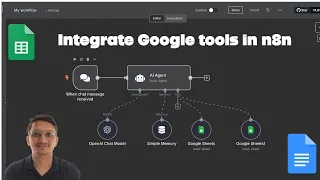
### Introduction to Google and AI Integrations in n8n This lesson focuses on building advanced automation workflows by connecting n8n with essential Google Cloud services and the Gemini AI model. The core objective is to equip developers with the practical skills needed to overcome common integration challenges. By the end of this tutorial, you will understand how to create a seamless ecosystem where data flows automatically between Google Docs, Google Sheets, and an AI model, all orchestrated within n8n. The tutorial is delivered in Hindi and provides a step-by-step walkthrough, making complex cloud concepts accessible. The primary problem this solves is the often-confusing process of establishing secure connections between n8n and Google APIs, which involves setting up proper credentials, enabling APIs in the Google Cloud Console, and configuring OAuth consent screens.
### Establishing Secure Connections with OAuth A critical foundational step covered in detail is the OAuth setup for Google services. Without proper authentication, n8n cannot communicate with your Google Docs or Google Sheets. The lesson guides you through the Google Cloud Platform (GCP) interface, showing you how to create a new project, enable the necessary APIs (specifically the Google Docs API and the Google Sheets API), and configure the OAuth consent screen. Configuring the consent screen involves defining the app's name, user support email, and developer contact information. Most importantly, the tutorial demonstrates how to create OAuth 2.0 credentials, specifically a Client ID and Client Secret. You learn where to add the authorized redirect URIs that n8n provides, ensuring the authentication token is returned to the correct place. This secure connection is the gateway to reading, writing, and updating data in your Google Workspace applications directly from an automated workflow.
### Mastering Google Docs Automation With authentication in place, the lesson dives into practical Google Docs operations within n8n. You learn how to use dedicated n8n nodes to interact with documents programmatically. The tutorial demonstrates how to create a new, blank document automatically from a trigger event, such as a form submission. It also covers updating an existing document, which is a more complex operation requiring the document ID. You discover how to append text to a specific location, replace placeholder content with dynamic data, or even insert images and tables. The instructor explains how to map data from previous workflow steps into the document's body, enabling the automatic generation of reports, invoices, or customized letters. Managing documents also includes retrieving the document content for analysis or archiving, completing the CRUD (Create, Read, Update, Delete) cycle within your automated processes.
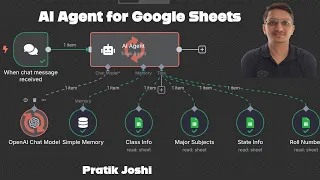
### Automating Data Handling in Google Sheets Moving from documents to structured data, the tutorial explores comprehensive Google Sheets integration. The lesson starts with reading data from an existing spreadsheet. You learn to fetch a range of cells and process each row as an individual item in n8n, which is perfect for batch operations. The tutorial then explains how to append new rows of data to a sheet, a common task for logging information like AI model outputs or transaction records. The lookup operation is covered in detail, allowing you to search for a value in a specific column and return the corresponding row data. Another key concept is updating a specific cell or row, which requires matching a unique identifier. The instructor demonstrates connecting a trigger, such as a new row added to a sheet, to kick off an entire workflow, creating a powerful circular automation where a Google Sheet both provides and receives data.
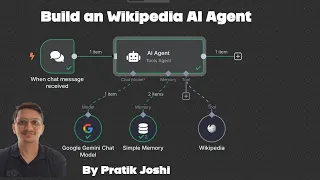
### Integrating the Gemini AI Model for Enhanced Workflows The lesson elevates the automation by incorporating Google's Gemini AI model directly into the workflow. The Gemini node's configuration is explained, including selecting the specific model and adjusting parameters like temperature and token limits to control creativity and response length. You learn how to construct a dynamic prompt that feeds data from a previous Google Sheets or Docs step into the AI model. For example, you can take text from a Google Doc, send it to Gemini for summarization or translation, and then write the result back to a Google Sheet. The tutorial also covers parsing the AI's JSON output, structuring complex requests, and handling errors gracefully. This integration demonstrates the true power of combining data sources with generative AI, enabling tasks like content analysis, sentiment detection, automated customer reply generation, and creative brainstorming, all without writing code.
### Building a Complete End-to-End Automation Finally, these individual components are assembled into a coherent, end-to-end automation. The example workflow might start with a new entry in a Google Sheet, which triggers a lookup for a Google Doc template. The workflow then populates the template with the sheet data and uses Gemini AI to enhance or proofread the generated content. The final output is a polished document saved back to Google Drive. This section emphasizes the importance of testing and error handling. The instructor shows how to use n8n's execution history to debug errors, test individual nodes, and verify the data structure at each step. This practical troubleshooting advice is crucial for building reliable, production-ready automations that combine Google Docs, Google Sheets, and Gemini AI.
What you will learn
- Easily connect n8n to Google APIs
- automate Google Docs and Sheets
- and add AI power with Gemini.
Concepts covered
- OAuth 2.0 setup for secure cloud service communication
- Google Cloud Console project and API management
- Automated document lifecycle management via API
- Structured data manipulation and batch processing in spreadsheets
- Dynamic prompt engineering for generative AI models
- End-to-end workflow integration of multiple cloud services
Technologies used
Chapters 6 markers
- Introduction to the automation lesson and key tools
- Step-by-step OAuth 2.0 setup in Google Cloud Console for n8n
- Practical examples for creating and updating Google Docs from a workflow
- Automating Google Sheets: reading, writing, and looking up data
- Integrating the Gemini AI model: configuration and prompt design
- Combining all tools into a complete, end-to-end automation example
Next suggested video
Reviews
No reviews yet. Be the first to rate this lesson.