Ads
Free course

Free Google AI Studio and Gemini API Course

A practical sequence covering Google AI Studio and the Gemini API from quickstart workflows to building full-stack applications. Lessons walk through core models, prompt engineering, no-code app creation with Firebase, vibe coding with Antigravity,...

10 lessons 12h 18min total Free

Course overview

This course combines introductory interfaces with advanced development workflows using Google AI Studio and the Gemini API. Early lessons map out the platform’s core features: navigating research mode, managing custom Gems, and integrating Gemini into Google Workspace. From there, the curriculum moves into full-stack territories, covering user authentication, Firestore databases, and OAuth using Firebase. The later sessions dive into vibe coding with Gemini 3.1 Pro and Antigravity, where you build complete, production-ready applications and deploy them to cloud platforms. The sequence concludes with multimedia generation, real-time streaming, and strategies for scaling AI-powered features.

Who this course is for

This course is designed for developers, no-code creators, and technical entrepreneurs who want to leverage Google’s AI ecosystem. It suits beginners looking for a guided walkthrough of AI Studio’s interface and advanced users seeking to integrate Gemini APIs into full-stack projects. The material helps those who want to build SaaS features, automate workflows with AI agents, or deploy applications using Firebase and Google Cloud Run without managing complex infrastructure manually.

How to study this sequence

Start with the quickstart walkthroughs to understand the AI Studio environment and Gemini model family. Once comfortable with the interface, move into the full-stack tutorials that integrate Firebase for authentication and data persistence. The crossover into vibe coding with Gemini 3.1 Pro and Antigravity builds on these foundations, so set up your GitHub and deployment accounts before those sessions. Treat the later lessons on app monetization and multimedia generation as a practical capstone to combine several skills at once.

What you should be able to do

By the end of this sequence, you will be able to navigate Google AI Studio, build functional full-stack applications without managing separate infrastructure, and implement user authentication and databases using Firebase. You will understand how to apply vibe coding techniques to ship production apps and use Gemini’s APIs to add generative features like chatbots or content analysis to your own projects.

~/about-course

What you learn in this Google AI Studio and Gemini API course

This course organizes 10 Google AI Studio and Gemini API lessons in a practical order, starting with the base and moving toward examples you can repeat in your own projects.

The main practice points are Understand vibe coding methodology and how to leverage Gemini 3.1 Pro as a co-developer, Configure and optimize Antigravity for AI-assisted workflow management, Build five production-ready applications from idea to deployment using AI-generated code and Implement databases, authentication, and API integrations in full-stack applications. Use this page to review the course proposal, check the key topics, and open the lessons in the recommended order.

What you will practice

  • Understand vibe coding methodology and how to leverage Gemini 3.1 Pro as a co-developer
  • Configure and optimize Antigravity for AI-assisted workflow management
  • Build five production-ready applications from idea to deployment using AI-generated code
  • Implement databases, authentication, and API integrations in full-stack applications
  • Integrate payment processing with Stripe and monetize vibe-coded applications
  • Deploy applications to production platforms and conduct security audits

Concepts covered

Vibe coding Large Language Models (LLMs) AI agents and agent teams MCP servers Full-stack development SQL vs NoSQL databases Version control and Git workflows Security audit processes

Course lessons

10 tutoriais organizados em sequência.

~/course-summary

Course summary

This Google AI Studio and Gemini API course brings together 10 lessons in a guided sequence. It starts with "VIBE CODING FULL COURSE: Gemini 3.1 + Antigravity (6 Hrs)" and moves step by step, so each lesson supports the next one and helps turn the topic into practice.

During the course, the practical focus is on Understand vibe coding methodology and how to leverage Gemini 3.1 Pro as a co-developer, Configure and optimize Antigravity for AI-assisted workflow management, Build five production-ready applications from idea to deployment using AI-generated code and Implement databases, authentication, and API integrations in full-stack applications. These points help you watch with a goal instead of treating the lesson as a loose introduction.

The course also introduces important ideas such as Vibe coding, Large Language Models (LLMs), AI agents and agent teams, MCP servers and Full-stack development, which makes it easier to understand later tutorials and decide when each resource is useful.

~/study-plan

How to get more from this course

Who this Google AI Studio and Gemini API course is for

This advanced course is for learners who already understand the fundamentals of Google AI Studio and Gemini API and want to develop deeper technical or professional skills.

What you can do after finishing

By the end, you should be able to review the main idea of the course and practice Understand vibe coding methodology and how to leverage Gemini 3.1 Pro as a co-developer, Configure and optimize Antigravity for AI-assisted workflow management, Build five production-ready applications from idea to deployment using AI-generated code and Implement databases, authentication, and API integrations in full-stack applications with more confidence.

Recommended study order

Watch the 10 lessons in the order shown on this page. Pause after each lesson to repeat the examples and only move on when the previous step makes sense.

What to study next

After finishing the course, explore the Google AI Studio and Gemini API topic to find related tutorials and keep studying with more context.

~/course-faq

Course questions

Is this Google AI Studio and Gemini API course for beginners?

No. This course covers advanced Google AI Studio and Gemini API topics and is best suited to learners who already understand the fundamentals.

How many lessons are in this course?

This course currently has 10 lessons and about 12h 18min in total.

What should I do after finishing the course?

The best next step is to explore the Google AI Studio and Gemini API topic and choose a related tutorial that matches what you want to practice.

Is this course free?

Yes. This is a free course organized by CursoB so you can study Google AI Studio and Gemini API in a structured sequence.

Do I need previous experience to follow the course?

Yes. You should already understand the fundamentals of Google AI Studio and Gemini API before starting this advanced course.

Should I watch the lessons in order?

Yes. The recommended path is to watch the 10 lessons in the order shown, because each lesson helps prepare the next one.

Can I use this course for practical projects?

Yes. Use the course as a practical reference to train Understand vibe coding methodology and how to leverage Gemini 3.1 Pro as a co-developer, Configure and optimize Antigravity for AI-assisted workflow management, Build five production-ready applications from idea to deployment using AI-generated code and Implement databases, authentication, and API integrations in full-stack applications and adapt the examples to your own projects.

Does this course include a certificate?

CursoB stopped issuing certificates for its own courses in May 2026. CursoB no longer offers completion certificates. Courses and tutorials remain free to study. If content is hosted on another platform, any certificate depends exclusively on the original author or platform rules.

Are the lessons updated?

CursoB periodically reviews the Google AI Studio and Gemini API catalog and may add, remove, or reorder lessons when better content is found.

Where can I find more content on this subject?

Explore the Google AI Studio and Gemini API topic to find related tutorials and complementary courses.

~/lesson-notes

What each course lesson covers

Use these notes to understand the sequence before opening each lesson.

  1. 01 VIBE CODING FULL COURSE: Gemini 3.1 + Antigravity (6 Hrs) In this lesson, you practice Understand vibe coding methodology and how to leverage Gemini 3.1 Pro as a co-developer, Configure and optimize Antigravity for AI-assisted workflow management and Build five production-ready applications from idea to deployment using AI-generated code.
  2. 02 The ONLY Google Gemini Tutorial You Need! How To Use Gemini Like a Pro in 18 Minutes In this lesson, you practice Understand Google Gemini's architecture and advantages over standalone AI tools, Navigate research mode to conduct thorough web-based investigations with citations and Use Canvas mode for collaborative content creation and iterative refinement.
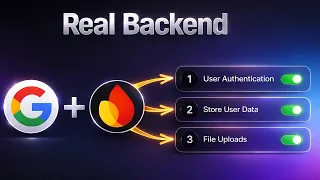
  3. 03 Stop Building Websites — Build REAL Web Apps with Google AI + Firebase In this lesson, you practice Implement user authentication with Firebase using email, password, and Google Sign-In, Build persistent data storage using Firestore with user-specific access controls and Handle file uploads and management in Firebase Storage linked to user accounts.
  4. 04 Google Gemini FULL COURSE 3 HOURS (Build & Automate Anything) In this lesson, you practice Build no-code applications using Google Gemini 3's AI Studio interface, Automate business workflows with AI agents and Workspace Flows and Generate visual research reports and conduct deep information analysis.
  5. 05 How I Build Apps With Google AI Studio 💡 Full AI Coding Tutorial In this lesson, you practice Leverage Google AI Studio and Gemini 2.5 Pro for full-stack application development, Master prompt engineering and context strategies for consistent, high-quality AI code generation and Plan, build, and deploy functional mobile apps without extensive prior coding experience.
  6. 06 Google AI Studio: Build, Test & Deploy a Real AI App (Full Guide) In this lesson, you practice Build production-ready AI applications using Google AI Studio's Build feature, Implement OCR functionality for extracting and processing structured data from images and Test, debug, and iterate on AI applications using visual feedback and screenshots.
  7. 07 Master Google Ai Studio in 15 Minutes In this lesson, you practice Create AI applications without writing any code using natural language prompts, Build and deploy AI agents that integrate with real-world tools and services and Use the Task Assistant feature to automate everyday tasks and workflows.
  8. 08 Google AI Studio Latest Update 💡 How I Build Full Apps (Tutorial & Tips) In this lesson, you practice Build full-stack applications using Google AI Studio's integrated frontend and backend tools, Implement user authentication with Firebase and Google Sign-In OAuth and Leverage the Antigravity Agent to accelerate feature development and code generation.
  9. 09 Google AI Studio – Full Tutorial 2026: How To Build an App In this lesson, you practice Navigate Google AI Studio's interface and build apps without traditional coding, Design mobile-optimized layouts with dynamic features like calendars and task creators and Integrate AI chatbots and automation to create intelligent user workflows.
  10. 10 Master NEW Google AI Studio in 23 Minutes In this lesson, you practice Build no-code AI applications using the Build tab without programming knowledge, Generate marketing-ready videos and images with Veo, Imagen, and Gemini 2.5 Flash Image and Leverage the 1M-token context window for financial analysis and document comprehension.