Learn Framer in English with high-signal tutorials that move from a first website to responsive design, AI-assisted builds, landing pages and more complete site workflows.
Master Framer for Responsive Websites, Landing Pages and AI-Powered Design
Learn to build production-ready websites and landing pages in Framer without code. From responsive design systems to AI workflows, these tutorials guide you through modern no-code web design, interactive prototyping, and publishing fully functional sites.
Content is organized from foundational website builds to advanced AI integration, helping you progress from your first Framer project through responsive layouts, component architecture, and intelligent automation workflows that accelerate your design process.
 1h 05min
EN
1h 05min
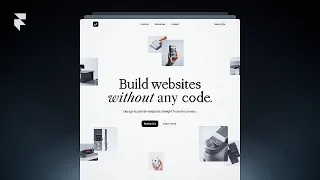
ENBuilding Your First Site From Scratch in Framer (2026)
 44min
EN
44min
ENCRIANDO SEU PRIMEIRO SITE NO FRAMER EM 2026 / PASSO A PASSO COMPLETO / TUTORIAL DA FERRAMENTA
 19min
EN
19min
ENLearn Framer in 20 Minutes (Crash Course)
 12min
EN
12min
ENMy Framer AI Complete Workflow (Guide)
 25min
EN
25min
ENFramer – Full Tutorial for Beginners 2026: How to Use Framer AI
 2h 14min
EN
2h 14min
ENFramer Complete Course 2026
 49min
EN
49min
ENframer tutorial: make a site from scratch in 2026
 32min
EN
32min
ENFramer Tutorial for Beginners (2026)
Frequently asked questions about Framer
How should I start learning Framer?
Start with the beginner-friendly tutorials, then follow the path in order. This topic favors practical videos that help you build, configure, or publish something real.
Are these videos current?
The selected tutorials were checked against a 2025/2026 freshness window whenever possible, plus embed availability and social proof.
Does this topic include a free course?
This batch publishes a focused topic and a guided path. A separate course is only created when there is a cohesive course-style playlist or long class worth promoting as a course.
Are the tutorials in English?
Yes. This English topic uses English-language videos and marks both the publication and the videos with the English language taxonomy.
Can beginners use this topic?
Yes. The path starts with beginner-friendly material and then adds intermediate videos when the workflow needs more context.
Why are some videos official and others from creators?
Official videos are useful for product context, while independent tutorials often show practical workflows, mistakes and real project decisions.
How does Cursob choose the video order?
The order starts with setup or overview material, then moves toward hands-on practice, longer classes and more specific workflows.
Should I watch every video?
Use the full path if you are new to the tool. If you already know the basics, jump to the videos that match your current project.
Do I need a paid account for Framer?
Some tools may require an account or paid plan for specific features. The topic focuses on learning workflows, not guaranteeing free access to every feature.
How often should this topic be refreshed?
Digital tools change quickly, so the topic should be reviewed when major product updates, pricing changes or new official workflows appear.
How to study Framer with context
This initial text is replaced by a specific section generated through the Anthropic/Claude API from the tutorials published in this topic.
Curated learning flow
The selection favors hands-on tutorials, official guidance where useful, and practical workflows over news, speculation, or generic reviews.
Perguntas frequentes sobre Framer
How does Framer's component-based architecture differ from traditional web builders?
Framer uses React-backed components that combine visual design with real code underneath, enabling reusable, responsive elements. Unlike static design tools, each component maintains interactive states, animations, and data bindings. This approach lets you build production-ready sites where design tokens and smart components scale across your entire project without rebuilding elements.
What is the practical difference between Framer's responsive CSS Grid and standard web design layouts?
Framer's responsive CSS Grid system abstracts layout complexity while preserving control over breakpoints and flexibility. You define grid structures visually, and Framer generates the underlying CSS automatically. This eliminates manual media query writing while maintaining the ability to customize responsive behavior at each breakpoint, making it faster than traditional CSS-based responsive design.
How does Framer AI automate website creation beyond simple template selection?
Framer AI uses design automation and content generation to handle repetitive tasks like component variation creation, layout suggestions, and content population. The AI references your design system and automation rules to intelligently populate components. Rather than selecting premade templates, you define automation workflows that generate design variations and content structures based on your design tokens.
Can you integrate REST APIs and backend services into Framer prototypes for production use?
Yes, Framer supports REST API integration and data binding, enabling you to fetch live data and create fully functional applications. You can connect external services, manage state for dynamic rendering, and build workflows that test real user interactions. This makes Framer suitable not just for prototypes but for production-ready applications with working backend connections.
What are design tokens in Framer, and how do they benefit your design system?
Design tokens are centralized values for colors, typography, spacing, and animation curves stored in your Framer project. When tokens update, all components referencing them update instantly across your site. This ensures consistency, scales your design system, and allows Framer AI to intelligently apply these tokens when automating designs or generating variations without manual intervention.
How do spring physics and animation curves in Framer create polished micro-interactions?
Framer provides spring physics and easing functions that create natural, sophisticated animations beyond basic transitions. Spring physics simulate real-world physics with damping and stiffness parameters, while easing curves control acceleration patterns. These tools enable micro-interactions like smooth button states, gesture-driven animations, and transition effects that enhance user engagement without requiring custom animation code.
What is the difference between data binding and state management in Framer workflows?
Data binding connects component properties directly to external data sources or state variables, updating automatically when data changes. State management tracks component behavior over time, allowing gestures and interactions to trigger state transitions. Together, they enable dynamic rendering where component appearance and content respond to user input, API data, and application logic without manual updates.
How does Framer's hosting and custom domains ensure your site is production-ready?
Framer hosting provides built-in deployment without additional server setup, and custom domains allow you to publish under your own brand. The platform handles performance optimization, SSL certificates, and global CDN distribution automatically. This eliminates infrastructure complexity so you can focus on design while maintaining production-grade reliability and security.
What workflow should you follow when scaling from a single landing page to a multi-page website in Framer?
Start by establishing a design system with reusable components, design tokens, and consistent spacing scales. Build a master component library in Framer, then use it across multiple pages. Implement navigation and routing to connect pages. Use automation rules and Framer AI to maintain consistency as pages grow. This structure prevents duplicated work and ensures brand coherence across complex sites.
How does gesture detection in Framer enable user interactions beyond clicks and scrolling?
Framer's gesture detection recognizes swipes, drags, pinches, and hover states, letting you trigger animations and state changes from these interactions. This enables interactive prototypes that test sophisticated user flows like drag-and-drop interfaces, touch-based navigation, and gesture-driven content reveals. Event handlers connect gestures to animations, making prototypes feel like functional applications before development.
Building Production-Ready Websites in Framer: From No-Code Design to AI-Powered Workflows
Framer has evolved into a comprehensive web design and development platform that bridges visual design and interactive development. Whether you're creating landing pages, responsive websites, or leveraging AI workflows, understanding Framer's architecture, design systems, and automation capabilities enables you to build production-ready sites efficiently. This deep dive explores the core concepts, practical workflows, and advanced techniques that transform Framer from a design tool into a complete web development environment.
Understanding Framer's React-Based Component Architecture
Framer's foundation rests on React, a JavaScript framework that powers modern web applications. Unlike traditional design tools that produce static images, Framer components contain actual code underneath, making them truly interactive and data-aware. Each component you create in Framer carries its logic, styling, and interactivity forward. This means a button component you design isn't just an image; it's a fully functional element with states, event handlers, and animation properties that work in production environments.
The component-based approach enables massive time savings through reusability. Once you build a component like a navigation bar, pricing card, or form input, you can use it across multiple pages and projects without rebuilding. Framer's design-to-code workflow means you're building components visually while the platform generates and maintains the underlying React code automatically. This eliminates the gap between designer mockups and developer implementation, reducing handoffs and miscommunications that typically occur when designs move from design tools to development.
Implementing Responsive Design Systems with CSS Grid and Design Tokens
Responsive design in Framer begins with understanding CSS Grid, the layout system that powers modern websites. Framer abstracts CSS Grid complexity into a visual interface where you define grid templates, gaps, and alignment properties without writing code. When you adjust your grid structure, Framer generates responsive breakpoints automatically. This approach lets you design for mobile, tablet, and desktop views within a single interface, seeing how your layout adapts at each breakpoint in real-time. The generated CSS handles browser compatibility and responsive behavior, eliminating manual media query writing that typically causes responsive design bugs.
Design tokens serve as the centralized source of truth for your design system. Rather than manually choosing colors, typography sizes, and spacing values across components, you define these once as tokens. A color token for primary brand color, a spacing token for standard padding, or a typography token for heading sizes ensures consistency across your entire site. When your brand color changes, updating the token automatically updates every component referencing it. Framer AI leverages design tokens during automation, intelligently applying consistent styling across generated components. This scalability means your design system grows with your project without accumulating style inconsistencies.
Leveraging Framer AI for Automation and Content Generation
Framer AI represents a paradigm shift from building everything manually to intelligently automating repetitive design work. Rather than creating each page variation by hand, you define automation rules that generate variations based on content and design system parameters. The AI understands your design tokens, component architecture, and styling patterns, then applies them systematically. For example, when you input different text lengths for headlines, Framer AI can generate appropriately sized containers and adjusted layouts that maintain visual hierarchy. Content generation automates population of pages with product information, testimonials, or pricing tiers without manual entry into each component instance.
Implementing AI workflows requires establishing a solid design system first. Your components, design tokens, and automation rules become instructions the AI follows. A complete workflow might involve defining a template for landing pages, specifying which sections should appear based on content type, setting automation rules for text wrapping and image scaling, and letting Framer AI generate variations for different products or markets. This approach transforms website creation from a labor-intensive process into a systematized workflow where AI handles variation generation while you focus on strategic design decisions and brand direction.
Creating Sophisticated Interactions Through Animations, Gestures, and State Management
Framer's animation system goes far beyond basic transitions, offering spring physics and easing curves that create polished micro-interactions. Spring physics simulate real-world motion with parameters like damping and stiffness, producing natural-feeling animations that don't feel robotic or artificial. Easing functions control acceleration and deceleration patterns, enabling animations that start slow and accelerate, or decelerate as they finish. These tools let you craft sophisticated interactions like smooth button states where the background color shifts with spring physics, or gesture-driven content reveals where swiping animates elements in coordinated sequences.
State management enables components to respond to user interactions by maintaining multiple visual states. A toggle button might have default and active states, each with different colors, text, and animations. Gesture detection recognizes swipes, drags, pinches, and hover actions, triggering state changes and animations. When combined with event handlers, gestures become powerful tools for testing interaction patterns before development. You can build prototypes that feel like functional applications, letting you test complex user flows like drag-and-drop interfaces, multi-step forms with state validation, or gesture-driven navigation. This fidelity in prototyping reduces surprises during development.
Integrating Data and APIs for Dynamic, Production-Ready Sites
Data binding in Framer connects component properties directly to external data sources or internal state variables. Rather than manually populating each component with static values, you bind a component's text, image, or other properties to a data source. When data updates, the component updates automatically. This enables dynamic rendering where lists populate with items from a database, pricing pages display real product information, or team pages show current employee details. REST API integration takes this further, allowing you to fetch live data from external services directly in Framer. Your prototype becomes functionally equivalent to the eventual production site, testing real workflows with real data.
Building applications beyond simple websites requires managing state across multiple components and pages. Framer's state management system tracks how components interact, allowing complex workflows where clicking one element updates another's appearance or content. Combined with API integration, this enables functional prototypes that test real application logic. For instance, an e-commerce prototype might manage shopping cart state, fetch product data from an API, validate form submissions against a backend, and navigate between pages based on user actions. This moves Framer prototypes from design validation tools into functional application prototypes that can be tested with real users, reducing the risk of misaligned handoffs to development teams.
Establishing Scalable Workflows from Single Pages to Complex Multi-Page Sites
Scaling from a landing page to a multi-page website requires establishing foundational systems early. Begin by creating a master design system with all reusable components, design tokens, and styling foundations before building pages. In Framer, this means building a component library containing buttons, cards, navigation, forms, and any other elements your site will use. Once components are established, pages become compositions of these components rather than new design work. Navigation between pages requires setting up routing, which Framer handles through page links and navigation components. This architecture prevents the common problem where scaling introduces inconsistencies because each page was designed independently.
Automation rules and Framer AI accelerate multi-page workflows by maintaining consistency systematically. Once you define automation rules for component spacing, text sizing, and layout behavior, the system applies these rules across every page. If you need to adjust your primary spacing scale from 8px to 10px, updating the design token automatically cascades the change through your entire site. Framer AI can generate new pages following these established patterns, creating variations for different product categories, market segments, or content types. This systematic approach means your design system becomes an asset that grows increasingly valuable as your site expands, enabling rapid scaling without quality degradation.
Publishing and Maintaining Production Sites with Framer Hosting and Custom Domains
Framer hosting simplifies deployment by eliminating infrastructure complexity. You build your site in Framer, click publish, and your site is live on Framer's global CDN with automatic performance optimization and SSL certificates. Custom domains allow publishing under your own brand, making your Framer-built site indistinguishable from traditionally developed sites to end users. The platform handles server management, security updates, and performance monitoring automatically. This means you can focus entirely on design and functionality without learning deployment processes, server configuration, or infrastructure management. For designers and small teams without DevOps expertise, this represents a significant advantage over traditional web development workflows.
Maintaining published sites in Framer involves updating designs and content without redeployment. Changes you make in Framer publish instantly to your live site when you click publish again. This rapid feedback loop enables continuous iteration based on user feedback or analytics insights. If your AI-generated landing pages underperform, you can adjust automation rules, update design tokens, or refine components, then republish instantly. Version control within Framer tracks changes, allowing you to revert if necessary. This iterative capability transforms Framer sites from static assets into living products that evolve based on user feedback and performance data, extending their value well beyond initial launch.