-
01
 WordPress Tutorial for Beginners – Build a Website Step-by-Step with AI
24min
WordPress Tutorial for Beginners – Build a Website Step-by-Step with AI
24min
-
02
Install a Free WordPress AI Chatbot In Under 3 minutes
4min
-
03
How to Connect ChatGPT to WordPress via MCP – Integration Tutorial
3min
-
04
Building WordPress Plugins with AI
Current lesson
-
05
Building a WooCommerce AI Bundle Generator with React & AI Services
12min


Summary
Understanding AI's Role in Plugin Development
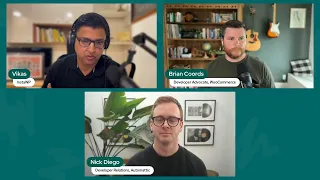
Building WordPress plugins has traditionally required deep knowledge of PHP, WordPress hooks, and the plugin API. With the emergence of AI-powered development tools, the landscape is shifting dramatically. This video brings together experts from Automattic, WooCommerce, and InstaWP to explore how artificial intelligence is transforming the way developers approach plugin creation. Rather than replacing developers, AI tools like Cursor IDE and Grok serve as intelligent coding assistants that can accelerate development cycles, suggest optimizations, and help solve complex problems in real time. The discussion focuses on practical applications of AI in WordPress ecosystems, demonstrating how these tools integrate into modern development workflows and what developers should consider when adopting them.
The Power of Cursor IDE for Intelligent Coding
Cursor IDE stands out as a sophisticated code editor purpose-built for AI-assisted development. Unlike traditional code editors that treat AI as an afterthought, Cursor integrates AI capabilities directly into the core editing experience. Developers can use natural language prompts to generate code snippets, refactor existing code, and even debug issues without leaving the editor. For WordPress plugin development specifically, Cursor can understand PHP syntax, WordPress conventions, and best practices, making it possible to quickly scaffold plugin structures, implement hooks, and write custom functionality. The tool learns from the codebase context, meaning it becomes more accurate and tailored to the specific project as development progresses. This contextual awareness is particularly valuable in WordPress development, where naming conventions and architectural patterns matter significantly.
Live Demonstrations of Real-World Plugin Building
The video includes two exclusive live demos showcasing AI in action. These demonstrations reveal how experienced developers leverage AI tools to solve actual challenges encountered during plugin development. The demos likely cover scenarios such as creating custom post types, implementing admin settings pages, integrating with third-party APIs, or building complex database queries. By watching real-time interaction with AI tools, viewers gain insight into the thought process behind effective prompting—how to ask the AI the right questions to get useful code suggestions. The demos also highlight the back-and-forth nature of AI-assisted development, where developers guide the AI toward solutions rather than simply accepting the first suggestion. This hands-on approach demonstrates that AI is most effective when used as a collaborative tool rather than a replacement for human judgment.
Strategic Tool Selection for Modern Development
The panelists provide curated recommendations on which AI tools work best for WordPress plugin development. Beyond Cursor IDE, tools like Grok AI offer different strengths and use cases. Grok, for instance, excels at answering technical questions and providing explanations about complex concepts, making it valuable for research and learning phases of development. The video guides developers on how to evaluate and select tools based on their specific needs, budget, and workflow preferences. Factors such as integration with existing development environments, pricing models, available documentation, and community support all play roles in the decision. Automattic and WooCommerce's perspectives are particularly valuable here, as these organizations operate at massive scale and understand which tools provide genuine productivity gains versus mere novelty.
Harnessing Custom AI Instructions for Consistency
One of the more advanced topics covered is the use of custom AI instructions to standardize development practices. By providing the AI with detailed guidelines about coding standards, naming conventions, security considerations, and architectural patterns preferred by a team or organization, developers can ensure consistency across AI-generated code. The video references shared AI instructions available on GitHub, providing a starting point for teams wanting to implement this practice. Custom instructions might specify that all database queries should use prepared statements, that certain security best practices must be followed, or that the plugin should support specific minimum WordPress versions. When properly configured, these instructions significantly reduce the amount of manual review needed for AI-generated code, making the tool substantially more productive for experienced teams.
Critical Pitfalls: What Not to Do with AI
Equally important as understanding best practices is recognizing where AI-assisted development can go wrong. The panelists discuss common mistakes developers make when first adopting AI tools, such as blindly accepting all AI suggestions without code review, over-relying on AI for security-critical functionality, or failing to test AI-generated code thoroughly. WordPress security is particularly important since plugins can affect the security posture of entire websites and their databases. The discussion emphasizes that AI is a powerful assistant but not a replacement for security reviews, testing, and human judgment. Additionally, AI-generated code should never skip security audits, sanitization of user input, or proper escaping of output—areas where even well-intentioned AI suggestions might miss subtle vulnerabilities that could compromise plugin users.
Building the Foundation with Shared Resources
The panelists provide concrete starting points for viewers wanting to implement these practices immediately. The shared GitHub gists containing AI instructions and complete plugin code examples serve as templates that can be adapted for specific projects. These resources represent distilled wisdom from experienced WordPress professionals at major organizations. Rather than starting from scratch, developers can use these templates as foundations, understanding how to structure prompts, organize code, and work effectively with AI tools. The plugin code example demonstrates practical WordPress patterns such as proper namespacing, use of actions and filters, and integration with WordPress admin interfaces. By studying both the code and the AI instructions used to generate it, developers can develop intuition about effective AI-assisted development practices.
Integrating AI Into Professional Workflows
Adopting AI in professional WordPress development requires thoughtful integration into existing workflows and team practices. The discussion touches on how organizations can introduce these tools without disrupting established processes or creating security concerns. This includes considerations such as training team members, establishing code review procedures for AI-generated code, and setting expectations about where AI assistance is most valuable. For solo developers or small agencies, AI can dramatically accelerate project timelines. For larger teams, AI requires coordination to ensure consistent implementation and prevent tools from becoming bottlenecks rather than accelerators. The insights from Automattic and WooCommerce developers are invaluable here, as both organizations have experience integrating new tools across diverse teams and maintaining code quality at scale.
What you will learn
- Understand how AI tools like Cursor IDE and Grok can accelerate WordPress plugin development
- Implement custom AI instructions to maintain consistent coding standards and security practices
- Evaluate and select appropriate AI development tools based on project requirements and team workflows
- Recognize common pitfalls and security considerations when using AI-generated code in plugins
- Apply real-world techniques from live demonstrations to build plugins more efficiently
Concepts covered
Technologies used
Chapters 9 markers
- Introduction and panelist overview
- Role of AI in WordPress plugin development
- Cursor IDE capabilities and features
- First live demo: Building a plugin with AI assistance
- Custom AI instructions and best practices
- Second live demo: Advanced plugin features
- Security considerations and pitfalls to avoid
- Tool recommendations and resource sharing
- Q&A and final insights from panelists
Next suggested video


Reviews
No reviews yet. Be the first to rate this lesson.