Summary
Mastering the Claude Code Toolkit
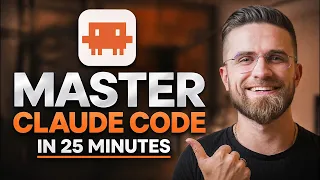
The landscape of software development is undergoing a seismic shift, driven by the integration of large language models directly into the coding environment. This comprehensive course, presented by a former senior software engineer, serves as an essential guide to Claude Code, Anthropic's powerful command-line interface for AI-assisted programming. Far from a superficial overview, the training provides a deep dive into transforming a local development setup into an automated, intelligent pipeline. The curriculum is meticulously structured to take a learner from initial installation to the sophisticated execution of autonomous tasks, ensuring that the theoretical promises of AI coding assistants become a practical and reliable part of the daily workflow.
The primary technical narrative centers on moving beyond simple autocomplete or chat-based code generation. Instead, the focus is on leveraging Claude Code as an agentic system. This paradigm shift means understanding how to grant the AI controlled access to file structures, version control, and external tools. The course demystifies the critical permission modes that govern this agentic behavior, ranging from safe, manually accepted edits to fully autonomous operations. By mastering these levels, a developer learns to trust the AI with repetitive structural refactors while maintaining guardrails for sensitive project logic.
The IDE as an Extension of Intelligence
The journey begins not with abstract machine learning concepts, but with the concrete setup of the local development environment. Visual Studio Code is the chosen battleground, and the course emphasizes its role as more than a text editor; it becomes the cockpit for AI orchestration. The initial sections cover the pragmatic steps of installation and, notably, the customization of VS Code themes. While themes might seem cosmetic, this inclusion reflects a deeper philosophy of personalizing the developer experience, making the integration of a powerful AI assistant feel like a natural extension of one's personal toolkit rather than an alien imposition.
Once the environment is prepared, the course immediately dives into managing a live Claude Code session. This is where theoretical understanding meets practical command. Learners are guided on how to initiate, sustain, and direct conversations with the AI within the context of their specific project. The session management techniques taught here are critical for maintaining focus and avoiding the contextual drift that can plague long, complex coding sessions. This foundational knowledge sets the stage for the more advanced, autonomous features explored later.
Navigating Permission Modes and Autonomous Goals
A significant portion of the training is dedicated to what could be considered the central nervous system of Claude Code: its permission architecture. Understanding the nuance between Plan Mode, Accept Edits, Auto, and Bypass is critical for safe and productive use. Plan Mode emerges as a particularly powerful tool for strategic thinking, allowing the AI to outline complex changes before executing a single line of code. This allows the developer to maintain architectural control while offloading the cognitive load of planning.
The course then leverages this foundation to introduce one of the most transformative features: autonomous goals via the /goal command. This section represents a leap in complexity, teaching users how to define high-level objectives that Claude can break down and execute independently. The ability to set multi-step, autonomous tasks is the key to unlocking true productivity gains, enabling a developer to focus on higher-order design problems while the AI manages the implementation details. The training ensures users are equipped to monitor and adjust these goals, preventing the autonomous agent from heading down an unproductive path.
Extending Capabilities with Custom Skills
Beyond the built-in commands, a major module explores the installation and triggering of custom skills. This functionality transforms Claude Code from a generic assistant into a specialized craftsperson. Skills represent packaged expertise, whether for working with a specific testing framework, generating documentation in a particular format, or applying project-specific linting rules. The curriculum provides hands-on experience in discovering, installing, and invoking these skills, effectively teaching developers how to compose their own custom suite of AI-driven micro-services.
This section also provides a crucial look into the file structures and directories that underpin a Claude Code project. Understanding how the AI perceives and navigates a repository is fundamental to debugging its behavior and optimizing its instructions. The course illustrates best practices for organizing code and configuration files so that they are clearly understandable to the AI, minimizing errors and maximizing the accuracy of its contextual awareness. This insight into the AI's internal 'mental map' of a project is invaluable for career developers who need to integrate AI into large, legacy codebases.
Context, Commands, and Version Control
As projects grow, effective context management becomes the difference between a helpful assistant and a confused one. The course tackles the practical realities of managing the context window and token usage head-on. Developers learn strategies for providing the AI with exactly the right amount of information—enough to be effective, but not so much that it becomes overwhelmed or incurs excessive cost. This involves curating which files, documentation, and conversation history are included in a session, a skill that directly correlates with the quality of the AI's output.
The training also provides a comprehensive walkthrough of the essential built-in slash commands. These commands form the primary language of interaction with the agent, allowing for quick actions like generating commit messages, diagnosing errors, or refactoring specific code blocks. Mastery of these commands allows for fluid, low-friction collaboration. This is seamlessly connected to a dedicated segment on managing version control with GitHub, where the AI is shown to handle the entire Git workflow—from diff-ing changes and writing meaningful commit messages to managing pull requests—integrating directly into the collaborative fabric of modern software teams.
Deploying the Future with MCP
The technical crescendo of the course is the exploration of connecting tools and deploying applications via the Model Context Protocol (MCP) and command-line interface. MCP represents the open standard for connecting AI models to the external digital world, including databases, APIs, and cloud services. The training demystifies this architecture, showing practical examples of how to hook an application into these data sources. This session bridges the gap between local coding and production deployment, illustrating a seamless pipeline where the AI assistant not only writes code but also manages the operational aspects of launching and maintaining a live service.
By the end of this dense, 82-minute deep dive, a student has progressed from installation to the orchestration of an agentic deployment pipeline. The material is firmly rooted in the real-world responsibilities of a senior engineer, which gives it an authoritative and practical tone. The final FAQ module addresses the nuanced edge cases and common stumbling blocks that inevitably arise when integrating such a powerful, non-deterministic tool into a deterministic engineering discipline, ensuring that learners leave not just with knowledge, but with the troubleshooting mindset needed for long-term success.
What you will learn
- Configure a local development environment for Claude Code in VS Code
- Manage Claude Code sessions and understand permission modes for safe automation
- Execute autonomous, multi-step coding tasks using the /goal command
- Install and trigger custom skills to extend Claude's specialized expertise
- Connect applications to external tools and services using the Model Context Protocol (MCP)
- Integrate AI-driven code generation into a complete GitHub version control workflow
Concepts covered
Technologies used
Chapters 14 markers
- Introduction & Course Overview
- Installing Claude Code on Your Local Machine
- Choosing an IDE & Installing VS Code
- Customizing VS Code Themes
- Starting and Managing a Claude Code Session
- Understanding Permission Modes (Plan, Accept Edits, Auto, Bypass)
- Using Plan Mode & Autonomous Goals (/goal)
- Installing and Triggering Claude Skills
- Exploring File Structures and Directories
- Managing Your Context Window and Token Usage
- Essential Built-In Slash Commands
- Managing Version Control with GitHub
- Connecting Tools & Deploying Apps via MCP and CLI
- Frequently Asked Questions (FAQ)
Next suggested video

Reviews
No reviews yet. Be the first to rate this lesson.