More from this course
Complete Agentic AI Course: Build AI Agents and Automate Workflows
Lesson 14 of 32-
10
 Lesson 10 – Complete Agentic AI Course: Build AI Agents and Automate Workflows
50min
Lesson 10 – Complete Agentic AI Course: Build AI Agents and Automate Workflows
50min
-
11
Lesson 11 – Complete Agentic AI Course: Build AI Agents and Automate Workflows
1h 00min
-
12
Lesson 12 – Complete Agentic AI Course: Build AI Agents and Automate Workflows
51min
-
13
Lesson 13 – Complete Agentic AI Course: Build AI Agents and Automate Workflows
30min
-
14
Lesson 14 – Complete Agentic AI Course: Build AI Agents and Automate Workflows
Current lesson
-
15
Lesson 15 – Complete Agentic AI Course: Build AI Agents and Automate Workflows
1h 05min
-
16
Lesson 16 – Complete Agentic AI Course: Build AI Agents and Automate Workflows
27min
-
17
Lesson 17 – Complete Agentic AI Course: Build AI Agents and Automate Workflows
33min
-
18
Lesson 18 – Complete Agentic AI Course: Build AI Agents and Automate Workflows
36min
-
19
Lesson 19 – Complete Agentic AI Course: Build AI Agents and Automate Workflows
25min
-
20
Lesson 20 – Complete Agentic AI Course: Build AI Agents and Automate Workflows
1h 16min
-
21
Lesson 21 – Complete Agentic AI Course: Build AI Agents and Automate Workflows
58min



Summary
Lesson overviewnnThis English lesson, titled "Lesson 14 – Complete Agentic AI Course: Build AI Agents and Automate Workflows", is part of the course "Complete Agentic AI Course: Build AI Agents and Automate Workflows". It presents a focused step in a progressive learning sequence and keeps the subject connected to the practical workflow developed throughout the playlist.
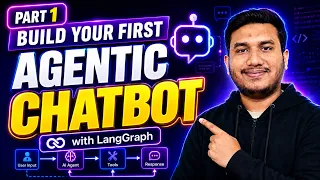
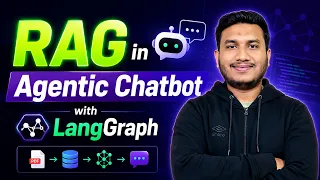
Main subjectnnThe lesson is centered on ai-agents and is intended to help learners understand how the current technique or tool fits into a larger project. The source channel DSwithBappy describes it as follows: In this video, we start building an Agentic Chatbot using LangGraph as part of the Complete Agentic AI Course. This is Part 1 of the implementation series where you will learn how to create a basic chatbot workflow using LangGraph, define graph states, add nodes, connect edges, and compile the chatbot graph. In this tutorial, you will learn: 👉🏻What an Agentic Chatbot 👉🏻How LangGraph works 👉🏻How to create a chatbot st
Practical contextnnThe material is useful when the learner is building, automating, or improving a real project. The explanation should be followed together with the examples shown in the video, because the value of the lesson comes from connecting the concepts to concrete steps, configuration choices, and expected results.
Key conceptsnnThe important ideas include workflow design, tool configuration, reusable project patterns, validation of results, and the relationship between individual tasks and the complete course sequence. These concepts create a foundation for applying the lesson beyond the exact example shown in the video.
Who should study itnnThis lesson is appropriate for English-speaking learners who want a guided path instead of isolated tutorials. Beginners can use it to build vocabulary and a mental model of the subject, while intermediate learners can use it to compare the demonstrated approach with their own projects and development routines.
Expected resultnnAfter watching the lesson, the learner should be able to identify the technique discussed, understand where it belongs in the larger workflow, and reproduce the main steps with the required tools. The next lessons in the playlist should be studied in order to reinforce the progression and fill any remaining gaps.
Recommended practicennA useful exercise is to repeat the example in a small test project, document the decisions made during the setup, and verify the result before applying the same pattern to a production workflow. This makes the lesson actionable and provides a clear bridge to the next course topic.
What you will learn
- Understand the lesson objective
- Apply the demonstrated workflow
- Validate the result in a practical project
Concepts covered
Technologies used
Chapters 3 markers
Next suggested video


Reviews
Student rating
0.0
★★★★★ 0 reviewsNo reviews yet. Be the first to rate this lesson.