More from this course
Complete Agentic AI Course: Build AI Agents and Automate Workflows
Lesson 26 of 32-
21
 Lesson 21 – Complete Agentic AI Course: Build AI Agents and Automate Workflows
58min
Lesson 21 – Complete Agentic AI Course: Build AI Agents and Automate Workflows
58min
-
22
Lesson 22 – Complete Agentic AI Course: Build AI Agents and Automate Workflows
58min
-
23
Lesson 23 – Complete Agentic AI Course: Build AI Agents and Automate Workflows
1h 06min
-
24
Lesson 24 – Complete Agentic AI Course: Build AI Agents and Automate Workflows
16min
-
25
Lesson 25 – Complete Agentic AI Course: Build AI Agents and Automate Workflows
8h 30min
-
26
Lesson 26 – Complete Agentic AI Course: Build AI Agents and Automate Workflows
Current lesson
-
27
Lesson 27 – Complete Agentic AI Course: Build AI Agents and Automate Workflows
1h 52min
-
28
Lesson 28 – Complete Agentic AI Course: Build AI Agents and Automate Workflows
54min
-
29
Lesson 29 – Complete Agentic AI Course: Build AI Agents and Automate Workflows
1h 36min
-
30
Lesson 30 – Complete Agentic AI Course: Build AI Agents and Automate Workflows
43min
-
31
Lesson 31 – Complete Agentic AI Course: Build AI Agents and Automate Workflows
2h 52min
-
32
Lesson 32 – Complete Agentic AI Course: Build AI Agents and Automate Workflows
1h 18min






Summary
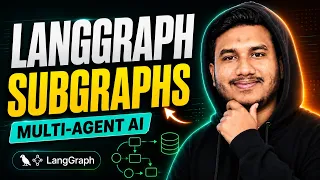
In this video, from DSwithBappy presents "Lesson 26 – Complete Agentic AI Course: Build AI Agents and Automate Workflows" as a practical entry point into AI Agents. The lesson is useful for learners who want to understand the subject through an actual explanation instead of starting from scattered searches or isolated tips. The main value is not only watching the tool or technique in action, but also noticing how the instructor structures the problem, explains the context and turns the topic into something that can be repeated later in a controlled exercise.
The short description already points to the core promise of the video: Learn ai-agents in this English course lesson, with practical concepts, workflow guidance, and examples for real projects.. Use that promise as the first lens while watching. A good way to study the lesson is to write down what problem is being solved, what input the instructor starts with, what decisions are made during the explanation and what final result is expected. This keeps the video from becoming passive consumption and makes it easier to transform the content into practice.
The practical focus of the lesson includes Understand the lesson objective; Apply the demonstrated workflow; Validate the result in a practical project. These points help define what the viewer should pay attention to. If the video is introductory, the goal is to understand vocabulary, interface and basic workflow. If it is more technical, the goal is to identify dependencies, assumptions, configuration steps and possible failure points. In both cases, the learner should pause when an important decision appears and check whether that decision would still make sense in a different project.
The main concepts connected to this video are ai-agents, workflow design, project validation. These concepts matter because they form the mental model behind the demonstration. A viewer who only copies the visible steps may finish the video without understanding why the result works. A viewer who pays attention to the concepts can reuse the lesson in a new situation, adapt the workflow and avoid treating the tutorial as a fixed recipe.
The lesson also relates to tools and technologies such as ai-agents. When a video involves a platform, plugin, language, framework, editor or external service, it is worth separating the tool from the underlying skill. Tools change, menus move and interfaces evolve, but the reasoning behind the workflow is usually more durable. While watching, note which parts depend on a specific interface and which parts would remain useful even if the tool changed.
Because this content is marked as Intermediate and presented as Course lesson, it should be studied with a realistic expectation. Do not try to memorize every click on the first pass. First, understand the objective and the sequence of decisions. Then repeat a small version of the task. Finally, change one variable and see whether you can still reach a good result. This small cycle is usually more effective than watching many videos without reproducing anything.
After watching, the best next step is to turn the lesson into a small, verifiable exercise. Create a test file, a draft page, a sample project, a local environment or a controlled example before applying the idea to something important. Compare the result with your own expectation, list what worked, write down what still felt unclear and decide whether the technique is ready for a real project. That habit turns the video into a learning asset instead of a one-time demonstration.
Overall, "Lesson 26 – Complete Agentic AI Course: Build AI Agents and Automate Workflows" is valuable when used as a guided explanation of the subject, not just as a quick answer. The viewer should leave with a clearer sense of what the topic is, where the technique helps, what needs review and what should be practiced next. This is the kind of summary to keep in mind while watching: understand the problem, follow the reasoning, reproduce the core task and only then decide how the lesson fits into a broader learning path.
What you will learn
- Understand the lesson objective
- Apply the demonstrated workflow
- Validate the result in a practical project
Concepts covered
Technologies used
Chapters 3 markers
Next suggested video
Reviews
No reviews yet. Be the first to rate this lesson.