Learn Adobe Firefly in English with practical tutorials that cover the core Firefly interface, generative image tools, brand-oriented creative workflows and the newer AI video features.
Master Adobe Firefly for AI Images, Assets and Video Production
Learn to harness generative AI within Adobe's ecosystem for creating stunning images, producing brand-safe creative assets, and automating video editing workflows. From foundational text-to-image synthesis to advanced prompt engineering and AI-assisted video production, these tutorials guide you through practical applications across Photoshop, Illustrator, Express and Firefly Video Editor.
Tutorials progress from beginner fundamentals through advanced techniques, organized by creative output type: image generation with prompt optimization, multi-tool asset production workflows, and video creation for short-form and branded content. Selection emphasizes 2026 best practices, content licensing awareness, and non-destructive editing approaches suited for professional design teams.
 29min
EN
29min
ENAdobe Firefly Tutorial 2026: A Beginner’s Guide to Adobe’s AI Tools
 57min
EN
57min
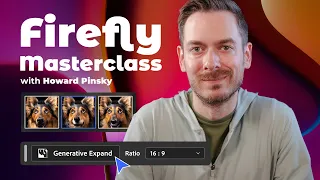
ENAdobe Firefly Masterclass: Get into Gen AI with Howard Pinsky
 9min
EN
9min
ENAdobe Firefly Tutorial for Beginners — How to Create Stunning AI Images Fast
 7min
EN
7min
ENAI Video Generator for Viral Hooks | Adobe Firefly Tutorial (2026)
 8min
EN
8min
ENAdobe Firefly Video Editing: The AI Workflow That Actually Helps Your Brand
 26min
EN
26min
ENAdobe Firefly Video Editor Tutorial for Beginners (2026)
 14min
EN
14min
ENHow To Generate AI Videos in Adobe Firefly (Complete Guide)
 15min
EN
15min
ENTransform Images into Animations with Photoshop and Adobe Firefly | Adobe
Frequently asked questions about Adobe Firefly
How should I start learning Adobe Firefly?
Start with the beginner-friendly tutorials, then follow the path in order. This topic favors practical videos that help you build, configure, or publish something real.
Are these videos current?
The selected tutorials were checked against a 2025/2026 freshness window whenever possible, plus embed availability and social proof.
Does this topic include a free course?
This batch publishes a focused topic and a guided path. A separate course is only created when there is a cohesive course-style playlist or long class worth promoting as a course.
Are the tutorials in English?
Yes. This English topic uses English-language videos and marks both the publication and the videos with the English language taxonomy.
Can beginners use this topic?
Yes. The path starts with beginner-friendly material and then adds intermediate videos when the workflow needs more context.
Why are some videos official and others from creators?
Official videos are useful for product context, while independent tutorials often show practical workflows, mistakes and real project decisions.
How does Cursob choose the video order?
The order starts with setup or overview material, then moves toward hands-on practice, longer classes and more specific workflows.
Should I watch every video?
Use the full path if you are new to the tool. If you already know the basics, jump to the videos that match your current project.
Do I need a paid account for Adobe Firefly?
Some tools may require an account or paid plan for specific features. The topic focuses on learning workflows, not guaranteeing free access to every feature.
How often should this topic be refreshed?
Digital tools change quickly, so the topic should be reviewed when major product updates, pricing changes or new official workflows appear.
How to study Adobe Firefly with context
This initial text is replaced by a specific section generated through the Anthropic/Claude API from the tutorials published in this topic.
Curated learning flow
The selection favors hands-on tutorials, official guidance where useful, and practical workflows over news, speculation, or generic reviews.
Perguntas frequentes sobre Adobe Firefly
How does Adobe Firefly's text-to-image synthesis differ from other generative AI tools in terms of content licensing?
Adobe Firefly is trained on licensed content and Adobe Stock images, ensuring generated assets are brand-safe and commercially usable without licensing concerns. This distinguishes it from models trained on unrestricted internet data, making it suitable for professional brand work where legal clarity around ownership matters.
What is prompt engineering in Adobe Firefly and how does it affect image generation quality?
Prompt engineering involves crafting specific text descriptions that topic Firefly's diffusion models to produce desired outputs. Effective prompts include style references, artistic movements, and technical photography terminology. Better prompts yield higher-quality, more consistent results aligned with your creative vision.
Can Adobe Firefly's generative fill feature be used non-destructively in Photoshop workflows?
Yes, Firefly's generative fill in Photoshop operates non-destructively by generating content on separate layers, preserving original image data. This allows designers to experiment with multiple variations and adjust selections without permanently modifying source files, enabling iterative creative testing.
How does Adobe Firefly video generation create viral hooks for short-form content?
Firefly's AI video tool transforms hook concepts into visually compelling sequences through AI-generated visuals optimized for platforms like TikTok and Instagram Reels. Prompt engineering for video ensures consistent visual narratives, while the tool democratizes video production without requiring extensive editing skills or production resources.
What advantages does Firefly's content-aware fill provide for brand consistency in video editing?
Content-aware fill automatically removes or replaces unwanted elements while maintaining visual coherence. Combined with intelligent color grading, this ensures consistent brand aesthetics across multiple video clips, reducing manual work and helping editors focus on storytelling rather than technical fixes.
How does Adobe Firefly integrate across Creative Cloud applications like Illustrator and InDesign?
Firefly functions as a unified generative engine across Photoshop, Illustrator, InDesign, and Adobe Express, allowing designers to generate images, fill artwork, and create assets without switching between tools. This seamless integration streamlines creative workflows and maintains consistency across design projects.
What role does neural network training play in Firefly's ability to interpret creative prompts?
Firefly's neural networks are trained to understand relationships between text descriptions and visual elements. This training enables the model to interpret artistic intent, style preferences, and technical specifications, translating prompts into coherent images that match user expectations with greater accuracy than untrained models.
How can designers use Firefly's generative expand feature to adapt designs for multiple platforms?
The generative expand feature intelligently extends images to different aspect ratios and compositions. Designers can quickly adapt artwork for various platforms by expanding canvases while maintaining visual coherence, eliminating manual resizing and cropping workflows for multi-platform content distribution.
What ethical considerations should designers keep in mind when using Adobe Firefly for commercial projects?
Since Firefly is trained on licensed content, designers avoid ethical concerns around AI models trained on scraped data. However, transparency about AI usage in commercial work, respecting platform policies about disclosing AI-generated content, and ensuring generated assets align with brand values remain important ethical practices.
How does iterative creative testing with Firefly improve output quality compared to single-generation approaches?
Iterative testing involves generating multiple variations with refined prompts, comparing outputs, and adjusting parameters based on results. This approach allows designers to explore creative directions, identify which prompt elements produce desired effects, and develop a more nuanced understanding of how Firefly interprets specific creative requests.
Mastering Adobe Firefly: From Text Prompts to Brand-Safe Creative Workflows
Adobe Firefly represents a fundamental shift in how creative professionals approach image generation, asset creation, and video editing by integrating generative AI directly into familiar Creative Cloud tools. Unlike standalone AI platforms, Firefly's training on licensed content and Adobe Stock ensures brand-safe outputs suitable for commercial projects. This section explores how text-to-image synthesis, diffusion models, and prompt engineering work together, and how to leverage these capabilities across Photoshop, Illustrator, InDesign, and video editing applications for professional workflows.
Understanding Firefly's Generative AI Foundation and Content Licensing
Adobe Firefly operates on a fundamentally different training dataset than open-source generative models. Rather than being trained on indiscriminately scraped internet images, Firefly uses licensed content from Adobe Stock and agreements with photographers and artists. This licensing structure directly addresses a critical concern for commercial designers: legal clarity around asset ownership. When you generate an image in Firefly, you own the output without needing to worry about underlying copyright disputes or restrictions. This brand-safe approach makes Firefly particularly valuable for agencies, in-house marketing teams, and enterprises where legal compliance and intellectual property clarity are non-negotiable.
The diffusion model architecture that powers Firefly learns patterns from this curated training set, enabling it to generate novel images rather than simply retrieving or remixing existing content. Understanding that your generated assets originate from legitimate, licensed sources eliminates the ethical gray zone that surrounds other AI image tools. For designers working on brand projects, this means you can confidently use Firefly outputs in advertising, product design, marketing materials, and client work without legal exposure. The content licensing advantage extends beyond image generation to video and creative assets, making the entire Firefly ecosystem trustworthy for professional applications.
Mastering Prompt Engineering for Consistent, Professional Outputs
Prompt engineering in Firefly requires understanding how neural networks interpret human language and translate it into visual concepts. Effective prompts go beyond simple descriptions by incorporating specific style references, artistic movements, and technical photography terminology. Rather than writing 'a landscape photo,' a professional prompt might read 'golden hour landscape photography with telephoto lens compression, inspired by Ansel Adams' zone system, warm color palette, sharp focus on middle ground.' This specificity topics Firefly's diffusion models through the creative space toward outputs that match your vision. Each element in a well-crafted prompt constrains the generation process in meaningful ways, reducing randomness and increasing the likelihood of usable first-pass results.
Iterative testing becomes essential when refining prompts. Generate multiple variations while systematically adjusting one or two parameters at a time—changing style descriptors, adjusting composition language, or modifying color terminology. Document which prompt elements produce desired effects and which create unintended artifacts. Over time, you develop intuition for how Firefly interprets specific terms and what combinations yield professional-grade outputs. The tutorial from Create WP Site emphasizes aspect ratio and composition in prompts, while Darren Meredith's masterclass covers how style customization directly impacts results. This experimental approach transforms prompt engineering from guesswork into a learnable skill that dramatically improves output quality and consistency.
Applying Generative Fill and Expand for Non-Destructive Image Refinement
Firefly's generative fill feature in Photoshop operates fundamentally differently from traditional content-aware tools by using neural networks trained on pattern completion rather than simple pixel matching. When you select an area in Photoshop and apply generative fill, Firefly analyzes surrounding context and your text prompt to intelligently replace the selected region with coherent, contextually appropriate content. Critically, this happens on a separate layer, preserving your original image data and enabling non-destructive editing. You can experiment with multiple fill variations, adjust opacity and blending modes, or discard fills without affecting the base image. This non-destructive approach aligns with professional editing workflows where maintaining image integrity and preserving options matter throughout the design process.
The generative expand feature extends this capability by intelligently enlarging canvases while maintaining visual coherence. Instead of manually extending backgrounds or cropping images for different aspect ratios, Firefly generates contextually appropriate pixels that seamlessly blend with existing content. This proves invaluable when adapting designs across platforms with different requirements—generating a 16:9 composition for web while simultaneously creating a 1:1 square for social media from the same source image. Both features represent non-destructive workflows where Firefly assists creative decisions without removing artist control or limiting iterative refinement.
Firefly Across Creative Cloud: Unified Generative Workflows
Adobe's strategic integration of Firefly across Creative Cloud applications creates seamless workflows where generative capabilities complement each tool's unique strengths. In Photoshop, Firefly enhances photo editing and composite creation through generative fill and color grading. Illustrator leverages Firefly to generate vector-compatible artwork and stylized illustrations from text descriptions. InDesign uses Firefly to populate layouts with contextually appropriate imagery or generate design elements that match brand specifications. Adobe Express provides the most accessible entry point for non-designers to generate finished assets quickly. Rather than switching between standalone tools, designers remain within familiar interfaces while accessing powerful generative capabilities. This integration streamlines creative production by reducing tool-switching friction and maintaining consistency across design systems.
The unified Firefly engine means prompt engineering skills learned in one application transfer directly to others, and generated assets maintain tonal and stylistic consistency across projects. For brand-focused designers, this consistency automation addresses a significant workflow challenge. A designer can generate a primary image in Photoshop, refine it with color grading, export color values, and then generate complementary assets in Illustrator using similar style parameters, ensuring visual harmony across the creative suite. Howard Pinsky's Adobe Live masterclass emphasizes this creative workflow integration, demonstrating how Firefly enables designers to maintain artistic vision while delegating repetitive generation and iteration tasks to AI assistance.
AI Video Generation and Editing: From Hooks to Polished Content
Firefly's video generation capabilities democratize video content creation by eliminating the need for extensive shooting, stock footage licensing, or complex visual effects work. The AI video tool transforms hook concepts—a narrative premise, scene description, or emotional arc—into visually coherent video sequences. Rather than requiring a production team or expensive equipment, content creators can describe their desired hook, refine the prompt to emphasize viral mechanics like dynamic camera movement or surprising transitions, and generate finished sequences within minutes. For creators focused on short-form content for TikTok, Instagram Reels, or YouTube Shorts, this workflow acceleration directly impacts publishing velocity and content experimentation. Sebastien Jefferies' tutorial demonstrates how prompt engineering for video requires specific attention to shot variation, visual pacing, and hook storytelling elements that differ from static image prompts.
Video editing workflows benefit equally from Firefly's generative capabilities through content-aware fill, intelligent color grading, and multi-platform content adaptation. Phil Pallen's tutorial emphasizes how Firefly assists brand consistency automation by intelligently matching color grades across clips, intelligently removing unwanted elements, and adapting edited sequences for different platform specifications without manual re-editing. The Firefly Video Editor tutorial from Darren Meredith covers timeline-based workflows where generative tools integrate at strategic points—automatic scene detection to accelerate assembly, AI-assisted color grading to establish visual cohesion, and platform-specific export optimization. Rather than replacing video editors, these tools augment editing workflows by automating technical fixes and consistency work, freeing editors to focus on storytelling, pacing, and creative decision-making.
Building Brand-Safe Content Workflows with Firefly
For designers and content creators managing brand assets, Firefly's content licensing advantage combines with workflow integration to create genuinely brand-safe production systems. Unlike public generative AI tools where legal standing remains uncertain and training data sourcing raises ethical concerns, Firefly outputs carry clear commercial rights and rest on legitimate licensing foundations. This distinction allows creative teams to confidently integrate Firefly into production workflows without legal review cycles or compliance concerns. A brand marketing team can generate hero images for campaigns, create social media assets, produce short-form video content, and develop supporting illustrations entirely within Firefly and Creative Cloud, knowing every asset meets legal and ethical standards. The workflow efficiency compounds across projects: teams generate faster, iterate more freely, and maintain visual consistency through Firefly's unified prompt engineering approach.
The practical implementation involves establishing style topics that translate brand aesthetics into Firefly prompts—specific style descriptors, preferred artistic references, color terminology, and compositional approaches that consistently yield on-brand outputs. Teams can document effective prompts for recurring asset types, building institutional knowledge that accelerates future generation. When new designers join the team, they inherit prompt libraries and proven workflows rather than starting from scratch. This systematization transforms Firefly from a creative tool used inconsistently across a team into a structured production system where brand consistency becomes a predictable output of the workflow rather than something requiring constant manual oversight and revision.
Advanced Applications: Integration with Professional Design Systems
Professional designers increasingly view Firefly not as a replacement for traditional design work but as a component within larger creative systems where human judgment and artistic vision remain paramount. Architectural visualization firms use Firefly to rapidly generate interior design concepts and material variations for client presentations, accelerating the exploration phase before committing to detailed manual drawings. Fashion designers generate textile pattern variations and garment mockups in different colorways to test market appeal before production. Product designers create packaging mock-ups with different visual treatments and copy configurations to test consumer response. Marketing teams generate hero imagery and supporting assets for campaigns, then refine and customize generated outputs to achieve final polish. In each application, Firefly eliminates the constraint of manual creation time, enabling more exploration and iteration within fixed budgets.
The technical integration with machine learning models and the diffusion process powering generation means understanding the underlying mechanisms improves results. Designers who comprehend how diffusion models operate—that they iteratively refine noise into coherent images based on textual guidance—craft more effective prompts and develop realistic expectations about what Firefly can and cannot accomplish. Some design applications call for Firefly's generative capabilities, while others require traditional manual creation. Experienced designers develop judgment about which tasks benefit from AI assistance and which require human skill. This balanced approach, emphasized across tutorials from Darren Meredith and the Adobe Live masterclass, positions Firefly as a tool that amplifies human creativity rather than replacing it, enabling professionals to accomplish more meaningful work within realistic timeframes.