-
01
 you need to learn MCP RIGHT NOW!! (Model Context Protocol)
38min
you need to learn MCP RIGHT NOW!! (Model Context Protocol)
38min
-
02
Model Context Protocol (MCP), clearly explained (why it matters)
20min
-
03
Claude’s Model Context Protocol is here… Let’s test it
8min
-
04
Model Context Protocol (MCP) Explained for Beginners: AI Flight Booking Demo!
Current lesson
-
05
MCP vs API: Simplifying AI Agent Integration with External Data
13min
-
06
Why MCP really is a big deal | Model Context Protocol with Tim Berglund
11min
-
07
Model Context Protocol Clearly Explained | MCP Beyond the Hype
15min
-
08
MCP Tutorial: Build Your First MCP Server and Client from Scratch (Free Labs)
40min
-
09
The Ultimate MCP Crash Course – Build From Scratch
1h 15min
-
10
Full Course (Lessons 1-11) MCP for Beginners
50min





Summary
Understanding AI Agents and Their Limitations
Artificial Intelligence has revolutionized how we interact with technology, but Large Language Models (LLMs) like ChatGPT have a fundamental constraint: they cannot take direct action in the real world. While these models excel at understanding context and generating human-like responses, they lack the ability to execute tasks autonomously, make API calls, or interact with external systems. This limitation became the driving force behind the development of AI agents—intelligent systems that bridge the gap between language understanding and practical action. AI agents represent a paradigm shift in how we think about artificial intelligence, moving from passive information processing to active, goal-oriented behavior.
What Are AI Agents and How Do They Work
AI agents are sophisticated systems that combine the reasoning capabilities of LLMs with the ability to perceive their environment, make decisions, and take actions. Unlike a simple chatbot that merely responds to queries, an AI agent can plan, execute, and iterate based on feedback from the real world. These agents leverage tools and APIs to accomplish complex tasks, from booking flights to writing code. Real-world examples of AI agents are already integrated into popular development tools: GitHub Copilot helps developers write code by understanding context and suggesting implementations, Cursor IDE provides AI-assisted code editing, and modern IDEs incorporate intelligent completion and refactoring suggestions. These examples demonstrate how agent-based systems are becoming essential infrastructure in contemporary software development and productivity workflows.
The Role of APIs and Tools in Agent Functionality
For an AI agent to interact with the external world, it must have access to APIs and well-defined tools. An API (Application Programming Interface) acts as a bridge between the agent and external systems, allowing controlled interaction with databases, web services, and third-party platforms. Tools are essentially wrapped functions or API calls that agents can invoke to perform specific actions. When an agent receives a user request, it analyzes what tools it needs, calls them in the appropriate sequence, and interprets the results. This architecture enables agents to handle tasks that require multiple steps, tool interactions, and real-time data retrieval. The challenge has always been ensuring that different agents, tools, and systems can communicate seamlessly without needing custom integration for every combination.
Introduction to Model Context Protocol (MCP)
Model Context Protocol (MCP) emerges as the solution to standardize how AI agents interact with tools, APIs, and services. MCP is a universal protocol designed to create a common language between AI agents and the external systems they need to access. Rather than building custom integrations for each agent-to-tool combination, MCP provides a standardized framework that allows any MCP-compliant client to communicate with any MCP-compliant server. This approach dramatically reduces development overhead and increases interoperability across different AI platforms. The protocol was developed to address the growing complexity of managing multiple agent systems, each with its own integration requirements. By establishing this universal communication standard, MCP enables developers to focus on building sophisticated agents without getting bogged down in integration details.
Agent-to-Agent Communication and A2A Protocol
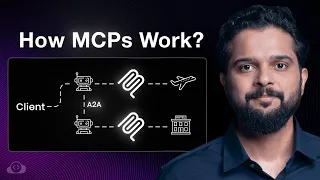
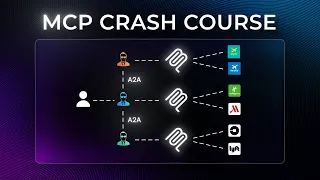
Beyond agent-to-tool communication, the evolution of AI systems has introduced the concept of Agent-to-Agent (A2A) communication. This represents the next level of sophistication in AI architecture, where multiple agents can coordinate with one another to solve complex problems. A2A protocols allow agents to delegate subtasks, request information from specialized agents, and work collaboratively on objectives that exceed the capabilities of a single agent. For example, one agent might specialize in information retrieval while another focuses on decision-making; they can work together seamlessly through standardized communication protocols. This hierarchical agent approach mirrors how teams of humans collaborate, distributing work based on expertise and capabilities.
Practical Applications of MCP in Real-World Scenarios
MCP has immediate applications across numerous industries and use cases. In e-commerce, agents can search inventory systems, check pricing, and process orders through standardized MCP endpoints. Travel and booking platforms benefit from agents that can query flight databases, check availability, compare prices, and complete reservations—exactly as demonstrated in this tutorial's hands-on flight booking example. Customer service organizations can deploy agents that access ticketing systems, knowledge bases, and CRM platforms through MCP connections. Financial institutions use agents to access account information, process transactions, and generate reports. The key advantage is that once an organization implements MCP-compliant servers for their systems, any agent can immediately utilize those capabilities without custom development. This creates an ecosystem where agents and tools can be mixed and matched like modular components.
Setting Up and Configuring Your First MCP
The hands-on portion of this tutorial walks through the practical steps of setting up an MCP environment. The demonstration includes configuring an MCP client to work with a Flight MCP server, which enables agents to perform flight booking operations. The setup process involves defining the connection between the client and server, specifying available tools and their parameters, and testing the integration. The free MCP Lab provides an interactive environment where learners can explore these configurations without requiring their own infrastructure. During the configuration phase, developers define which tools are available, what parameters each tool accepts, and how results should be formatted for return to the agent. This hands-on experience builds understanding of how agents discover capabilities and invoke tools through the MCP interface.
Hands-On Flight Booking Demonstration
The flight booking demo serves as a concrete, real-world example of MCP in action. In this scenario, an AI agent receives a user request to find and book a flight, then orchestrates a sequence of MCP tool calls: searching for available flights, checking seat availability, verifying pricing, and processing the booking. By walking through this example, the tutorial illustrates how agents handle multi-step workflows and integrate multiple external systems seamlessly. The demo showcases the practical benefits of MCP—the agent doesn't need to know implementation details of the flight database or booking system; it simply invokes standardized tool definitions and receives structured responses. This abstraction is powerful because the same agent could work with any MCP-compliant flight booking service by simply reconfiguring which MCP server it connects to.
What you will learn
- Understand how AI agents extend the capabilities of Large Language Models beyond text generation
- Learn the fundamentals of Model Context Protocol and its role in standardizing agent-to-tool communication
- Configure and set up your first MCP client-server connection in a practical environment
- Implement a real-world agent workflow for flight booking using MCP tools
- Explore Agent-to-Agent (A2A) communication patterns for collaborative intelligent systems
Concepts covered
Technologies used
Chapters 10 markers
Next suggested video


Reviews
No reviews yet. Be the first to rate this lesson.