-
01
 VIBE CODING FULL COURSE: Gemini 3.1 + Antigravity (6 Hrs)
6h 23min
VIBE CODING FULL COURSE: Gemini 3.1 + Antigravity (6 Hrs)
6h 23min
-
02
The ONLY Google Gemini Tutorial You Need! How To Use Gemini Like a Pro in 18 Minutes
18min
-
03
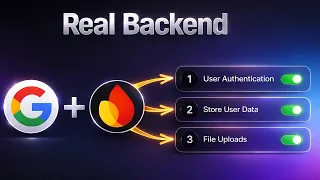
Stop Building Websites — Build REAL Web Apps with Google AI + Firebase
23min
-
04
Google Gemini FULL COURSE 3 HOURS (Build & Automate Anything)
3h 17min
-
05
How I Build Apps With Google AI Studio 💡 Full AI Coding Tutorial
28min
-
06
Google AI Studio: Build, Test & Deploy a Real AI App (Full Guide)
14min
-
07
Master Google Ai Studio in 15 Minutes
17min
-
08
Google AI Studio Latest Update 💡 How I Build Full Apps (Tutorial & Tips)
Current lesson
-
09
Google AI Studio – Full Tutorial 2026: How To Build an App
16min
-
10
Master NEW Google AI Studio in 23 Minutes
23min






Summary
Google AI Studio's Evolution into a Full-Stack Platform
Google AI Studio has undergone a significant transformation, transitioning from a simple prototyping tool into a comprehensive full-stack application development environment. This evolution represents a major shift in how developers and non-technical creators can build functional applications without managing complex infrastructure separately. The platform now integrates both frontend and backend capabilities, allowing users to design user interfaces while simultaneously managing databases, authentication systems, and API connections within a unified interface. This convergence eliminates the traditional workflow where developers had to switch between multiple tools and platforms, making the development process faster and more intuitive for both experienced programmers and casual app builders.
Understanding Full-Stack Application Development
The concept of full-stack development traditionally refers to building both the user-facing interface (frontend) and the server-side logic (backend) that powers applications. The backend encompasses critical components such as databases for storing information, authentication systems for user verification, and API connections that allow different services to communicate. Google AI Studio's new architecture brings these capabilities directly into the IDE, eliminating the need for developers to provision separate infrastructure or jump between cloud dashboards. This integrated approach significantly reduces the complexity typically associated with deploying production-ready applications, making it accessible to a broader audience of builders.
Firebase Integration: Authentication and Database Management
One of the three major upgrades introduces seamless Firebase integration, enabling developers to implement robust authentication and database functionality. The Firebase example demonstrates how users can implement Google Sign-In using OAuth, a secure authentication protocol that allows users to log in with their existing Google accounts. The database component allows applications to persist user data, preferences, and other critical information in a managed, scalable environment. This integration means developers no longer need to manually configure Firebase projects or write boilerplate authentication code; instead, they can leverage AI-assisted prompts to generate the necessary backend logic, significantly accelerating development timelines.
The Antigravity Agent: AI-Powered Development Assistance
Antigravity is Google's sophisticated IDE trained on diverse application patterns and development practices across multiple domains. By bringing this AI agent into Google AI Studio, the platform now offers intelligent code suggestions, feature implementations, and architectural guidance tailored to the specific application being built. The Antigravity Agent understands the context of the project and can suggest improvements, add new features, or refactor existing code based on developer intentions. This represents a fundamental shift in how applications are constructed, where an AI agent serves as a knowledgeable collaborator that anticipates needs and provides expert-level assistance throughout the development lifecycle.
Multiplayer Mode: Collaborative Testing and Iteration
The multiplayer mode feature, activated through a simple share button, allows developers to test applications with multiple users simultaneously without deploying the app to production. This capability is particularly valuable during the development phase when gathering feedback from beta testers, team members, or stakeholders. Users can share a unique link that grants access to the live application instance running in Google AI Studio, enabling real-world testing scenarios in a controlled environment. This approach dramatically simplifies the feedback loop, as developers can observe how different users interact with the application and identify usability issues or bugs before taking the application live to the public.
The Practical Impact on Development Timelines
Traditionally, building a functional web or mobile application that required authentication, database management, and multiplayer collaboration features could take weeks or months of development work. Google AI Studio's consolidated approach compresses these timelines dramatically by automating infrastructure setup, leveraging AI for code generation, and providing integrated testing capabilities. Developers can now focus on business logic and user experience rather than spending time configuring cloud services, managing authentication flows, or setting up testing environments. This democratization of app development empowers creators with limited technical backgrounds to turn ideas into working applications, while simultaneously allowing experienced developers to prototype and iterate far more rapidly than traditional methods would permit.
Accessibility for Diverse Developer Profiles
The platform serves two distinct user profiles with equal effectiveness. Professional developers benefit from rapid prototyping capabilities that let them validate technical approaches and API connections before committing to large-scale implementation projects. Meanwhile, non-technical creators—what the creator calls "vibe coders"—gain the ability to transform creative ideas into functional applications without requiring deep programming knowledge. The AI assistance handles much of the technical complexity, translating high-level intentions into working code, while the integrated tools handle deployment and testing considerations that would otherwise require specialized expertise.
The Broader Context of AI-Assisted Development
This evolution reflects the broader trend of AI becoming instrumental in software development. As large language models and specialized AI agents become increasingly capable of understanding code patterns, architectural principles, and business logic, developers can abstract away repetitive tasks and focus on higher-level creative and strategic decisions. Google AI Studio exemplifies this trend by embedding an advanced AI agent directly into the development environment, creating a feedback loop where the AI learns from the developer's intentions and provides increasingly relevant suggestions and implementations.
What you will learn
- Build full-stack applications using Google AI Studio's integrated frontend and backend tools
- Implement user authentication with Firebase and Google Sign-In OAuth
- Leverage the Antigravity Agent to accelerate feature development and code generation
- Use multiplayer mode to test applications with multiple users before production deployment
- Understand the architecture of modern cloud-based development environments
Concepts covered
Technologies used
Chapters 10 markers
- Welcome to the NEW Google AI Studio
- The 3 Major Upgrades
- Full Stack Auth & Database Example with Firebase
- Build Example Part 1: Authentication and Database Setup
- Reviewing The Typing Test App Version 1
- Upgrade 2: Antigravity Agent Introduction
- Antigravity Agent in Action
- Adding New Features With The Antigravity Agent
- Upgrade 3: Multiplayer Mode and Share Button
- Testing The Multiplayer Mode
Next suggested video


Reviews
No reviews yet. Be the first to rate this lesson.