Google AI Studio and the Gemini API give learners a path from experimenting with prompts to building applications with Gemini models.
Google AI Studio and Gemini API courses
View all →Google AI Studio and Gemini API tutorials
All tutorials related to this topic, gathered in one place.
Criteria: same topic and editorial language. Tutorials are individual content and do not represent a required sequence.
 6h 23min
EN
6h 23min
ENVIBE CODING FULL COURSE: Gemini 3.1 + Antigravity (6 Hrs)
 18min
EN
18min
ENThe ONLY Google Gemini Tutorial You Need! How To Use Gemini Like a Pro in 18 Minutes
 23min
EN
23min
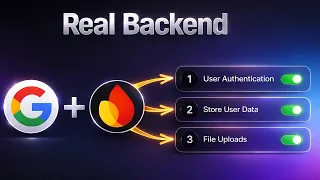
ENStop Building Websites — Build REAL Web Apps with Google AI + Firebase
 3h 17min
EN
3h 17min
ENGoogle Gemini FULL COURSE 3 HOURS (Build & Automate Anything)
 28min
EN
28min
ENHow I Build Apps With Google AI Studio 💡 Full AI Coding Tutorial
 14min
EN
14min
ENGoogle AI Studio: Build, Test & Deploy a Real AI App (Full Guide)
 17min
EN
17min
ENMaster Google Ai Studio in 15 Minutes
 15min
EN
15min
ENGoogle AI Studio Latest Update 💡 How I Build Full Apps (Tutorial & Tips)
 16min
EN
16min
ENGoogle AI Studio – Full Tutorial 2026: How To Build an App
 23min
EN
23min
ENMaster NEW Google AI Studio in 23 Minutes
Frequently asked questions about Google AI Studio and Gemini API
What is Google AI Studio and Gemini API?
Google AI Studio and Gemini API is a technology topic that learners can study through concepts, practical workflows and validation habits.
Why should I learn Google AI Studio and Gemini API now?
It is connected to current AI, software, security and infrastructure changes, so it helps learners understand where modern technology work is moving.
Is Google AI Studio and Gemini API beginner-friendly?
Yes, when studied in order. Start with conceptual lessons, then move into practical tutorials and deeper technical material.
Do I need to know programming?
Some lessons are useful without programming, but developer-focused material may require basic Python, APIs, command-line tools or web concepts.
What should I practice first?
Start with a small task that can be repeated and checked, then change one variable at a time to understand the workflow.
How does this connect with AI agents?
Many modern technology topics connect with agents through tools, retrieval, evaluation, security, automation or developer workflows.
How do I validate what I learn?
Check sources, run code when available, compare outputs, document assumptions and test whether the result solves the original task.
What comes after this topic?
The next step is usually a project: build a small workflow, test it, document the result and connect it with related Cursob topics.
How were these materials selected?
The selection prioritizes free, embeddable English videos with practical value, clear explanations and relevance to the topic.
How to study Google AI Studio and Gemini API without getting lost
The best way to learn Google AI Studio and Gemini API is to separate concepts, tools, practical examples and validation. This keeps the topic useful even when individual tools change.
Start from the problem
Before choosing a tool, identify the problem the technology is trying to solve. Write down the inputs, expected output, constraints and risks. This makes each tutorial easier to compare.
Practice with small workflows
Use a small example that can be repeated. Change one part of the workflow, inspect the result and keep notes about what improved or failed.
Validate before scaling
Modern AI and infrastructure workflows can look impressive before they are reliable. Review claims, test code, check permissions and document assumptions before applying the method to important work.