-
22
 Lesson 22 – n8n and AI Agents Automation Course
13min
Lesson 22 – n8n and AI Agents Automation Course
13min
-
23
Lesson 23 – n8n and AI Agents Automation Course
21min
-
24
Lesson 24 – n8n and AI Agents Automation Course
24min
-
25
Lesson 25 – n8n and AI Agents Automation Course
10min
-
26
Lesson 26 – n8n and AI Agents Automation Course
Current lesson
-
27
Lesson 27 – n8n and AI Agents Automation Course
23min
-
28
Lesson 28 – n8n and AI Agents Automation Course
20min
-
29
Lesson 29 – n8n and AI Agents Automation Course
14min
-
30
Lesson 30 – n8n and AI Agents Automation Course
22min
-
31
Lesson 31 – n8n and AI Agents Automation Course
22min
-
32
Lesson 32 – n8n and AI Agents Automation Course
18min
-
33
Lesson 33 – n8n and AI Agents Automation Course
10min


Summary
### Introduction to the LinkedIn Content Automation Workflow This lesson demonstrates how to construct a fully automated system for LinkedIn content creation using n8n and AI agents. The core objective is to replace manual content research, writing, and image sourcing with a single, reliable workflow that operates continuously. By integrating multiple services, you can transform topic ideas into published posts complete with custom AI-generated visuals. The workflow begins with a trigger, such as a schedule or a webhook, and progresses through intelligent agents that research, draft, and design.
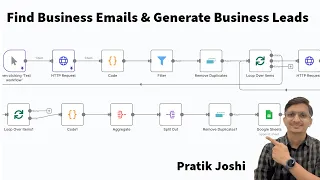
### Setting Up AI-Powered Research with Tavily A critical initial step is configuring Tavily AI, a search engine designed for AI agents, to automatically gather information on specified topics. Within the n8n workflow, you create an HTTP request node that sends queries to the Tavily API and receives structured data, including relevant articles, summaries, and key points. This raw research output is then parsed by a code node to clean and format the text, isolating the most valuable insights. The process eliminates the need to manually browse the web, providing a reliable foundation of facts and context for your post. The configuration includes setting up authentication and defining search parameters to optimize result relevance.
### Drafting Posts with AI Language Models Once research data is prepared, an AI agent node, connected to a model like OpenAI's GPT, takes over for content drafting. The system prompt instructs the agent to adopt a professional yet engaging tone suitable for your industry, leveraging the provided research to compose a compelling LinkedIn post. Key instructions cover ideal length, the inclusion of a conversational hook, strategic use of emojis, and a clear call to action. The workflow splits this into multiple steps: one agent drafts the main text, and a separate code node refines the output, ensuring the final version adheres to character limits and best practices. This structured approach produces consistent, high-quality drafts that require minimal human editing.
### Generating Custom Images with DALL-E 3 Integration To complement the written post, the workflow integrates DALL-E 3 for automatic image generation. A prompt is dynamically crafted, often by another AI agent, which describes a relevant visual concept based on the post's topic and key themes. This prompt is then sent to the OpenAI image generation endpoint. The workflow captures the returned image URL, and a subsequent HTTP request node downloads the actual image binary data. This binary is converted to a base64-encoded string or prepared as a multipart upload, ready for the LinkedIn API. The integration ensures every post features an eye-catching, original graphic that reinforces the message, drastically increasing visual appeal and engagement potential.
### Automating Scheduling Through the LinkedIn API Finally, the workflow connects to LinkedIn's API to publish or schedule the post. This involves an OAuth2 authentication node to securely link your LinkedIn profile or company page. An HTTP request node then sends a correctly structured payload containing the post text, the image data, and your visibility settings. The lesson covers error handling: if the initial upload fails, a retry mechanism with exponential backoff can be implemented. Conditional logic verifies that image generation was successful before attempting the post, preventing incomplete uploads. You'll configure the workflow to run on a set timer, enabling truly hands-off content scheduling—ideal for maintaining a consistent professional presence around the clock.
### Workflow Templates and Optimization Strategies The lesson concludes with a summary of downloadable templates and advanced tips for maximizing post engagement. The complete workflow is provided as an n8n JSON file for immediate import and customization. Pro techniques include dynamically tailoring post length based on research depth, A/B testing different AI writing tones, and logging analytics to a database for performance monitoring. Additional error-handling nodes send notifications via email or Slack if a step fails. By learning to adjust the AI prompts and schedule, you can evolve this system from a simple generator into a sophisticated content engine that adapts to audience feedback and changing business goals.
What you will learn
- Build an end-to-end automated LinkedIn content pipeline in n8n
- Configure the Tavily AI search API for hands-free topic research
- Structure multi-agent n8n workflows to convert research into polished post drafts
- Integrate DALL-E 3 to generate custom images that match your content theme
- Authenticate and publish to LinkedIn using the platform's API with error handling
- Optimize post performance with scheduling, logging, and engagement strategies
Concepts covered
- Autonomous AI agent coordination for research and writing
- Sequential workflow logic with conditional branching in n8n
- API authentication patterns (Tavily, LinkedIn OAuth2)
- Prompt engineering for consistent brand tone and structure
- Binary data handling for image download and upload
- Error retry mechanisms and workflow reliability design
Technologies used
Chapters 6 markers
Next suggested video


Reviews
No reviews yet. Be the first to rate this lesson.