-
20
 Lesson 20 – n8n and AI Agents Automation Course
13min
Lesson 20 – n8n and AI Agents Automation Course
13min
-
21
Lesson 21 – n8n and AI Agents Automation Course
2min
-
22
Lesson 22 – n8n and AI Agents Automation Course
13min
-
23
Lesson 23 – n8n and AI Agents Automation Course
21min
-
24
Lesson 24 – n8n and AI Agents Automation Course
Current lesson
-
25
Lesson 25 – n8n and AI Agents Automation Course
10min
-
26
Lesson 26 – n8n and AI Agents Automation Course
20min
-
27
Lesson 27 – n8n and AI Agents Automation Course
23min
-
28
Lesson 28 – n8n and AI Agents Automation Course
20min
-
29
Lesson 29 – n8n and AI Agents Automation Course
14min
-
30
Lesson 30 – n8n and AI Agents Automation Course
22min
-
31
Lesson 31 – n8n and AI Agents Automation Course
22min
Summary
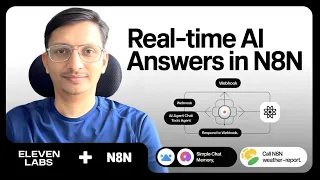
### What You Will Build In this lesson, you construct a complete AI voice agent system using n8n and ElevenLabs. The core automation allows a user to speak a natural language query, which is then processed by an n8n workflow that queries a vector database for relevant information. The retrieved data is synthesized by ElevenLabs into a human-like audio response. This hands-on project demonstrates the seamless integration of conversational AI with backend automation, enabling voice-driven interactions without writing a single line of code.
### Key Components of the Integration The integration relies on three primary components working in concert. First, the ElevenLabs voice agent captures spoken input and converts it to text using advanced speech recognition. This text is then sent to an n8n webhook, which triggers a workflow. Inside n8n, the workflow processes the request by executing a series of nodes—including API calls, data transformations, and vector database searches. The final output is returned to ElevenLabs, where text-to-speech models generate a natural-sounding audio reply. The lesson emphasizes configuring these components securely, using API keys and proper authentication to protect sensitive data.
### Step-by-Step Workflow Design The tutorial guides you through building the n8n workflow from scratch. It starts with a Webhook node that listens for incoming POST requests from ElevenLabs. The workflow then parses the JSON payload to extract the user’s query. A critical step involves setting up a vector database node—such as Pinecone or Qdrant—to perform semantic searches on stored knowledge bases. The results are formatted using JavaScript or Function nodes, ensuring the response is concise and relevant. Finally, an HTTP Response node sends the data back to ElevenLabs. You will also learn to add error-handling branches, such as catching invalid inputs or database connection failures, to make the automation robust.
### Advanced Error Handling and Logging Error handling is a focal point for enterprise-grade reliability. The lesson shows how to use n8n’s built-in Error Trigger nodes to catch failures at any step. For example, if the vector database query fails due to a timeout, the workflow can branch to a fallback response, like returning a static apology message. Detailed logging is configured using n8n’s console output or integrating with external monitoring tools. This ensures you can trace every transaction from voice input to audio output, simplifying debugging and audit trails.
### API Connections and Performance Optimization You will dive deep into the API connections between n8n and ElevenLabs. This includes setting up the ElevenLabs API key in n8n’s credential store and configuring the correct endpoint for conversational agents. Performance optimization techniques are covered, such as caching frequent vector database queries, using n8n’s bulk data processing capabilities to reduce latency, and fine-tuning ElevenLabs’ voice settings for speed versus quality. The tutorial also discusses rate limiting and how to implement retry logic with exponential backoff to handle temporary service disruptions gracefully.
### Real-World Enterprise Applications The voice agent system you create in this lesson mirrors solutions used by large organizations. Practical applications include automated customer support voice bots, internal knowledge base assistants for field technicians, and voice-controlled data retrieval for analysts. By combining n8n’s low-code automation with ElevenLabs’ lifelike voices, you can deploy scalable, 24/7 voice services without development overhead. The lesson concludes by encouraging you to extend the system with additional AI services, such as sentiment analysis or multi-language support, to tailor it to specific business needs.
What you will learn
- Integrate ElevenLabs voice agents with n8n for no-code AI automation
- Configure webhooks in n8n to receive and process voice queries
- Query vector databases like Pinecone or Qdrant within workflows
- Synthesize natural-sounding audio responses using ElevenLabs
- Implement enterprise-grade error handling and fallback strategies
- Optimize API connections and system performance
Concepts covered
Technologies used
Chapters 6 markers
- Introduction to AI voice agents and project overview
- Setting up ElevenLabs agent and API credentials
- Building the n8n webhook workflow from scratch
- Integrating vector database queries for knowledge retrieval
- Configuring error handling and logging mechanisms
- Performance optimization and final testing
Next suggested video


Reviews
No reviews yet. Be the first to rate this lesson.