-
01
 Lesson 1 – Claude Code 101
2min
Lesson 1 – Claude Code 101
2min
-
02
Lesson 2 – Claude Code 101
3min
-
03
Lesson 3 – Claude Code 101
Current lesson
-
04
Lesson 4 – Claude Code 101
2min
-
05
Lesson 5 – Claude Code 101
3min
-
06
Lesson 6 – Claude Code 101
3min
-
07
Lesson 7 – Claude Code 101
3min
-
08
Lesson 8 – Claude Code 101
3min
-
09
Lesson 9 – Claude Code 101
3min
Summary
The Agentic Loop Foundation
Claude Code operates on a continuous, self-directed process known as the agentic loop. This is the underlying engine that transforms a simple prompt into a complex, multi-step software development action. The loop begins when the system gathers context, pulling in relevant information from files, codebases, and previous messages. It then reasons about the task and takes a concrete action, such as writing code, executing a terminal command, or searching a repository. After the action is taken, Claude Code immediately verifies the result. It examines the output, checks for errors, and compares the new state against the original request. This verification is crucial, as it allows the system to catch mistakes early, revert changes if necessary, or iterate further by feeding the result back into the beginning of the loop. This cycle of context, action, and verification repeats autonomously until the task is complete, making Claude Code feel less like a passive tool and more like an active engineering partner.
The power of this loop is its ability to handle ambiguity and complexity. When faced with an error or an unexpected outcome, Claude Code does not simply halt and ask for instructions. Instead, it uses the verification step to self-correct. It can read error logs, identify the root cause in the source code, formulate a fix, apply it, and then re-run the test to confirm the solution worked. This closed-loop system is what allows developers to delegate substantial units of work, trusting that the agent will navigate the inevitable small obstacles of development independently. Understanding this loop is the first step in moving beyond seeing Claude Code as a 'magic box' and starting to use it as a predictable, programmable engineering resource.
Understanding the Context Window
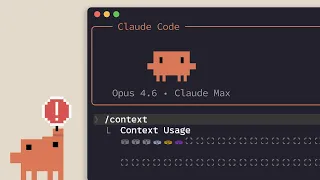
A core component of the agentic loop is the context window, which can be thought of as Claude Code's short-term memory. Every piece of information the model uses to make a decision resides here: the system prompt, the user's original task, the conversation history, the contents of files it has read, and the outputs of commands it has run. The size and management of this window are critical engineering constraints. Claude Code must constantly make strategic decisions about what information to keep in the immediate context to stay focused on the task, and what to archive or summarize. If the window becomes cluttered with irrelevant data, the model's reasoning can degrade, leading to off-track solutions. Conversely, if it discards crucial information, it may lose sight of the primary objective. Claude Code handles this through internal summarization and by strategically re-reading key files only when necessary, ensuring the context remains dense with high-quality, relevant information.
Effective collaboration with Claude Code often involves being mindful of this context window. A well-structured codebase with clear file names and modular functions makes it easier for the tool to select the right context. Conversely, a monolithic file with thousands of lines of code can quickly consume the window with noise. The agentic loop's ability to verify results is particularly important here, as it acts as a check against context-related errors. If the model's context has drifted, making it forget a specific constraint, a failing test in the verification step will signal the problem, prompting it to re-examine the original instructions or re-read a critical configuration file, effectively refreshing its memory and correcting its course.
The Tools at Its Disposal
To act within the environment, Claude Code is equipped with a specific set of tools. These are not APIs in the traditional web service sense, but built-in capabilities that map to core development actions. The primary tools are a file system editor for reading, creating, and modifying files, and a terminal runner for executing shell commands. These two tools give Claude Code the same fundamental capabilities a human developer uses. It can explore a project with 'ls' and 'grep', run tests with 'npm test' or 'pytest', and install dependencies. The tight integration between these tools and the agentic loop is what creates the experience of a seamless coding partner. Claude Code doesn't just output code for a human to paste; it writes the code directly to the correct file, runs the appropriate formatter, and then executes the test suite, all as part of a single, fluid motion.
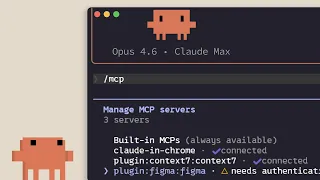
Beyond these direct tools, Claude Code uses a clever internal mechanism to interface with many other services, particularly through the Model Context Protocol (MCP). This allows it to connect to external data sources, databases, and APIs. More fundamentally, for many common tasks, Claude Code is proficient at generating and executing the necessary bash commands to interact with cloud platforms like GitHub, AWS, or Vercel. It can craft a precise 'gh' command to create a pull request or a 'git' sequence to manage branches. This means the developer's permission model becomes the effective access control; whatever the developer can do from the command line, Claude Code can do on their behalf, provided the right instructions and permissions are given.
Navigating Permission Modes
A critical safety and collaboration feature is the system of permission modes, which controls how and when the agentic loop executes potentially destructive actions. The most common interactive mode is the default prompt, where Claude Code will ask for explicit approval before running a terminal command or editing a file outside its direct task scope. This gives the developer fine-grained control, allowing them to review a proposed shell command before it executes. At the other end of the spectrum is full auto mode, designed for trusted, repeatedly used workflows where constant approval would be a bottleneck. In this mode, used cautiously, the tool can proceed without interruption, relying entirely on its verification loop to catch mistakes. Between these extremes lies the ability to grant temporary or scoped permissions, such as allowing all git commands for a specific session.
These permission modes are what transform Claude Code from a risky autonomous script into a pair-programming partner. They acknowledge that the fastest code is not always the best code, and that a developer's judgment is paramount for security, architecture, and cost-aware decisions. Effective use involves matching the permission level to the task's risk profile. A complex database migration warrants step-by-step approval, while a repetitive code refactoring across a hundred safe files might be trusted to auto mode once the pattern is established. Understanding these modes allows a developer to precisely calibrate the balance of agency and control, maximizing the tool's productivity without surrendering oversight of the software development process.
Practical Applications and Workflow
Applying the agentic loop in a practical workflow changes the cadence of software development. Instead of writing a block of code, switching to a terminal, running a command, seeing an error, and switching back, the developer makes a single, high-level request. Claude Code then executes the entire inner loop independently. A typical flow starts with a problem statement, such as 'fix the failing login test by checking the recent changes to the auth module.' Claude Code enters the loop, first using tools to read the auth module and the test file. It identifies a mismatched function signature, uses its editor to correct it, and runs the test. The test passes, and the loop completes. The developer's role shifts from a writer of syntax to a director of logic, reviewing the diff of the changes and the green test result to confirm the fix was made correctly.
The efficiency gain is found in the automation of the verification step. By autonomously running linters, type checkers, and test suites after each action, Claude Code ensures a relentless level of immediate feedback that is often unsustainable for a human developer during fast-paced work. It doesn't forget to run the checks, and it iterates immediately upon failure. This leads to a higher baseline of code quality and significantly reduces the time spent in the 'write-check-debug' micro-cycle. The result is a more continuous, flow-state-oriented development experience where the engineer can maintain a higher-level architectural focus while being confident that the low-level implementation is continuously self-correcting and validating.
The Architecture of Understanding
Deconstructing the agentic loop demystifies Claude Code's operation, revealing it not as a monolith of intelligence but as a well-orchestrated system of structured sub-routines. The context window provides the working memory, the tools provide the means of action, and the permission modes provide governance. The feedback loop between action and verification is the core mechanism of its reliability. When an action fails, the tool enters a debugging sub-loop, formulating a hypothesis based on the error, applying a fix, and testing again. This process is structurally identical to the scientific method applied to code, making its behavior more predictable and debuggable than its 'AI magic' label might suggest.
For developers, this architectural understanding is the key to mastery. It encourages them to configure their projects in ways that support these sub-routines: maintaining fast, comprehensive test suites that make the verification step meaningful, and writing clear, modular code that fits neatly into the context window. It reframes working with AI from crafting perfect one-shot prompts to designing a robust process where the developer sets the constraints, provides the verification criteria, and lets the agentic loop handle the execution and error correction. This partnership, built on the transparent architecture of the loop, is the core lesson of Claude Code 101 and the foundation for advanced, autonomous software engineering.
The Path to Productive Partnership
Moving from theory to an effective partnership with Claude Code involves tuning its environment and your interaction style. The most productive developers learn to write comments and instructions not just for human readers, but for their AI partner, adding context that will fit compactly into its context window. They modularize their codebase not just for logical separation, but to create small, well-defined units of work that the tool can verify independently. The permission modes become a strategic dial, tightened during architectural exploration and loosened during repetitive, well-understood refactoring tasks. The verification loop, the unsung hero of the entire architecture, becomes the developer's primary feedback mechanism, with the test suite acting as the definitive specification that the agentic loop must satisfy, ensuring that the code not only functionally works but consistently meets the project's quality standard.
What you will learn
- Understand the agentic loop of context, action, and verification
- Grasp how the context window functions as the tool's working memory
- Identify the core built-in tools and how they interact with the environment
- Differentiate between permission modes for safe and efficient collaboration
- Design development workflows that leverage autonomous verification
Concepts covered
Technologies used
Chapters 5 markers
Next suggested video
Reviews
No reviews yet. Be the first to rate this lesson.