-
01
 Every Claude Code Concept Explained for Normal People
Current lesson
Every Claude Code Concept Explained for Normal People
Current lesson
-
02
Master 95% of Claude Code in 36 Mins (as a beginner)
36min
-
03
Claude Code best practices | Code w/ Claude
25min
-
04
The Ultimate Claude Code Guide | MCP, Skills & More
37min
-
05
How I use Claude Code (Senior Software Engineer Tips)
9min
-
06
7 Secret Prompts That Make Claude CODE 10x Better
10min
-
07
18 Claude Code Token Hacks in 18 Minutes
18min
-
08
How to Build Claude Agent Teams Better Than 99% of People
16min
-
09
How to Make Claude Code Your AI Engineering Team
21min
-
10
Claude Code Essentials
12h 20min




Summary
Understanding Claude Code from the Ground Up
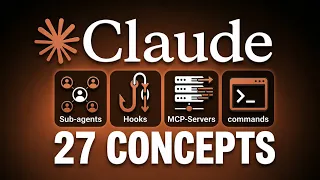
Claude Code represents a paradigm shift in how developers and non-technical users can build intelligent automation systems. This comprehensive video breaks down 27 essential concepts that form the mental model needed to confidently work with Claude's capabilities. Rather than overwhelming viewers with technical jargon, the presentation is structured to accommodate absolute beginners while maintaining depth for those ready to explore advanced features. The journey spans from foundational building blocks through increasingly sophisticated automation patterns, ensuring that learners can grasp each layer before moving to the next.
The Terminal and Core Interaction Patterns
At the heart of Claude Code lies the terminal, which serves as the primary interface for interaction between the user and Claude's execution environment. Understanding the terminal is crucial because it represents how Claude executes commands, reads files, and performs computational tasks. Prompts form the next essential layer, acting as the instructions or requests that guide Claude's behavior and outputs. Permissions establish the boundaries of what Claude can and cannot do, providing users with granular control over access to sensitive files and operations. Together, these foundational concepts create a secure, controllable environment where automation becomes possible without sacrificing safety or user authority.
Tools That Enable Real-World Automation
Tools are the mechanisms through which Claude interacts with systems and data. The read, write, and bash tools form a trinity of capabilities that enable comprehensive automation. Read tools allow Claude to access and analyze existing files and data, providing context for decision-making. Write tools enable Claude to create and modify documents, code files, and configurations, turning analysis into action. Bash tools permit execution of system commands, bridging the gap between Claude's intelligence and actual system operations. The context window—essentially the amount of information Claude can hold in active memory during a conversation—determines how much material can be processed in a single interaction. Conversation history and resume functionality allows users to maintain continuity across multiple sessions, while token usage tracking provides visibility into resource consumption and associated costs, enabling informed decisions about which model and approach to use.
Personalization and Advanced Configuration
CLAUDE.md represents a declarative way to configure Claude's behavior persistently across sessions, functioning as a system-level configuration file that shapes how Claude approaches problems. Memory usage features allow Claude to retain and reference important information over longer periods, creating a more contextually aware assistant. Compact context mechanisms optimize how information is stored and retrieved, reducing unnecessary overhead while maintaining critical information flow. Model selection—choosing between Sonnet, Opus, and Haiku variants—involves balancing computational power against speed and cost considerations. Denying access to specific files is a crucial security feature that prevents Claude from accessing sensitive data even when performing broad automation tasks. Flags function as toggles that modify Claude's behavior in predetermined ways, enabling rapid configuration adjustments without restructuring entire systems.
Advanced Reasoning and Extended Capabilities
Extended thinking enables Claude to engage in deeper reasoning processes, tackling complex problems through more thorough analytical exploration. Slash commands provide shorthand syntax for triggering specific actions or modes within Claude Code. Skills represent reusable templates or patterns that Claude can apply to recurring problem types, accelerating execution and ensuring consistency. Hooks enable event-driven automation, triggering Claude's capabilities in response to specific conditions or system events. MCP servers (Model Context Protocol servers) extend Claude's reach beyond its native capabilities, allowing integration with external data sources and services. Sub-agents represent Claude instances delegated to handle specific subtasks within larger workflows, enabling hierarchical automation architectures. Agent teams take this further, orchestrating multiple Claude instances working in concert, each with specialized roles, to handle complex multi-faceted problems that exceed single-agent capabilities.
Operational Features and Integration
Image and screenshot support expands Claude's sensory capabilities, enabling analysis and processing of visual information alongside text. Checkpoints and undo functionality provide workflow safety by allowing users to revert to previous states if an operation produces undesired results. Git integration connects Claude Code workflows to version control systems, enabling collaborative development and maintaining audit trails of automated changes. Headless mode allows Claude to operate without a graphical interface, essential for running automation on servers or in background processes. Understanding how Claude Max differs from API-based access is fundamental to choosing the right deployment model, as each offers different pricing structures, rate limits, and integration patterns. Worktrees enable Claude to manage multiple parallel work contexts simultaneously, useful when handling multiple projects or versions of the same system.
Autonomy and Future-Ready Automation
The progression from foundational concepts through personalization, advanced reasoning, and operational features culminates in the ability to deploy truly autonomous systems. These systems can monitor conditions, make decisions, take actions, and even coordinate with other agents—all with minimal human intervention. The architectural patterns introduced across these 27 concepts equip users with the mental models needed to design systems appropriate to their specific needs, whether building simple task automation or sophisticated multi-agent ecosystems. The non-technical framing of each concept ensures that domain experts in any field can leverage Claude's capabilities without requiring deep software engineering knowledge, democratizing access to advanced automation infrastructure.
What you will learn
- Understand the 27 core concepts spanning Claude Code foundations, personalization, and autonomous agent deployment
- Configure Claude's behavior using prompts, permissions, tools, and persistent settings like CLAUDE.md
- Build automation workflows using tools for reading, writing, and executing bash commands
- Design multi-agent systems with agent teams, sub-agents, and hierarchical task delegation
- Implement extended thinking, hooks, and MCP servers for advanced reasoning and third-party integration
Concepts covered
Technologies used
Chapters 18 markers
- Every Claude Code Concept Explained
- What is Claude Code?
- The Terminal
- Prompts and Permissions
- Tools: Read, Write, Bash
- Context Window Explained
- Conversation History and Resume
- Token Usage and Cost Tracking
- CLAUDE.md Configuration
- Memory Usage and Compact Context
- Model Selection: Sonnet, Opus, Haiku
- Flags and Extended Thinking
- Slash Commands and Skills
- Hooks and MCP Servers
- Sub-Agents and Agent Teams
- Image Support and Checkpoints
- Git Integration and Headless Mode
- Claude Max vs API Pricing
Next suggested video


Reviews
No reviews yet. Be the first to rate this lesson.