-
01
 What is Agentic AI and How Does it Work?
13min
What is Agentic AI and How Does it Work?
13min
-
02
The Best Local Agentic Coding Workflow (Complete Guide)
44min
-
03
Build Your Own Claude Code | Full AI Coding Agent Tutorial
11h 59min
-
04
Agentic AI Crash Course using LangChain | LangChain Crash Course
2h 23min
-
05
Agentic Coding with Claude Code | Agentic AI Coding Tutorial | Coding With Claude Code | Simplilearn
36min
-
06
Google’s Free AI vs Claude Code & Codex – Which One Should You Use? (Antigravity 2.0 Masterclass)
16min
-
07
NEW Open Claude Code Is A FULLY FREE AI Coding Agent! (Tutorial)
11min
-
08
Stop Using Claude Code Without an Agentic OS
17min
-
09
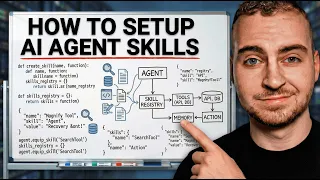
How to Setup AI Agent Skills for Better Code | TRAE SOLO
Current lesson
-
10
How I Turned Pi Into the Ultimate Coding Agent
21min



Summary
Understanding AI Agent Skills
AI coding tools have become ubiquitous, but most users employ them ineffectively by simply typing prompts and hoping the output meets expectations. When results fall short, users typically start from scratch without leveraging the platform's full capabilities. This approach wastes time and fails to harness the true power of AI agents. A critical feature that remains underutilized by the vast majority is the skills system—a structured way to define, organize, and reuse instructions that guide AI agents in writing code more consistently and effectively.
What Skills Fundamentally Are
Skills represent a paradigm shift in how developers interact with AI coding assistants. Rather than treating each prompt as an isolated request, skills allow users to create persistent, reusable instructions that shape how an AI agent approaches code generation tasks. Think of skills as custom templates or behavioral guidelines that an AI agent remembers and applies across multiple interactions. When properly configured, skills eliminate the trial-and-error cycle by providing clear context, coding standards, and expectations that the AI agent will follow automatically. This transforms the user experience from reactive troubleshooting to proactive, predictable code generation.
Exploring TRAE SOLO's Capabilities
TRAE SOLO represents a new generation of AI coding tools built specifically to leverage the skills system. This platform combines an intuitive interface with powerful AI agents capable of understanding and executing complex coding tasks when given proper skill configurations. TRAE SOLO's architecture enables developers to define skills that persist across sessions, meaning once you set up a skill for a particular coding pattern or standard, the AI agent will remember and apply it automatically in future interactions. The tool is designed to appeal to developers frustrated with traditional AI coding assistants that lack context and consistency.
Prebuilt Skills and Quick Start
For users new to the skills system, TRAE SOLO provides prebuilt skills that handle common coding scenarios out of the box. These templates cover typical use cases such as REST API development, database schema design, testing frameworks, and documentation generation. Prebuilt skills serve as a foundation and reference point for understanding how skills should be structured. They demonstrate best practices in prompt engineering and show developers patterns they can adapt or extend for domain-specific needs. Rather than starting from zero, developers can leverage these templates as starting points and customize them based on their unique workflows and coding standards.
Creating Custom Skills from Scratch
The true power of the skills system emerges when developers create custom skills tailored to their specific requirements. Building a skill from scratch involves defining the skill's purpose, specifying the exact instructions and constraints the AI agent should follow, and testing how the agent interprets those instructions. The creation process demands clarity and precision—the more explicit the skill definition, the better the AI agent will execute it. Developers can define skills around architectural patterns, company coding standards, performance requirements, or specific library conventions. The skill system also supports iterative refinement, allowing developers to adjust instructions based on actual output and gradually improve the AI agent's performance over time.
Voice-Driven Skill Definition with Wispr Flow
One innovative approach to skill creation involves using voice dictation tools like Wispr Flow to articulate skill requirements. Rather than typing lengthy instructions, developers can speak their requirements naturally, and advanced dictation technology converts those thoughts into structured text. This approach reduces friction in the skill definition process and allows developers to express complex ideas in a more conversational manner. Voice-driven skill creation particularly benefits developers who think better when speaking or who find typing lengthy instructions tedious. Wispr Flow's AI-powered dictation ensures accuracy and maintains technical terminology correctly, making it a practical complement to the skills workflow.
Orchestrating Multiple Skills
Real-world coding projects rarely involve just one coding pattern or standard. TRAE SOLO enables developers to stack and combine multiple skills, creating layered instruction sets that the AI agent applies sequentially or contextually. For example, a developer might have one skill for API design patterns, another for security best practices, and a third for performance optimization. When an AI agent receives a request, it references all active skills and applies their collective wisdom to the response. The orchestration of multiple skills creates a comprehensive instruction framework that guides the AI agent toward producing code that is not only functionally correct but also aligned with organizational standards, security requirements, and performance goals.
Practical Application Beyond Code Generation
While skills were initially developed for code generation tasks, their applications extend across broader development workflows. Developers can create skills for documentation writing, test case generation, code review guidelines, refactoring strategies, and debugging approaches. This broader applicability makes the skills system a general-purpose mechanism for standardizing how an AI agent approaches any development-related task. The distinction between rules, skills, and MCPs (Model Context Protocols) becomes important here—rules enforce hard constraints, skills guide behavior through instruction, and MCPs provide structured data access. Understanding these distinctions helps developers choose the right mechanism for each use case and avoid overcomplicating their AI agent configurations.
What you will learn
- Understand how AI agent skills function as reusable instruction sets
- Create custom skills tailored to specific coding standards and patterns
- Configure prebuilt skills and adapt them to project requirements
- Orchestrate multiple skills to guide consistent AI code generation
- Apply skills beyond code generation to documentation and testing tasks
Concepts covered
Technologies used
Chapters 9 markers
Next suggested video


Reviews
No reviews yet. Be the first to rate this lesson.