-
26
 Lesson 26 – n8n and AI Agents Automation Course
20min
Lesson 26 – n8n and AI Agents Automation Course
20min
-
27
Lesson 27 – n8n and AI Agents Automation Course
23min
-
28
Lesson 28 – n8n and AI Agents Automation Course
20min
-
29
Lesson 29 – n8n and AI Agents Automation Course
14min
-
30
Lesson 30 – n8n and AI Agents Automation Course
22min
-
31
Lesson 31 – n8n and AI Agents Automation Course
22min
-
32
Lesson 32 – n8n and AI Agents Automation Course
18min
-
33
Lesson 33 – n8n and AI Agents Automation Course
10min
-
34
Lesson 34 – n8n and AI Agents Automation Course
Current lesson
-
35
Lesson 35 – n8n and AI Agents Automation Course
13min
-
36
Lesson 36 – n8n and AI Agents Automation Course
10min
-
37
Lesson 37 – n8n and AI Agents Automation Course
9min



Summary
### Introduction to Slack and n8n Integration This lesson provides a practical demonstration of connecting the Slack messaging platform with n8n, a powerful no-code automation tool. By integrating Slack with n8n, you can trigger complex workflows directly from messages sent within your Slack workspace. This opens up possibilities for automating responses, processing data, and interacting with AI agents without leaving your communication hub. The tutorial is designed for beginners, offering a clear, step-by-step approach to ensure you can replicate the setup and enhance your team's productivity through seamless automation.
### Creating and Configuring a Slack App To begin the integration, you need to create a Slack app through the Slack API dashboard. This involves navigating to api.slack.com and initiating a new app from scratch. You will assign a name to your app and select the target Slack workspace where it will operate. The configuration process is crucial for defining how n8n interacts with Slack. Properly setting up the app ensures it has the necessary identity and scope to listen for events and send messages back to your channels.
### Setting Up OAuth and Permissions Next, you configure the app's authentication and permissions. OAuth 2.0 is used to grant secure access, and you must define specific scopes that dictate what the app can do. Essential scopes include chat:write for sending messages and channels:read for accessing channel information. You will generate a user OAuth token that n8n uses to authenticate. This step is vital for security, ensuring that your automation has only the permissions it requires to function correctly without exposing unnecessary access to your Slack workspace.
### Enabling Event Subscriptions for Triggers The core of the trigger functionality involves setting up event subscriptions. You will enable events and subscribe to them, specifically the message.channels event, which fires whenever a new message is posted in a channel. A request URL, generated from within n8n, will be provided to Slack to verify the endpoint. This verification confirms that n8n can receive notifications. Once verified, your n8n workflow can instantly react to messages, creating real-time automation that responds to specific keywords or commands entered in Slack.
### Connecting Slack with n8n Workflows After the app is configured, you connect it to an n8n workflow. Within n8n, you use the Slack node, selecting the trigger type as "On New Message." You will paste the OAuth token and configure the node to listen in specific channels. A test message sent in Slack will demonstrate the connection, showing data flowing into n8n. This setup allows you to parse message content and use it as input for downstream nodes, such as directing a question to an AI model or updating a database.
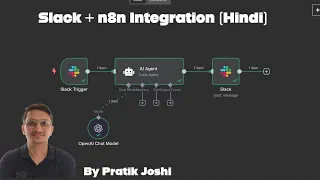
### Implementing the AI Automation with Slack and n8n The workflow example demonstrates how an AI agent can be integrated. A Webhook node acts as the trigger URL for local testing. The Slack node sends a confirmation message when a user interacts with a trigger, like a form submission. The integration shows how n8n bridges communication tools with AI processing and external services, enabling complex, multi-step automations that handle user prompts, process them through AI, and deliver results directly in Slack, streamlining task management and information retrieval within your team's daily environment.
What you will learn
- Create a Slack app and configure its basic settings
- Set up OAuth permissions and scopes for secure access
- Subscribe to Slack events to enable message triggers
- Connect a Slack app to an n8n workflow using authentication
- Trigger n8n workflows directly from new Slack messages
- Integrate AI agents into Slack automation for intelligent responses
Concepts covered
Technologies used
Chapters 8 markers
- Introduction to Slack and n8n Integration
- Creating a New Slack Application
- Configuring OAuth Permissions and Scopes
- Setting Up Event Subscriptions for Message Triggers
- Verifying the Webhook URL with Slack
- Building the n8n Workflow with Slack Trigger Node
- Testing the Integration and Sending a Test Message
- Demonstrating an AI Agent Automation Example
Next suggested video
Reviews
No reviews yet. Be the first to rate this lesson.