-
26
 Lesson 26 – n8n and AI Agents Automation Course
20min
Lesson 26 – n8n and AI Agents Automation Course
20min
-
27
Lesson 27 – n8n and AI Agents Automation Course
23min
-
28
Lesson 28 – n8n and AI Agents Automation Course
20min
-
29
Lesson 29 – n8n and AI Agents Automation Course
14min
-
30
Lesson 30 – n8n and AI Agents Automation Course
Current lesson
-
31
Lesson 31 – n8n and AI Agents Automation Course
22min
-
32
Lesson 32 – n8n and AI Agents Automation Course
18min
-
33
Lesson 33 – n8n and AI Agents Automation Course
10min
-
34
Lesson 34 – n8n and AI Agents Automation Course
17min
-
35
Lesson 35 – n8n and AI Agents Automation Course
13min
-
36
Lesson 36 – n8n and AI Agents Automation Course
10min
-
37
Lesson 37 – n8n and AI Agents Automation Course
9min





Summary
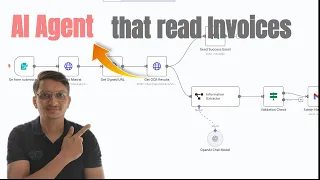
### Introduction to Intelligent Document Processing In this lesson, we explore the powerful combination of n8n and AI agents to automate the extraction of data from PDF documents. The focus is on using Mistral OCR, a cutting-edge optical character recognition model, to intelligently process invoices, receipts, reports, and other PDF files. You will learn how to move beyond simple text extraction and capture both textual information and embedded images, transforming unstructured documents into structured, actionable data. This workflow is essential for anyone looking to streamline accounting tasks, automate document-heavy processes, or integrate no-code AI into their daily operations. The tutorial provides a step-by-step walkthrough, from the initial file upload to exporting parsed data, ensuring you gain practical, hands-on experience.
### Workflow Setup and PDF Ingestion The first stage involves configuring the n8n environment to accept and process PDF files. The lesson details how to set up a workflow that begins with a manual trigger or a file upload node, such as the 'Webhook' or 'Read Binary Files' node, to ingest PDF documents directly into the automation. You will see how to handle binary data and prepare it for the OCR processing stage. Emphasis is placed on ensuring the correct file encoding and addressing common pitfalls, like handling different PDF formats. The instructor demonstrates configuring nodes to accept uploaded files, making the workflow ready to automate document processing on demand. This foundational step is crucial for building a reliable pipeline that can handle real-world documents from various sources.
### Configuring the Mistral OCR Node The core of the lesson focuses on integrating and configuring the Mistral OCR node within n8n. You will learn how to connect to the Mistral AI API, authenticate your requests, and select the appropriate OCR model for your needs. The tutorial covers setting parameters to extract not only text but also images from the PDF, which is particularly useful for documents containing logos, signatures, or visual data. The instructor walkthrough includes tips on optimizing the OCR process for different types of PDFs, distinguishing between native digital documents and scanned image-based files. You will understand how the Mistral OCR model's advanced capabilities enable high-accuracy text recognition across multiple languages and complex layouts, making it a superior choice for enterprise-grade automation.
### Parsing and Structuring OCR Output Once the raw OCR output is received, the next challenge is to transform this unstructured data into a clean, structured format like JSON. The lesson dives deep into using n8n's data transformation nodes, such as 'Function' or 'Item Lists', to parse key-value pairs, extract specific fields (e.g., invoice number, date, total amount), and normalize data. You will see practical examples of how to handle the extracted text to identify patterns and isolate critical business information. The instructor provides code snippets and logic to split long strings, remove noise, and build a coherent object ready for downstream use. This step is vital for making the data immediately usable for analysis, reporting, or integration with other systems without manual intervention.
### Exporting Data to External Systems With the data securely parsed, the lesson moves to exporting the structured JSON to various destinations. You will learn how to configure n8n nodes to send extracted information to Google Sheets, databases like PostgreSQL, or even trigger email notifications. The tutorial covers setting up dynamic mappings so that each extracted field populates the correct column or database field automatically. This end-to-end automation ensures that once a PDF is uploaded, its critical data is instantly stored and ready for action. The demonstration emphasizes real-world use cases, such as updating accounting ledgers, creating invoice records, or logging document metadata, thereby maximizing productivity and reducing human error.
### Best Practices and Use Cases The final section consolidates learning with best practices for enhancing OCR accuracy and handling production-level workloads. You will discover tips for preprocessing PDFs (e.g., resolution adjustments), error handling when the Mistral API fails, and implementing retry logic. The instructor discusses advanced scenarios, including handling multi-page documents, processing bulk uploads, and using n8n's parallel processing capabilities to speed up workflows. Key use cases are highlighted, such as automating expense management, legal document review, and customer onboarding. By the end of this lesson, you will not only have a functional automation but also the knowledge to adapt and scale it for a wide range of AI-powered document processing tasks.
What you will learn
- Understand the lesson objective
- Apply the demonstrated workflow
- Validate the result in a practical project
Concepts covered
Technologies used
Chapters 6 markers
Next suggested video
Reviews
No reviews yet. Be the first to rate this lesson.