-
11
 Lesson 11 – n8n and AI Agents Automation Course
9min
Lesson 11 – n8n and AI Agents Automation Course
9min
-
12
Lesson 12 – n8n and AI Agents Automation Course
7min
-
13
Lesson 13 – n8n and AI Agents Automation Course
11min
-
14
Lesson 14 – n8n and AI Agents Automation Course
9min
-
15
Lesson 15 – n8n and AI Agents Automation Course
Current lesson
-
16
Lesson 16 – n8n and AI Agents Automation Course
9min
-
17
Lesson 17 – n8n and AI Agents Automation Course
15min
-
18
Lesson 18 – n8n and AI Agents Automation Course
7min
-
19
Lesson 19 – n8n and AI Agents Automation Course
15min
-
20
Lesson 20 – n8n and AI Agents Automation Course
13min
-
21
Lesson 21 – n8n and AI Agents Automation Course
2min
-
22
Lesson 22 – n8n and AI Agents Automation Course
13min
Summary
Building an AI-Powered Support Agent
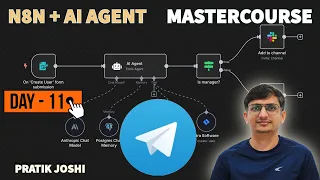
The landscape of customer service is rapidly shifting from traditional ticket systems to intelligent, conversational interfaces. This lesson from the n8n and AI Agents Automation Course focuses on a practical implementation: constructing a Telegram chatbot that functions as a first-line customer support agent. Rather than simply providing a theoretical overview, the session walks through the creation of an automation workflow that can understand customer queries, process natural language, and deliver helpful responses instantly. The core value lies in making support available around the clock without requiring a human agent to be online at all times.
By leveraging n8n as the workflow orchestration platform, the bot connects Telegram messages to AI processing and back, creating a seamless loop. The architecture is designed to be extensible and manageable through visual programming. This approach demystifies the process of building AI agents, showing that even complex integrations can be handled with the right tools. The result is a system that not only acknowledges customer messages but actively works to resolve issues, improving efficiency on one side and responsiveness on the other.
The Telegram Integration and Webhook Setup
A critical component of the tutorial is the connection between the messaging platform and the automation engine. The lesson demonstrates how to configure a Telegram bot using BotFather and then link it to n8n via webhooks. This setup is the backbone of the entire application, determining how quickly and reliably messages flow into the automated system. When a customer sends a question to the Telegram bot, the message is instantly forwarded to the n8n workflow as a JSON payload, triggering the processing sequence.
The configuration process emphasizes security and proper endpoint management, ensuring that the webhook URL is correctly exposed and that only authorized services can communicate with the node. This hands-on segment shows how each piece of technical configuration translates into a functional feature for the end user. The chat interface becomes a dynamic space where input is captured and processed in real time, laying the groundwork for the intelligent layer that follows.
Processing Messages with AI and Memory
Once the message arrives in n8n, the real intelligence of the system takes over. The lesson covers how to connect to an AI model, such as OpenAI, to interpret the intent behind a user's message. Instead of relying on rigid keyword matching, the bot uses large language models to understand context, tone, and the specific nature of a support request. This allows it to handle a wide variety of phrasings for the same underlying problem, making the interaction feel more natural and less robotic.
To make the bot truly conversational, the session introduces memory nodes that allow the AI to retain context across multiple messages. This means that a customer does not need to repeat information they provided earlier in the chat. The system can remember a reported issue, a customer’s name, or previous steps taken in a support flow, and use that data to inform its current response. This contextual awareness is what differentiates a basic auto-responder from a competent support agent that can carry a full conversation.
Designing Natural Conversation Flows
A significant portion of the tutorial is dedicated to the art of conversation design. The bot's effectiveness is not solely measured by its ability to query a knowledge base but also by how it presents information. The session explains how to craft prompts that instruct the AI model to adopt a helpful, empathetic, and professional tone consistent with a support representative. The language is fine-tuned to be clear, reassuring, and action-oriented, guiding the customer toward a resolution step by step.
The design goes beyond simple text replies to include menus and action buttons within Telegram. This structured dialogue approach helps users navigate complex support paths without typing, reducing friction and miscommunication. By combining free-form natural language understanding with guided button flows, the bot can handle simple inquiries with text and more complex diagnostics through interactive prompts. This dual approach ensures that the system is accessible to all users and capable of managing intricate workflows.
Automating Responses with a Knowledge Base
At the heart of the customer support function is a well-structured knowledge base. The tutorial demonstrates how to feed relevant documentation, FAQs, or product details into the n8n workflow so the AI can pull accurate answers. This retrieval-augmented generation technique ensures that the bot provides factual and consistent information instead of generating plausible-sounding but incorrect responses. The integration shows how to connect data sources, vectorize them for semantic search, and query them dynamically during a conversation.
This setup transforms the bot into a self-service powerhouse that can instantly answer questions about order status, return policies, technical specs, or troubleshooting steps. By automating these repetitive, high-volume inquiries, the bot frees up human agents to focus on more complex and sensitive issues. The lesson highlights the dramatic impact this has on support operations by reducing wait times and preventing simple questions from clogging the queue.
Practical Deployment and Testing
The final segments of the video shift focus to testing and deploying the automation in a live environment. Rigorous testing ensures the bot handles edge cases gracefully and does not break when faced with unexpected inputs. The lesson shows how to simulate various customer scenarios, validating that the webhook fires correctly, the AI gives correct answers, and memory persists as intended. This quality assurance step is essential before rolling the agent out to actual customers.
The course material reinforces that an automation is only as good as its reliability and that proper error handling in n8n is crucial. The Telegram bot application is presented as a living system that can be iterated on quickly because of n8n’s visual editor. Viewers leave with not just a template but a methodology for building, testing, and continuously improving customer-facing AI agents.
What you will learn
- Build a Telegram AI chatbot for customer support automation
- Configure Telegram webhooks to trigger n8n workflows
- Design natural, helpful conversation flows with AI prompts
- Apply AI memory nodes to maintain context across chat sessions
- Implement a knowledge base for automated, accurate responses
Concepts covered
Technologies used
Chapters 8 markers
- Introduction to the Telegram support bot
- Configuring the Telegram bot with BotFather
- Setting up n8n webhook triggers for messages
- Connecting the AI model for message processing
- Adding memory nodes for conversational context
- Crafting prompts and conversation design
- Integrating a knowledge base for dynamic answers
- Testing and deploying the live chatbot
Next suggested video


Reviews
No reviews yet. Be the first to rate this lesson.