Claude Code is a coding assistant workflow for reading projects, planning changes, editing files and validating results with human review. This topic organizes selected tutorials and a course for learners who want to use Claude Code with structure instead of improvising each session.
Claude Code courses
View all →
Free Claude Code Course for Beginners | Agentic Coding
This beginner course covers terminal-based agentic coding with Claude Code, from installation and core workflows to…

Free Claude Certified Architect Course: Exam Preparation
Master the official Claude Certified Architect certification syllabus across 22 lessons. This course covers agentic loops,…
Free Agentic Coding Course with Claude Code
Learn agentic coding with Claude Code through spec-driven development, custom subagents, MCP integration, and safer AI-powered…
Free Claude Code 101 Course: Agentic Coding
Learn to use Claude Code as an autonomous coding agent running directly in your terminal. This…
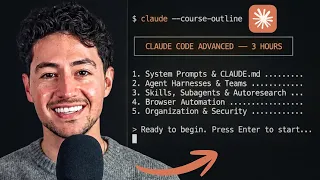
Advanced Claude Code Full Course: Agent Systems & Automation
Scale your automation projects with advanced Claude Code techniques. This course covers agent harnesses, system prompt…

Claude Code for Beginners: Full Data Domain Course
A comprehensive six-hour beginner course on Claude Code covering foundational concepts, the Model Context Protocol, Skills…
Claude Code for Beginners Full Course Tutorial
Learn to integrate Anthropic Claude directly into your development workflow with this 268-minute beginner tutorial. You…
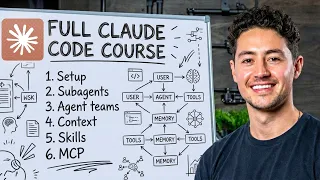
Claude Code Full Course: Build and Sell (4-Hour Masterclass)
A four-hour masterclass covering Claude Code from setup to deployment. Learn to install and configure Claude…
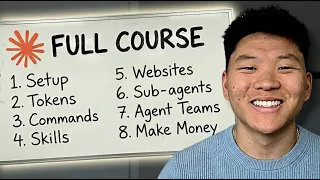
Build and Sell with Claude Code: A 10 Hour Course
A zero to hero, 10 hour course by Nate Herk covering Claude Code, n8n workflows, RAG,…
Free Claude Code Course: From Beginner to AI Engineering Teams
Master Claude Code from the ground up with this free, 10-part course. Learn core concepts, advanced…
Claude Code tutorials
All tutorials related to this topic, gathered in one place.
Criteria: same topic and editorial language. Tutorials are individual content and do not represent a required sequence.
 19min
EN
19min
ENClaude Code: The Advanced Guide (99% of Devs Skip These Features)
 12min
EN
12min
ENHow to Install Claude Code on Mac & Build Your First Project (Step-by-Step Tutorial)
 8min
EN
8min
ENClaude Code Just Dropped /Design. (Master it in 8 Minutes).
 12min
EN
12min
ENClaude Code Tutorial For Beginners: Build Your First App
 31min
EN
31min
ENHow Does Claude Code Actually Work? Let’s Make Our Own
 22min
EN
22min
ENI Have Spent 1000+ Hours With Claude Code. This Is What I Learned
 20min
EN
20min
ENThe Ultimate Claude Code Tutorial (Beginner to Pro)
 35min
EN
35min
ENThe Easiest Way to Build & Host a Website with Claude Code (Full Tutorial)
 51min
EN
51min
ENGive Me 50 Minutes, I’ll Give You 1000+ Hours Of Claude Code Knowledge (2026 Guide)
 18min
EN
18min
ENClaude Code Is NOW FREE? Complete Setup Guide (2026) | Use All Claude Models
 15min
EN
15min
ENClaude Code Tutorial: Beginner to Pro In 15 Minutes
 30min
EN
30min
ENBuild Full-Stack Websites with Claude Code: Backend, Auth, and Admin Portal
 1h 21min
EN
1h 21min
ENClaude Code Full Course – Autonomous Goals, MCP, and VS Code Setup
 32min
EN
32min
ENClaude Code Tutorial for Beginners: Build Website with AI (2026)
 1h 44min
EN
1h 44min
ENFULL Claude Course for Beginners in 2026! (Become a PRO!)
 1h 11min
EN
1h 11min
ENWeb Design with Claude Code: The Complete Guide
 37min
EN
37min
ENClaude Design FULL Tutorial: Beginner to Pro
 18min
EN
18min
ENFREE Claude Desktop + Claude Code! Full Setup With Real Anthropic Models (July 2026)
 21min
EN
21min
ENClaude Full Tutorial for beginners in 2026 | Beginner to Pro
 1h 21min
EN
1h 21min
ENClaude Code Full Course: Zero to Pro in One Hour
 26min
EN
26min
ENThe EASY way to build a beautiful website with Claude Code (full workflow)
 21min
EN
21min
ENHow to Build Your First Claude Agent Team in 14 Minutes
 22min
EN
22min
ENHow to Build an AI Agent with Claude Code (Claude AI Agent Tutorial)
 17min
EN
17min
ENHow I Automate 90% of Social Media with Claude Code
Frequently asked questions about Claude Code
What is Claude Code?
Claude Code is an agentic coding tool that helps work inside a software project by reading context, editing files, explaining changes and supporting review-oriented development workflows.
Is Claude Code only for experienced developers?
Beginners can use it for guided practice, but the learner still needs basic project structure, terminal and version control awareness to review what changes.
What should I learn first?
Start with project context, prompt structure, small tasks and diff review before moving into MCP, skills, agents or automation-heavy workflows.
How is Claude Code different from a chat assistant?
It is closer to the repository and workflow. The assistant can reason over files and proposed changes, so the learner must give clear scope and verify results.
Do I need to know Git?
Yes. Git makes Claude Code safer because each session can be reviewed as a diff and reverted if the output does not match the goal.
What is MCP in Claude Code workflows?
MCP connects the assistant to external tools, docs or services through controlled interfaces. It is powerful, but should be configured with limited permissions and clear purpose.
What are Claude Code skills?
Skills are reusable instructions or workflows that help standardize repeated tasks, such as reviewing code, writing tests or following project conventions.
Can Claude Code run tests?
It can help run and interpret tests when the environment is available, but the learner should still understand what was tested and whether the result is meaningful.
What mistakes should beginners avoid?
Avoid broad prompts, unreviewed changes, skipping tests, giving too many permissions too early and asking the tool to rebuild large systems without a plan.
What is the best way to practice Claude Code?
Use small tasks: inspect a repo, plan one change, apply it, review the diff, run checks and write down what prompt or constraint improved the result.
How to learn Claude Code as an engineering workflow
Claude Code becomes more useful when the learner treats it as a structured loop: context, plan, edit, test and review.
Keep the human review loop visible
The safest way to learn Claude Code is to keep every session small enough to inspect. The assistant can read files, propose edits and explain changes, but the learner should still understand the task, the files touched and the reason each change exists.
This is why Git, tests and clear prompts matter. They turn an AI-assisted session into something observable. Instead of trusting a large generated result, the learner can compare the diff, run checks and decide whether the change matches the original goal.
Add power only after the basics are stable
MCP, skills, commands and agent teams can make Claude Code more capable, but they also increase the need for boundaries. A good path starts with basic repository work, then adds reusable workflows and integrations when the learner can already review outcomes with confidence.
The long-term skill is not just writing better prompts. It is learning how to design a coding session: what context to provide, what the assistant may change, how the result will be verified and when a human decision is required.