-
19
 Lesson 19 – n8n and AI Agents Automation Course
15min
Lesson 19 – n8n and AI Agents Automation Course
15min
-
20
Lesson 20 – n8n and AI Agents Automation Course
13min
-
21
Lesson 21 – n8n and AI Agents Automation Course
2min
-
22
Lesson 22 – n8n and AI Agents Automation Course
13min
-
23
Lesson 23 – n8n and AI Agents Automation Course
Current lesson
-
24
Lesson 24 – n8n and AI Agents Automation Course
24min
-
25
Lesson 25 – n8n and AI Agents Automation Course
10min
-
26
Lesson 26 – n8n and AI Agents Automation Course
20min
-
27
Lesson 27 – n8n and AI Agents Automation Course
23min
-
28
Lesson 28 – n8n and AI Agents Automation Course
20min
-
29
Lesson 29 – n8n and AI Agents Automation Course
14min
-
30
Lesson 30 – n8n and AI Agents Automation Course
22min

Summary
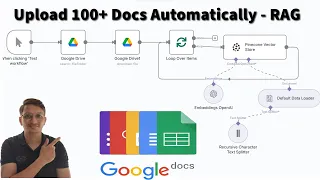
### Introduction to Document Library Automation This lesson focuses on constructing a fully automated digital document library by integrating n8n, Google Drive, and Pinecone. The core objective is to transform static document storage into a dynamic, queryable knowledge base. You will learn to handle large-scale data ingestion using n8n's automation capabilities and then leverage that indexed data to power an intelligent chatbot. This process, often called Retrieval-Augmented Generation, bridges the gap between raw files and actionable AI insights without writing code.
### Setting up the Google Drive Trigger The first workflow begins with configuring a Google Drive trigger node in n8n. This node monitors a specified folder for new or existing files. Proper authentication is established by connecting your Google Cloud credentials to n8n, ensuring secure access. The trigger is designed to detect changes or list all files, providing a robust starting point for the automation. It allows you to filter by file type, such as PDFs or text documents, ensuring only relevant content is processed in subsequent steps.
### Processing Documents with the Loop Node To handle over a hundred documents, the workflow employs the Loop node, which iterates through each file detected by the Google Drive trigger. Inside the loop, a Google Drive node downloads the file content. This is a critical step because the raw binary data must be converted into text before it can be indexed. The Loop node ensures systematic processing, preventing bottlenecks and allowing each document to be handled individually with consistent logic, making the ingestion pipeline scalable and reliable.
### Generating Embeddings and Vector Storage Once a document is downloaded and its text extracted, the workflow uses an AI node, likely connecting to OpenAI or a similar service, to generate vector embeddings. These embeddings are numerical representations of the document's semantic meaning. The processed vectors are then upserted into a Pinecone vector database using the Pinecone node. This step involves configuring the node with your Pinecone API key and index details, effectively building the library where each document chunk is stored with its metadata for fast similarity searches.
### Building the AI Chatbot Interface The second workflow creates an AI chatbot that serves as the user-facing query interface. It begins with a Webhook or Chat trigger, which waits for user questions. When a query is received, an AI node converts the question into a vector embedding using the same model as before. This ensures semantic alignment between the query and the stored documents. The embedded query is then sent to a Pinecone node to query the index, retrieving the most relevant document chunks based on vector similarity scores.
### Crafting the RAG Response System The final step involves composing the response using a Retrieval-Augmented Generation approach. The matched Pinecone results, along with the original user question, are fed into an AI Chat Model node, such as OpenAI's GPT. A carefully structured system message instructs the AI to answer solely based on the provided context, mitigating hallucinations. This node synthesizes the retrieved data into a coherent, natural-language answer. The response is then returned through the trigger, completing a seamless query loop from question to context-aware answer.
What you will learn
- Understand the lesson objective
- Apply the demonstrated workflow
- Validate the result in a practical project
Concepts covered
Technologies used
Chapters 6 markers
Next suggested video


Reviews
No reviews yet. Be the first to rate this lesson.