-
01
 you need to learn MCP RIGHT NOW!! (Model Context Protocol)
Current lesson
you need to learn MCP RIGHT NOW!! (Model Context Protocol)
Current lesson
-
02
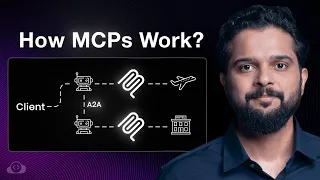
Model Context Protocol (MCP), clearly explained (why it matters)
20min
-
03
Claude’s Model Context Protocol is here… Let’s test it
8min
-
04
Model Context Protocol (MCP) Explained for Beginners: AI Flight Booking Demo!
24min
-
05
MCP vs API: Simplifying AI Agent Integration with External Data
13min
-
06
Why MCP really is a big deal | Model Context Protocol with Tim Berglund
11min
-
07
Model Context Protocol Clearly Explained | MCP Beyond the Hype
15min
-
08
MCP Tutorial: Build Your First MCP Server and Client from Scratch (Free Labs)
40min
-
09
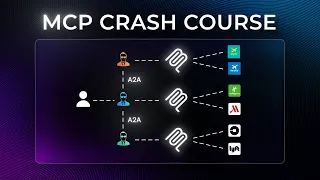
The Ultimate MCP Crash Course – Build From Scratch
1h 15min
-
10
Full Course (Lessons 1-11) MCP for Beginners
50min





Summary
Understanding the Model Context Protocol
The Model Context Protocol (MCP) represents a significant shift in how large language models interact with external systems and tools. Rather than relying on clunky graphical user interfaces or limited function-calling capabilities, MCP enables AI models like Claude and ChatGPT to directly access and utilize real APIs and services. This protocol essentially bridges the gap between the reasoning power of LLMs and the practical execution of tasks in real-world applications. NetworkChuck's comprehensive 39-minute tutorial walks developers through the entire landscape of MCP, from foundational concepts to building custom servers that connect artificial intelligence to virtually any application or service imaginable.
The Problem MCP Solves
Large language models have historically struggled with practical tool integration. While they can reason about code and suggest solutions, they cannot natively execute commands, access file systems, or interact with external APIs in a seamless, standardized way. This limitation creates friction between what an AI can conceptually understand and what it can actually do in production environments. MCP addresses this gap by providing a standardized protocol through which LLMs can request tool execution from dedicated servers. Instead of working through browser interfaces or copy-pasting code snippets, AI models can now make structured requests to MCP servers that handle the actual implementation details. This shift transforms LLMs from passive suggestion engines into active participants in complex workflows.
How MCP Architecture Functions
The Model Context Protocol operates on a client-server architecture where LLM clients communicate with MCP servers to access tools and resources. Claude Desktop, LM Studio for local models, and development IDEs like Cursor all serve as potential MCP clients. These clients send structured requests to MCP servers, which expose tools, resources, and capabilities. The protocol standardizes how requests are formatted, how responses are returned, and how errors are handled. Docker containers prove particularly useful for deploying and managing MCP servers, as they provide isolation, versioning, and reproducibility. The beauty of this architecture lies in its flexibility—developers can run MCP servers locally for privacy-critical applications, deploy them to cloud infrastructure for scalability, or use containerized implementations for maximum portability.
Practical Implementation with Docker
Docker serves as the ideal deployment platform for MCP servers, offering consistent environments across development, testing, and production. NetworkChuck demonstrates running the first MCP server using Docker containers, which immediately makes the protocol accessible to developers without complex local setup. The Docker MCP Catalog and Docker Desktop provide turnkey solutions for common use cases. By containerizing MCP servers, developers eliminate dependency conflicts, simplify version management, and enable easy sharing of custom implementations. The Docker approach also facilitates integration with orchestration platforms, allowing teams to scale MCP server capacity based on demand. Container-based MCP deployment represents a modern, production-ready approach that aligns with current DevOps best practices.
Connecting MCP Across Multiple Clients
One of MCP's most powerful aspects is its client agnosticism. The same MCP server can integrate with Claude Desktop for interactive AI assistance, with LM Studio for privacy-focused local language models, or with Cursor for IDE-native AI coding help. This flexibility means developers invest effort building a single MCP server implementation that then becomes available across their entire AI tooling ecosystem. Organizations can standardize on MCP servers that connect to internal APIs, databases, or specialized services, then expose these capabilities to whatever LLM clients team members prefer. This approach reduces duplication, maintains consistency, and accelerates AI tool adoption across technical teams.
Building Custom MCP Servers
NetworkChuck guides viewers through constructing their own MCP servers, demonstrating how to connect AI models to applications like Obsidian for knowledge management, Brave for web integration, and Kali Linux for cybersecurity operations. Building a custom MCP server involves defining available tools, specifying their input/output schemas, and implementing the logic that executes tool requests. The process becomes especially powerful when connecting specialized applications—for example, an MCP server for Obsidian could enable Claude to query and update notes, search vaults, and manage knowledge graphs. Similarly, a Kali Linux MCP server transforms security tools into AI-accessible resources, enabling automated penetration testing workflows. This extensibility turns MCP into an open platform for connecting any application or service to the world of LLMs.
Advanced MCP Patterns and Orchestration
Beyond basic tool exposure, MCP supports complex workflows through sophisticated server implementations. The video covers building more intricate MCPs that handle conditional logic, chainable operations, and multi-step processes. The MCP Gateway concept represents another layer of sophistication, allowing centralized management of multiple MCP servers and enabling routing of requests from various LLM clients to appropriate backend services. Integration with workflow platforms like n8n demonstrates how MCP servers can participate in broader automation ecosystems. These advanced patterns enable enterprises to create sophisticated AI-assisted workflows where Claude or other models orchestrate actions across multiple integrated systems.
The Future of AI Tool Integration
Model Context Protocol signifies a fundamental shift toward standardized, API-first AI integration. Rather than each AI platform implementing its own tool-calling mechanism, MCP establishes a common standard that benefits both LLM providers and developers building integrations. This standardization accelerates AI adoption by reducing integration complexity and enabling interoperability. As more developers build MCP servers for their applications and services, the ecosystem grows increasingly powerful—every published MCP server expands the range of tasks AI models can accomplish. For developers aiming to stay current in the rapidly evolving AI landscape, understanding MCP is essential, as it represents the practical mechanism through which large language models become genuinely useful in real-world applications.
What you will learn
- Understand how Model Context Protocol enables LLMs to access real tools and APIs
- Deploy MCP servers using Docker containers
- Connect multiple LLM clients (Claude, LM Studio, Cursor) to MCP servers
- Build custom MCP servers to integrate specialized applications and services
- Implement advanced MCP patterns for complex workflows
- Deploy and manage MCP gateways for enterprise integrations
Concepts covered
Technologies used
Chapters 13 markers
- Intro
- Problem: LLMs Suck at Accessing Code
- What is MCP?
- Running Your First MCP Server
- Client 1: Claude Desktop
- Client 2: LM Studio (Local Models)
- Client 3: Cursor (IDE)
- Build YOUR OWN MCP Server
- Building More Complex MCPs
- Kali Linux HACKING MCP
- How does this actually work?
- MCP Gateway, Explained
- Running an MCP Gateway with n8n
Next suggested video


Reviews
No reviews yet. Be the first to rate this lesson.