-
03
 Lesson 3 – n8n and AI Agents Automation Course
3min
Lesson 3 – n8n and AI Agents Automation Course
3min
-
04
Lesson 4 – n8n and AI Agents Automation Course
3min
-
05
Lesson 5 – n8n and AI Agents Automation Course
9min
-
06
Lesson 6 – n8n and AI Agents Automation Course
7min
-
07
Lesson 7 – n8n and AI Agents Automation Course
Current lesson
-
08
Lesson 8 – n8n and AI Agents Automation Course
5min
-
09
Lesson 9 – n8n and AI Agents Automation Course
4min
-
10
Lesson 10 – n8n and AI Agents Automation Course
6min
-
11
Lesson 11 – n8n and AI Agents Automation Course
9min
-
12
Lesson 12 – n8n and AI Agents Automation Course
7min
-
13
Lesson 13 – n8n and AI Agents Automation Course
11min
-
14
Lesson 14 – n8n and AI Agents Automation Course
9min
Summary
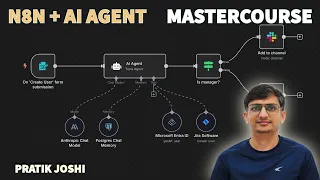
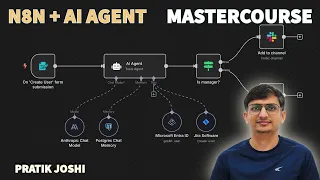
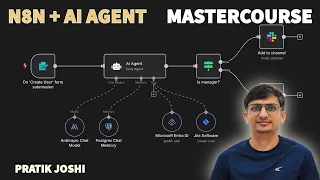
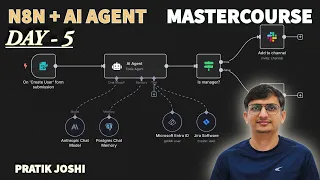
### Overview of Template Importing in n8n This lesson, part of the Complete n8n Automation & AI Agent Masterclass: Zero to Hero, focuses on the practical skill of importing existing automation templates into n8n. Automating workflows often begins with pre-built templates that serve as a foundation, saving significant time and effort. The instructor demonstrates various methods to bring these templates into your n8n environment, ensuring you can leverage community and personal resources effectively. By mastering this process, you accelerate your ability to deploy complex automations without starting from scratch each time.
### Step-by-Step Methods for Importing Templates Throughout the video, multiple approaches to importing templates are shown. The first method involves using the n8n interface directly, where you paste JSON or workflow code into the editor. This is ideal for templates shared as plain text, such as those received via email or found in documentation. Another method covers importing from a file, where you upload a saved JSON file from your local system. The lesson also explores importing via a URL, which is useful for pulling templates directly from GitHub repositories or cloud storage. Each technique is explained with clear, actionable steps, ensuring you can choose the best method based on the template source.
### Customizing Imported Workflows for Your Needs After importing a template, the real value comes from tailoring it to your specific requirements. The lesson demonstrates how to modify nodes, update credentials, and adjust parameters within the imported workflow. For example, if a template connects to a specific API, you learn to replace placeholder API keys with your own credentials. The instructor also shows how to reorganize nodes, add custom logic, and integrate with your existing tools like Gmail, Slack, or databases. This customization ensures that the automation aligns perfectly with your business processes, making it a reusable asset rather than a static copy.
### Avoiding Common Pitfalls During Import Importing templates is not always seamless, and the lesson highlights frequent issues that can arise. One common pitfall is encountering broken connections between nodes due to missing dependencies or outdated node types. The video teaches you how to diagnose these problems by checking node versions and updating them if necessary. Another issue involves credential mismatches, where imported workflows fail because they reference credentials not configured in your n8n instance. The instructor provides tips for resolving these errors, such as using the error panel to identify and fix problems quickly. Additionally, you learn to verify the trigger node setup to ensure the workflow launches as expected.
### Saving Time with Proven Workflow Foundations By learning to import and adapt templates, you tap into a wealth of proven automation designs. The lesson emphasizes that this skill is a cornerstone of efficient n8n usage, allowing you to build on the work of the community and experts. For instance, you might import a template for social media posting or email notifications and then tweak it to include AI-powered sentiment analysis. This approach reduces development time and minimizes errors, as you start with a tested structure. The instructor encourages regularly exploring template libraries and sharing your own creations to foster a collaborative automation environment.
### Next Steps in Your Automation Journey As you conclude this lesson, you are equipped with the practical knowledge to import and customize templates confidently. The course will continue to build on this foundation with advanced techniques, including AI agent integrations and complex workflow chaining. You are reminded to apply these skills immediately by importing a template from the resources provided and experimenting with customization. This hands-on practice solidifies your understanding and prepares you for more sophisticated projects in later modules, ultimately moving you closer to becoming an automation expert.
What you will learn
- Learn multiple step-by-step methods to import automation templates into n8n
- Understand how to customize imported templates to fit your specific workflows
- Identify and resolve common issues like broken connections and credential mismatches during import
- Save time by building on existing proven workflows instead of creating from scratch
- Gain hands-on experience with template importing to prepare for advanced automation projects
Concepts covered
Technologies used
Chapters 6 markers
- Introduction to importing templates and course overview
- Method 1: Importing templates by pasting JSON code directly
- Method 2: Importing templates from a local file upload
- Method 3: Importing templates via URL
- Customizing imported workflows: adjusting nodes and credentials
- Troubleshooting common pitfalls: broken connections and missing credentials
Next suggested video


Reviews
No reviews yet. Be the first to rate this lesson.