-
01
 Lesson 1 – n8n and AI Agents Automation Course
4min
Lesson 1 – n8n and AI Agents Automation Course
4min
-
02
Lesson 2 – n8n and AI Agents Automation Course
6min
-
03
Lesson 3 – n8n and AI Agents Automation Course
3min
-
04
Lesson 4 – n8n and AI Agents Automation Course
Current lesson
-
05
Lesson 5 – n8n and AI Agents Automation Course
9min
-
06
Lesson 6 – n8n and AI Agents Automation Course
7min
-
07
Lesson 7 – n8n and AI Agents Automation Course
2min
-
08
Lesson 8 – n8n and AI Agents Automation Course
5min
-
09
Lesson 9 – n8n and AI Agents Automation Course
4min
-
10
Lesson 10 – n8n and AI Agents Automation Course
6min
-
11
Lesson 11 – n8n and AI Agents Automation Course
9min
-
12
Lesson 12 – n8n and AI Agents Automation Course
7min
Summary
Understanding the n8n platform ecosystem
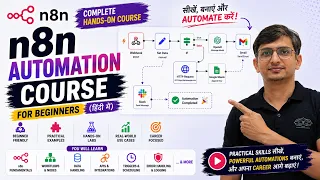
When beginning with workflow automation, the sheer number of platforms available can feel overwhelming, but n8n has carved out a distinct niche by combining powerful AI agent capabilities with a fair-code licensing model. This video serves as the official starting point of a masterclass designed to take someone from complete novice to skilled automator. The host, Pratik Joshi, establishes the purpose of this foundational lesson very clearly: it is not about building complex logic or integrating machine learning models yet. Instead, the entire focus is on the setup process, an often-underestimated phase that dictates how smoothly subsequent technical lessons will proceed. The lesson prepares the viewer for the n8n environment by demystifying the account structure, hosting implications, and commercial options before a single workflow node is placed.
n8n operates on a node-based system where each action or trigger is visualized as a block that can be connected, making it accessible for people with a logical mindset who may not come from a hardcore software development background. The lesson aligns the viewer mentally with this approach by first tackling the account gateway, ensuring that the tool is ready and correctly configured. Taking time to explain account types right at the beginning removes confusion later when resource limits or execution environments might otherwise cause a completed workflow to fail unexpectedly.
Navigating the registration journey
The practical guidance in this video walks the learner through the entire signup flow, starting from the n8n landing page. The instructor highlights the importance of choosing the correct authentication method, whether that involves using a Google account, a GitHub profile, or an email and password combination. This section is deliberately paced to help beginners avoid simple mistakes, such as signing up with an account they might lose access to later or using credentials that do not match their professional environment. A small but crucial detail covered is email verification, which is often skipped in rushed tutorials but can block further progress if ignored.
By visually presenting each screen in sequence, the video reduces the anxiety that new users often feel when encountering fields like workspace names or team invitations. It clarifies that for solo learners, the default settings are perfectly acceptable and that there is no need to overcomplicate the initial configuration. The guarantee is that after finishing this segment, the student will have a fully functional n8n dashboard ready to import templates and receive instructions from the subsequent course lessons.
Comparing cloud and self-hosted environments
A significant portion of the lesson is dedicated to drawing a clear line between the n8n cloud solution and the self-hosted alternative, a distinction that is not always obvious to those unfamiliar with software deployment. The cloud offering is presented as the fastest path to getting started, removing infrastructure concerns entirely and leaving the user inside a managed environment where updates, security patches, and server uptime are handled by the n8n team. Students who value immediate results and do not wish to configure servers will be directed here. The trade-off involves subscription costs and execution limitations tied to the cloud plan.
The self-hosted version, on the contrary, appeals to learners who want complete data sovereignty, unlimited potential for customization, or the ability to run automations at scale without per-workflow fees. The video explains that this route requires some familiarity with command lines, Docker containers, or basic server management, but compensates by offering a powerful free tier for personal or small-scale projects. By comparing both pathways without bias, the lesson empowers the user to make an informed decision that aligns with their long-term automation ambitions rather than simply defaulting to whichever option seems easier at first glance.
Deciphering the pricing and plan structure
The lesson methodically breaks down the different commercial tiers available within the n8n ecosystem, acknowledging that pricing pages can sometimes bury essential details. The free cloud plan is recommended for experimentation, but its inherent limitations in active workflow executions are openly discussed so that students do not hit a wall when testing more advanced AI agent behaviors later in the masterclass. Paid tiers offer progressively more execution capacity, higher concurrency, and features oriented towards teams, such as role-based access control and shared templates.
What makes this explanation genuinely useful for a beginner is its direct connection to practical learning scenarios: the instructor links plan features to specific course modules that will appear later, estimating when a free plan might suffice and when an upgrade could be necessary to follow along without workarounds. This forecasting avoids an unpleasant situation where a student is excited to build a multi-agent chat system only to discover their current plan does not support it, thereby preserving momentum and confidence in the curriculum.
Budget-conscious strategies and hidden savings
One of the most pragmatic parts of this lesson centers on cost avoidance, which is a welcome contrast to tutorials that casually push users toward the most expensive option. The video shares tips such as utilizing the free community node library instead of building custom code that might require higher-tier execution limits, and leveraging the self-hosted community edition if the learner already maintains a home server or virtual private network. These strategies matter because, in real-world projects, automation costs can spiral when workflows are not tested efficiently.
The instructor also cautions against provisioning numerous unnecessary executions during the testing phase, encouraging a practice of dry-running workflows and carefully validating logic before enabling active triggers that consume plan quotas. By embedding this awareness so early in the course, the student begins to internalize an efficiency-first mindset that distinguishes a disciplined automator from someone who treats platforms as unlimited sandboxes. This small section ensures that the excitement of learning does not translate into an unexpected invoice, a worry that can seriously distract from educational goals.
Laying the groundwork for AI agent integration
Although the entire video is technically about registration, it is constantly framed as the necessary bedrock for the AI agent projects that will constitute the rest of the masterclass. Without a properly chosen plan, the computational overhead of running AI chains, connecting to large language model APIs, or maintaining stateful agent memory could become a bottleneck. The lesson emphasizes this dependency so the learner recognizes that time spent now evaluating plans directly correlates with the complexity of agents they will be able to implement.
The host, Pratik Joshi, ties this seemingly mundane task back to the overarching promise of the complete course, which is to take the student from zero to hero in n8n automation and AI agents. By prioritizing a solid infrastructure choice at the very beginning, the lesson sets an expectation of professionalism and sustainability, ensuring that the workflows built during the course can be preserved, iterated upon, and eventually deployed in production without having to migrate between radically different environments.
Moving forward with confidence
The conclusion of this instructional piece is designed not merely to recap the account creation steps but to instill confidence that the viewer is now properly equipped to begin the hands-on modules that follow. There is a clear psychological handoff from the host to the student, confirming that the technical prerequisite has been satisfied. The stage is set for deep dives into triggers, HTTP requests, webhook handling, and AI-powered node interactions, all of which require a stable home inside the n8n environment.
The audience is assured that any temporary confusion with plans or deployments is normal and that the long-term payoff of a well-configured setup is immense. Listeners leave this video with an active n8n workspace and a clear mental model of how it will support their journey from basic task automation all the way to sophisticated AI agent orchestration.
What you will learn
- Create an n8n account using email or third-party authentication
- Differentiate between n8n cloud and self-hosted deployment options
- Evaluate n8n pricing plans based on workflow needs and budget
- Select the optimal plan for AI agent projects without overspending
Concepts covered
Technologies used
Chapters 6 markers
Next suggested video


Reviews
No reviews yet. Be the first to rate this lesson.