Summary
Understanding OpenAI Codex CLI
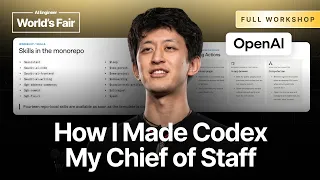
OpenAI Codex represents a significant advancement in AI-assisted code generation, built on a foundation of GPT-3 technology. The Codex CLI brings this powerful capability directly to the terminal, allowing developers to leverage artificial intelligence for rapid code synthesis and intelligent autocompletion without leaving their command-line environment. This video distills the most critical CLI features and commands into a focused 12-minute overview, making it accessible for developers who need to understand Codex fundamentals quickly without wading through extensive documentation.
Setting Up Your Codex Environment
Before utilizing Codex CLI, developers must establish proper authentication and environment configuration. The setup process involves obtaining API credentials from OpenAI, configuring authentication tokens, and ensuring the CLI tool is properly installed on the development machine. This foundational step is essential because it determines whether the CLI can communicate with OpenAI's backend services and execute code generation requests. The video walks through these prerequisites efficiently, showing the minimal but necessary steps required to transition from installation to active usage.
Core CLI Commands and Syntax
The Codex CLI operates through a series of intuitive commands designed to minimize friction in the development workflow. These commands allow developers to specify code generation requests, define programming language contexts, and control output parameters such as temperature and maximum tokens. Understanding the command structure is crucial because it enables developers to craft precise prompts that yield higher-quality generated code. The CLI supports chaining commands together, piping input and output, and integrating with existing shell workflows, transforming how developers interact with code generation at the terminal level.
Practical Code Generation Workflows
Once the basics are mastered, developers can implement Codex CLI into real development workflows. The video demonstrates how to generate function implementations, create boilerplate code, translate between programming languages, and debug existing code snippets using natural language descriptions. These practical applications show that Codex CLI is not merely a novelty tool but a genuine productivity enhancer that can reduce time spent on routine coding tasks. The workflows showcased reveal how developers can batch multiple code generation requests, iterate on outputs, and systematically improve code quality through iterative refinement with AI assistance.
Customizing Output Parameters
Codex CLI provides several tuning parameters that allow developers to shape the behavior and quality of generated code. Temperature settings control the randomness and creativity of outputs, while token limits define the maximum length of generated responses. Understanding these parameters enables developers to balance between deterministic, safe code generation and more exploratory, creative outputs depending on their use case. The video demonstrates how adjusting these parameters affects output characteristics, giving developers the knowledge to optimize for their specific scenarios whether they need highly predictable code or more experimental solutions.
Integration with Existing Development Tools
The true power of Codex CLI emerges when integrated into larger development ecosystems. The tool can be combined with version control systems, integrated into shell scripts and automation pipelines, and used alongside traditional IDEs and editors. This integration capability transforms Codex from a standalone utility into a seamless part of the development process. Developers can automate code generation tasks, create custom scripts that leverage Codex intelligence, and build workflow enhancements that would be difficult or impossible without CLI access to the API.
Best Practices and Performance Optimization
Effective use of Codex CLI requires understanding best practices that maximize code quality while minimizing API costs and latency. The video emphasizes the importance of clear, specific prompts, proper context provision, and iterative refinement of generated code. Developers learn to recognize when Codex generates reliable code versus when human review and modification are necessary. Performance optimization includes batching requests to reduce overhead, caching frequently generated code patterns, and understanding API rate limits to maintain productive workflows without throttling or service interruptions.
Troubleshooting and Common Challenges
Developing proficiency with Codex CLI includes learning how to diagnose and resolve common issues. These challenges may range from authentication failures and malformed commands to unexpected code generation behavior or API rate limiting. The video addresses these practical concerns, showing developers how to validate their setup, interpret error messages, and adjust their approach when initial attempts don't yield expected results. Building this troubleshooting knowledge prevents frustration and helps developers maintain momentum when working with AI-assisted code generation.
What you will learn
- Install and configure OpenAI Codex CLI with proper authentication
- Master core CLI commands for code generation and language switching
- Implement practical workflows for rapid code synthesis and debugging
- Customize output parameters to control code quality and creativity
- Integrate Codex CLI into existing development tools and scripts
- Optimize API usage and troubleshoot common CLI issues
Concepts covered
Technologies used
Chapters 8 markers
Next suggested video

Reviews
No reviews yet. Be the first to rate this lesson.