-
06
 Lesson 6 – Claude Certified Architect – Full Course
45min
Lesson 6 – Claude Certified Architect – Full Course
45min
-
07
Lesson 7 – Claude Certified Architect – Full Course
24min
-
08
Lesson 8 – Claude Certified Architect – Full Course
38min
-
09
Lesson 9 – Claude Certified Architect – Full Course
1h 29min
-
10
Lesson 10 – Claude Certified Architect – Full Course
Current lesson
-
11
Lesson 11 – Claude Certified Architect – Full Course
31min
-
12
Lesson 12 – Claude Certified Architect – Full Course
33min
-
13
Lesson 13 – Claude Certified Architect – Full Course
51min
-
14
Lesson 14 – Claude Certified Architect – Full Course
31min
-
15
Lesson 15 – Claude Certified Architect – Full Course
34min
-
16
Lesson 16 – Claude Certified Architect – Full Course
27min
-
17
Lesson 17 – Claude Certified Architect – Full Course
36min
Summary
Understanding Claude Code's Native Toolkit
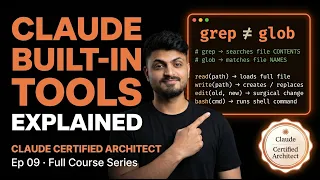
The landscape of AI-assisted development is rapidly evolving, and the distinction between a functional agent and an optimal one often lies in tool utilization. This lesson serves as the definitive deep dive into the six built-in tools that form the backbone of Claude Code's operational capabilities. Unlike external integrations requiring complex authentication or API key management, these utilities—Grep, Glob, Read, Write, Edit, and Bash—are immediately available within the Anthropic ecosystem. They represent a paradigm shift in how developers interact with codebases, transitioning from manual file navigation to semantic, agent-driven exploration. Understanding the precise boundaries of each tool is not merely a technical exercise; it is the foundation for the Claude Certified Architect credential, directly mapping to the efficiency metrics evaluated in the official examination.
The Semantic Divide: Differentiating Grep and Glob
Perhaps the most critical conceptual distinction covered in this module is the functional line between Grep and Glob, a source of frequent confusion even among seasoned developers. Grep operates as a content detective, meticulously scanning the interior of files to locate specific patterns, function calls, or string literals across an entire project hierarchy. In contrast, Glob functions as a file-path hunter, matching directory structures and file naming conventions without peering into the files themselves. The course introduces a memorable heuristic to eliminate this ambiguity permanently: Grep is for content, Glob is for paths. When a developer needs to find every invocation of a deprecated utility, Grep is the answer; when they need to catalogue all TypeScript configuration files, Glob is the precise scalpel. Misapplying these tools leads to token bloat and logical errors, making this differentiation a cornerstone of the certification's performance-based questions.
Read, Write, and the Precision of Edit
Once a target has been acquired using Glob or Grep, the interaction moves to the file manipulation layer, where Read, Write, and Edit dictate the agent's fidelity. Read is the mechanism for loading complete file contexts into the model's working memory, a necessary step before any modification should occur. On the output side, Write provides an atomic, blunt-force instrument for creating new files or totally overwriting existing ones, ensuring reliability with zero room for edge-case corruption. The Edit tool, however, is where surgical precision becomes paramount. It allows targeted alterations by anchoring to unique text strings, but it introduces a critical vulnerability: non-unique anchor text causes the operation to fail silently or broadly. The curriculum emphasizes that recognizing this limitation is not a theoretical exercise but a practical examination requirement, forcing architects to master the Read-plus-Write fallback strategy when surgical edits fall short.
The Incremental Exploration Pattern
A central theme of the lesson is the rejection of bulk-reading strategies in favor of the Incremental Exploration Pattern. Inefficient agents attempt to load massive directories or entire codebases into context immediately, a habit that quickly exhausts context windows and burns tokens on irrelevant data. The prescribed expert workflow is a deliberate, stepwise probe: first Grep to sniff out relevant content clues, then Read to load only the specific files identified, followed by a trace of dependencies. This 'explore as you go' methodology mimics the efficiency of a senior software engineer performing a just-in-time code review rather than memorizing the entire repository. For Claude Certified Architect candidates, mastering this loop translates directly to higher scores on the Developer Productivity scenarios, where token conservation and accuracy carry significant weight in the rubric.
Bash as the Universal Escape Hatch
No agentic coding system is complete without the ability to interface directly with the underlying environment, a role filled entirely by the Bash tool. This utility is conceptualized not just as a terminal emulator but as an escape hatch for tasks that fall outside the strict boundaries of file searching and editing. Through Bash, the agent can execute test suites to validate code generation, interact with Git for version control, run linters to enforce style guides, and invoke command-line interfaces for build processes. The course frames Bash as the integration glue that transforms Claude Code from a text editor into a full-fledged development engine. Crucially, the instruction warns against using Bash for tasks better suited to the native tools to avoid safety bypasses, reinforcing the architectural principle that the right tool is always the safest tool.
Real-World Exam Scenarios and Optimization
The theoretical knowledge is hardened through a detailed walkthrough of real certification scenarios, specifically Scenario 4, which evaluates Developer Productivity, and Scenario 2, focusing on Code Generation. These segments demonstrate how tool selection is assessed under timed conditions. The instructors reveal that exam evaluators look for candidates who instinctively reach for Glob to filter by file extension before blindly querying with Grep. Additionally, the lesson highlights the token-cost implications of specific operations, warning against the catastrophic inefficiency of bulk-reading large codebases. By internalizing these efficiency heuristics and understanding the subtle failure mode of the Edit tool's anchor matching, candidates can confidently navigate the trickier multiple-choice and lab-based sections of the Claude Certified Architect exam.
Certification Strategy and Mastery
Beyond the technical API, this lesson serves as a strategic guide to the Claude Certified Architect exam itself. The final section distills specific tips and tricks tailored to the testing environment, focusing on time management and the mental model required to diagnose agent failures. Students are trained to treat the tool set as a logical tree: if the target is unknown, start with Glob or Grep; if the location is known but content needs changing, prefer Edit but always have the Read-plus-Write fallback planed. This decision-making framework ensures that when faced with simulation errors in the exam terminal, a candidate does not panic but instead systematically debugs the tool chain. By the end of the 36-minute masterclass, developers possess not just the syntax but the architectural intuition to deploy these six tools with the precision that distinguishes a certified architect from a casual prompt engineer.
What you will learn
- Differentiate between Grep for file content and Glob for file paths
- Apply the Incremental Exploration Pattern to conserve context tokens
- Implement surgical file changes using Edit and fallback to Read-plus-Write
- Integrate Bash as a secure escape hatch for testing and CLI operations
- Navigate real Claude Certified Architect exam scenarios with efficiency strategies
Concepts covered
Technologies used
Chapters 12 markers
- Introduction to Built-in Tools
- Grep - The Content Detective
- Glob - The File Path Hunter
- Grep vs Glob: Key Differences
- Read - Loading Context Efficiently
- Write - Create and Overwrite Files
- Edit - Surgical Precision and Pitfalls
- The Read Plus Write Fallback Strategy
- Mastering the Incremental Exploration Pattern
- Real Exam Scenario Walkthrough
- Avoiding Bulk Reads of Large Codebases
- Certification Exam Tips and Final Tricks
Next suggested video


Reviews
No reviews yet. Be the first to rate this lesson.