-
08
 Lesson 8 – Claude Certified Architect – Full Course
38min
Lesson 8 – Claude Certified Architect – Full Course
38min
-
09
Lesson 9 – Claude Certified Architect – Full Course
1h 29min
-
10
Lesson 10 – Claude Certified Architect – Full Course
35min
-
11
Lesson 11 – Claude Certified Architect – Full Course
31min
-
12
Lesson 12 – Claude Certified Architect – Full Course
Current lesson
-
13
Lesson 13 – Claude Certified Architect – Full Course
51min
-
14
Lesson 14 – Claude Certified Architect – Full Course
31min
-
15
Lesson 15 – Claude Certified Architect – Full Course
34min
-
16
Lesson 16 – Claude Certified Architect – Full Course
27min
-
17
Lesson 17 – Claude Certified Architect – Full Course
36min
-
18
Lesson 18 – Claude Certified Architect – Full Course
34min
-
19
Lesson 19 – Claude Certified Architect – Full Course
43min


Summary
The Critical Mistake in Team Collaboration
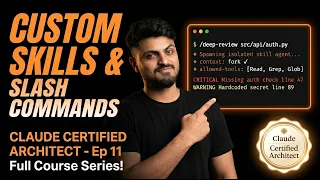
In the world of AI-assisted development, a single misconfiguration can silently break team workflows. This lesson opens with a scenario that experienced developers will recognize instantly: building a custom slash command that works perfectly on a local machine but fails for every other teammate. This common pitfall happens because where a command is stored directly controls who can access it. The distinction between user-scoped and project-scoped configurations is not just a technical detail—it is a foundational concept tested throughout the Claude Certified Architect exam, specifically within Domain 3, which covers Claude Code Configuration and Workflows and accounts for twenty percent of the certification score. The video explores how to avoid this mistake by understanding the directory structures, file permissions, and scoping rules that govern Claude Code's extensibility system.
Defining Slash Commands and Their Scopes
Slash commands are custom shortcuts that trigger specific actions within Claude Code, allowing developers to automate repetitive tasks and enforce team standards. The video draws a sharp line between two storage locations that determine everything about a command's availability. Commands placed in the project-level `.claude/commands/` directory become part of the repository and are automatically shared with every team member who clones the project. Commands stored in the user-level `~/.claude/commands/` directory remain private to that specific machine. This distinction is the exact focus of Sample Question 4 from the Architect exam, which tests whether candidates understand that a command built in the wrong scope will simply not fire when a teammate types the slash trigger. The lesson emphasizes that project scope is the default for team workflows, while user scope is reserved for personal productivity tools that should never be committed to version control.
Understanding Skills as the Next Evolution
Beyond simple slash commands, the lesson introduces Skills as a more sophisticated mechanism for extending Claude Code's capabilities. Skills are defined through a `SKILL.md` file and offer granular control over the execution environment through frontmatter metadata. The video walks through each field in this frontmatter: the `context` property, which can be set to `fork` to create an isolated session that prevents side effects from polluting the main conversation; the `allowed-tools` array, which restricts which tools the skill can invoke, creating a security boundary around dangerous operations; and the `argument-hint`, which provides inline documentation to guide users when invoking the skill. The concept of context forking is presented as a superpower that keeps the primary session clean, preventing a skill from accidentally overwriting files, modifying environment variables, or altering the conversation state in unintended ways.
Anatomy of a SKILL.md File
The core of the tutorial is a detailed walkthrough of creating a custom skill from scratch. The process begins with creating the directory structure and the `SKILL.md` file itself. The video breaks down the required sections: a name that serves as the invocation trigger, a description that appears in autocomplete menus, the frontmatter block where all configuration lives, and the body containing the actual instructions that Claude will execute. Special attention is given to how Claude Code parses this file and merges the skill's instructions with the existing system prompt. The lesson also covers how skills interact with the `CLAUDE.md` file hierarchy, explaining that while `CLAUDE.md` provides persistent global or project-level instructions that are always active, skills are on-demand modules that inject specialized knowledge only when explicitly called by the developer.
The Tool Selection Matrix and Decision Framework
A unique contribution of this episode is the Tool Selection Matrix, a decision-making framework that helps architects choose the right extensibility mechanism for any given scenario. The matrix weighs factors such as whether the functionality needs to be shared across the team, whether it requires isolation from the main session, whether it needs to run automatically or on-demand, and what level of tool restriction is necessary. The video positions this matrix as essential for answering the scenario-based questions that appear in the Architect exam, where candidates must diagnose why a particular implementation failed and recommend the correct approach. The framework prevents the common anti-pattern of using a slash command when a skill is needed, or configuring a global `CLAUDE.md` instruction when a scoped, on-demand skill would be more appropriate.
Practical Build: The Deep-Review Security Skill
The theoretical concepts crystallize in a full practical demonstration where the instructor builds a `/deep-review` security skill from scratch. This real-world example shows how to combine all the elements discussed earlier: the skill is scoped to the project so the entire security team can use it, the context is forked to prevent the review process from modifying any source files, the allowed tools are restricted to read-only file access and search commands, and the argument hint guides users to specify which file or directory to analyze. The skill's instructions are crafted to check for common vulnerabilities, hardcoded secrets, improper input validation, and insecure dependencies. This hands-on segment shows the skill being invoked, stepping through the isolated session, and delivering a security report without leaving any trace in the main development workspace.
Preparing for the Architect Exam
The final portion of the episode is explicitly mapped to the exam objectives, serving as a study guide for Task Statement 3.2 under Domain 3. The instructor works through an exam scenario question live, demonstrating the thought process an architect should follow: first, identify whether the requirement calls for a command, skill, or `CLAUDE.md` modification; second, determine the correct scope based on who needs access; third, select the appropriate configuration options such as context isolation or tool restrictions. The accompanying Architect Cheat Sheet distills the entire lesson into a one-page reference covering the directory paths for both scopes, the SKILL.md frontmatter schema, and a quick-decision flowchart. The episode closes by framing this knowledge as a prerequisite for the next topic, which covers the strategic decision-making between Plan Mode and Direct Execution, where the scoping lessons learned here become critical for safely delegating autonomous actions to the AI.
What you will learn
- Distinguish between project-scoped and user-scoped slash commands and their directory structures
- Assemble a SKILL.md file with proper frontmatter including context, allowed-tools, and argument-hint
- Apply context forking to isolate skill execution and prevent session pollution
- Choose the correct extensibility mechanism using the Tool Selection Matrix
- Construct a practical security review skill that uses read-only permissions
Concepts covered
Technologies used
Chapters 10 markers
Next suggested video


Reviews
No reviews yet. Be the first to rate this lesson.