-
05
 Lesson 5 – Claude Certified Architect – Full Course
12min
Lesson 5 – Claude Certified Architect – Full Course
12min
-
06
Lesson 6 – Claude Certified Architect – Full Course
45min
-
07
Lesson 7 – Claude Certified Architect – Full Course
24min
-
08
Lesson 8 – Claude Certified Architect – Full Course
38min
-
09
Lesson 9 – Claude Certified Architect – Full Course
Current lesson
-
10
Lesson 10 – Claude Certified Architect – Full Course
35min
-
11
Lesson 11 – Claude Certified Architect – Full Course
31min
-
12
Lesson 12 – Claude Certified Architect – Full Course
33min
-
13
Lesson 13 – Claude Certified Architect – Full Course
51min
-
14
Lesson 14 – Claude Certified Architect – Full Course
31min
-
15
Lesson 15 – Claude Certified Architect – Full Course
34min
-
16
Lesson 16 – Claude Certified Architect – Full Course
27min
Summary
The Core Challenge of Agent Collaboration
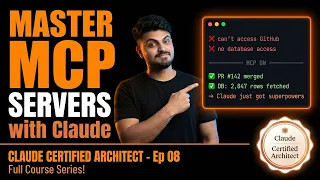
The Claude agent works perfectly in a local environment, executing tasks and leveraging connected tools without issue. A teammate clones the exact same repository, and suddenly nothing works. MCP tools are missing, connections fail, and the development environment is broken despite identical codebases. This common and deeply frustrating scenario is often caused by a single misplaced configuration file. Understanding this failure point is not just a practical necessity for AI developers—it is a near-certain topic on the Claude Certified Architect certification exam. The Model Context Protocol represents a fundamental shift in how AI agents discover, connect to, and utilize external tools and data sources, moving beyond brittle, hard-coded integrations toward a standardized, dynamic architecture.
Deconstructing the MCP Protocol Architecture
The episode begins by establishing a solid foundation, explaining what MCP servers actually are and why they exist. MCP is an open protocol that standardizes how applications provide context to large language models. Instead of building custom integrations for every single tool or data source, developers can build against a universal standard. The architecture is explained in detail, breaking down the client-server model where the host application, such as Claude Desktop or an IDE like Cline, initiates the connection. The protocol handles the complex negotiation of capabilities, allowing the agent to understand exactly which tools are available and how to call them. A significant portion of the episode is dedicated to an honest comparison between MCP and traditional REST APIs, outlining the real trade-offs regarding performance, state management, and the overhead of maintaining a persistent connection.
The Hidden Danger in Configuration Files
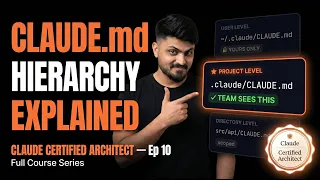
The practical heart of the lesson lies in the detailed comparison between project-level and user-level MCP configurations. The `.mcp.json` file allows developers to declare necessary MCP servers directly within a project's repository, ensuring a consistent environment for every team member who clones the code. In contrast, the user-level `~/.claude.json` configuration is local to a single machine. The catastrophic failure described at the start occurs when a project relies on user-level configurations that are never committed to the repository, leaving teammates with an incomplete toolkit. The episode breaks down the exact structure of a `.mcp.json` file, demonstrating how to define server commands, arguments, and critical environment variables.
Secure Management of Secrets and Environment Variables
A crucial sub-section of the configuration discussion centers on security. Hardcoding API keys and secrets into configuration files is a dangerous practice that leads to leaked credentials in version control. The episode demonstrates the use of environment variable expansion using the `${VAR_NAME}` syntax within MCP configuration files. This method ensures that sensitive secrets stay out of git while still being correctly injected into the MCP server runtime. It is a vital lesson in responsible AI development, connecting theoretical protocol knowledge with the mundane but critical practice of operational security. The walkthrough shows exactly how to set these variables in different environments, preventing another common team-blocking issue where tools fail due to missing local environment variables.
Deep Dive into MCP Tools and Resources
Beyond the initial setup, the episode explores the mechanics of agent communication with MCP servers under the hood. The concept of "tool loading" is discussed, revealing how the agent discovers server capabilities at startup and how those tools are represented in the model's context. A pivotal distinction is made between MCP Tools and MCP Resources. Tools are active blocks of code the model can invoke to perform an action, like sending an email or querying a database. Resources, however, are static or dynamic pieces of data exposed by the server. The lesson explains how leveraging Resources can drastically reduce the number of exploratory API calls an agent makes—potentially by a factor of five—because the model can read contextual data directly without asking for it through a tool call.
Debugging and Supercharging Server Performance
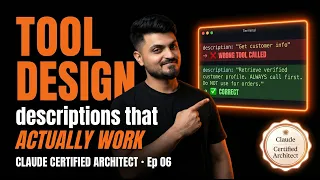
Before shipping an AI agent integration, thorough testing is required. The episode introduces the MCP Inspector, a dedicated tool for testing and debugging MCP servers in isolation. This allows developers to verify tool schemas, simulate calls, and inspect responses without involving the AI model itself, drastically speeding up the development loop. The real-world application of MCP is shown through a live walkthrough with Cline, demonstrating an end-to-end workflow setup. A master-level technique covered is the art of writing tool descriptions that can actually outperform Claude's own built-in tools. Because the model uses descriptions to decide which tool to call, a well-crafted, specific description is a form of prompt engineering that directly competes for the agent's attention and selection.
The Decision Framework and Exam Strategy
Not every problem requires a custom MCP server. The episode provides a practical decision framework for choosing between pre-built community servers and investing time in building custom solutions. Factors such as maintenance burden, security auditability, and feature specificity are weighed. The final segment of the video focuses on exam tricks and tips for Domain 2 of the Claude Certified Architect certification, which carries eighteen percent of the total score. It is described as the domain most candidates underestimate because it seems simple on the surface but tests deep knowledge of broken configurations, security ramifications, and the subtle differences between project and user scoping. The lesson wraps up by reinforcing the core message: consistency across environments is not automatic; it must be architected through disciplined use of project-level MCP configuration.
What you will learn
- Diagnose the root cause of MCP tool failures in team environments
- Differentiate between user-level and project-level MCP configuration files
- Implement secure environment variable expansion in MCP server setups
- Distinguish MCP Resources from MCP Tools to optimize agent performance
- Design custom tool descriptions that compete with built-in agent capabilities
Concepts covered
Technologies used
Chapters 13 markers
Next suggested video


Reviews
No reviews yet. Be the first to rate this lesson.